
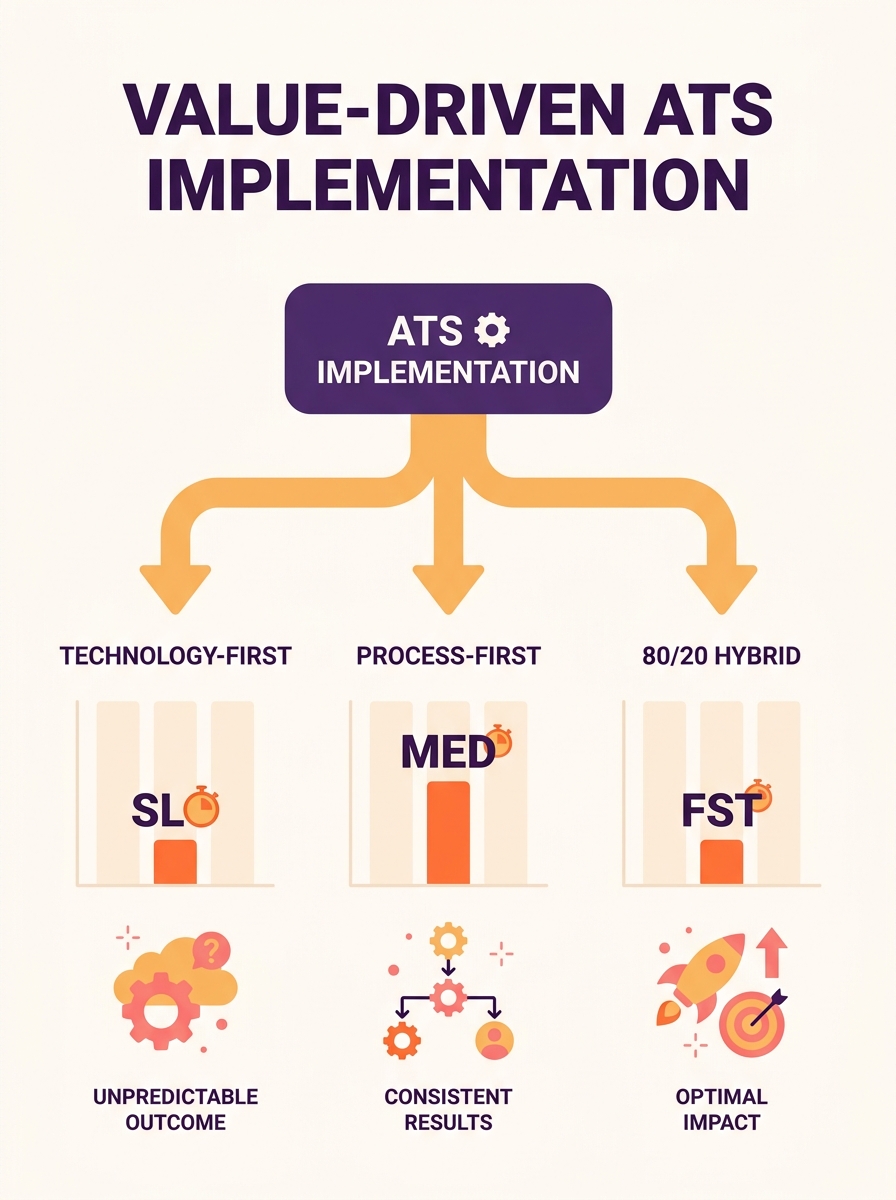
Three configuration philosophies dominate ATS implementation workflow design: technology-first, process-first, and an 80/20 hybrid that standardizes most pipelines while localizing the rest. The one you pick determines whether your system ships on schedule or joins the 78% of implementations that blow past their timelines and budgets.
TL;DR: Technology-first configuration is fast but fragile. Process-first design is thorough but slow. The 80/20 hybrid, which standardizes 80% of workflows and localizes 20% for regional needs, delivers the best balance of speed, compliance, and adoption for mid-size and enterprise hiring teams.
Why the Configuration Philosophy Matters More Than the Platform
The platform you buy matters far less than how you configure it. According to Pinpoint’s 2026 ATS Implementation Guide, “the most successful implementations begin with people and process, not configuration. The technology works best when it’s shaped around clear workflows, defined roles, and the decisions the business has already aligned on.” That quote lands differently once you realize the majority of failed implementations started with the opposite assumption: open the software, click around, build later.
The three approaches below represent distinct answers to a single design question: when do you finalize your recruitment process configuration relative to when you start building it in the system? Each one trades off speed, adoption risk, and compliance coverage differently. And depending on your team size, regulatory environment, and hiring volume, the right choice varies significantly.
Technology-First Configuration
This approach means opening the ATS on day one and configuring it based on the platform’s default settings and templates. You adjust stage names, toggle notifications, connect your email, and go live. Self-serve ATS platforms can be configured in a few hours by an HR professional with no technical background, which makes this path tempting for small teams under pressure to start hiring immediately.
The tradeoff is rework. Teams that configure first and define process second typically discover, 3 to 6 weeks post-launch, that their pipeline stages don’t match how hiring managers actually make decisions. Screening criteria haven’t been standardized, so every recruiter runs their own version of intake. Approval workflows don’t exist or are set to defaults that skip stakeholders who should have sign-off. And compliance automation, such as automated I-9 processing and E-Verify submission that ClearCompany recommends for ATS-connected onboarding, never gets configured because nobody identified those requirements before going live.
The result is a system that works for posting jobs and collecting resumes but does little to enforce hiring pipeline standardization. You end up with a database, not a workflow.
Where Technology-First Works
For teams making fewer than 50 hires per year with a single hiring manager and no regulatory burden, this approach is adequate. Startups in their first 6 months of hiring fall here. The risk of rework is low because the process is simple enough that one person can hold the entire workflow in their head.
Process-First Design
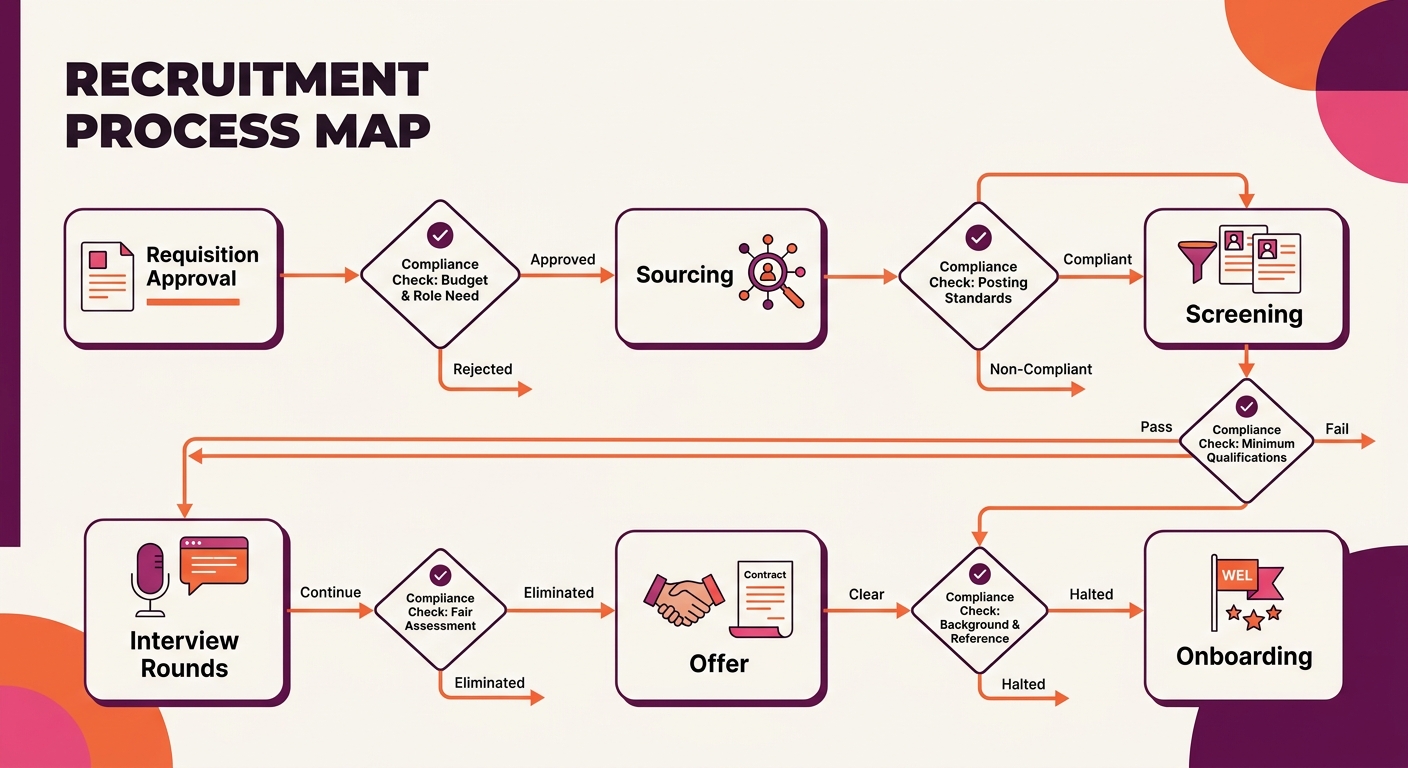
This approach flips the sequence entirely. Before anyone logs into the ATS, the team maps every stage of the hiring workflow on paper (or in a shared document). That means defining who opens a requisition, who approves it, which screening criteria apply to each role family, what interview stages exist, who scores candidates, and what compliance checkpoints trigger at each transition.
A structured, uniform workflow used to evaluate every candidate against the same set of criteria is the goal. This takes 3 to 6 weeks of stakeholder meetings, process mapping sessions, and documentation before the first configuration click happens. For complex enterprise implementations with multi-team approval workflows, custom DEI reporting, and ATS compliance automation, the setup can extend to several weeks beyond that.
The platform you buy matters far less than how you configure it. A poorly designed process running on excellent software still produces a poorly designed process.
The advantage here is significant. Teams that map process before configuration report dramatically lower rework rates. The 9-step implementation structure highlighted in current best-practice guides places a dedicated “Design phase” before the “Build phase,” ensuring that configuration decisions are driven by agreed-upon business logic rather than assumptions. When you’ve already decided that, say, all engineering roles require a technical assessment between the phone screen and the panel interview, configuring that stage in the ATS takes minutes rather than becoming a 2-week debate mid-implementation.
Process-first design also catches compliance gaps early. If your organization needs to track criminal history disclosure requirements by state (a real liability, as employment attorneys have warned about AI hiring tool liability), those fields and triggers get built into the original configuration. They don’t surface as a crisis 4 months after launch.
Where Process-First Design Struggles
The 3-to-6-week pre-configuration phase requires executive buy-in and sustained attention from hiring managers who would rather be reviewing candidates. In organizations where hiring managers already feel overwhelmed, asking them to sit through workflow mapping sessions before the system is even turned on creates friction. Teams also risk over-engineering the process, designing a 12-stage pipeline with 4 approval layers when a 6-stage pipeline would cover 90% of roles.
The 80/20 Hybrid
Greenhouse’s enterprise implementation team advocates applying the Pareto principle to ATS configuration: keep 80% of your workflows and processes standardized and allow 20% to be localized to region-specific compliance or cultural needs. This hybrid approach borrows from both of the methods above.
You start with process design, but you constrain it. Instead of mapping every possible hiring scenario, you identify the core workflow that covers the majority of roles: requisition, source, screen, interview, offer, onboard. You standardize that pipeline with consistent stages, scoring rubrics, and approval chains. Then you carve out the 20% that genuinely needs variation. A European office might need GDPR-specific data retention triggers. A healthcare division might require license verification between screening and interview. A retail operation with seasonal surges might need a compressed pipeline that automates offer and document workflows for high-volume roles.
The 80/20 split gives you the adoption speed of technology-first (because 80% of the configuration is standardized and can be templated across teams) and the process rigor of process-first (because that standardized workflow was designed before configuration began).
The Configuration Checklist for the 80/20 Hybrid
This is where the needle actually moves. For your standardized 80%, configure these elements before going live:
- Requisition workflow: Who creates the req, who approves it, and what fields are mandatory (salary band, headcount justification, hiring timeline)
- Pipeline stages: Define 5 to 7 stages that apply to all role families, with clear entry and exit criteria for each stage
- Screening criteria: Standardize knockout questions and minimum qualifications by role family so every candidate is filtered through the same process
- Scorecard templates: Build structured interview scorecards before interviewers start using the system
- Automated notifications: Configure candidate status updates, interviewer reminders, and hiring manager nudges at each stage transition
- Source tracking: Set up attribution for job boards, careers pages, employee referral tracking, and agency channels so you can measure where quality candidates originate
- Compliance triggers: Automate EEO data collection, disposition reason requirements, and any state or country-specific disclosure workflows
- Data retention rules: Define how long candidate records are kept and when they’re purged, aligned to your legal obligations
- Reporting dashboards: Configure time-to-fill, source effectiveness, pipeline conversion rates, and pass-through rates by stage before launch
For your localized 20%, document exceptions by team or region and configure them as pipeline variants rather than entirely separate workflows. This keeps reporting consistent across the organization while accommodating genuine process differences.
Info: If you’re migrating from an existing ATS while configuring a new one, your [field mapping and data migration plan](/blog/ats-data-migration-field-mapping-compliance) should be completed before you finalize pipeline configuration. Migrated data that doesn’t align with new stage definitions creates orphaned records and broken reporting from day one.
How These Three Stack Up
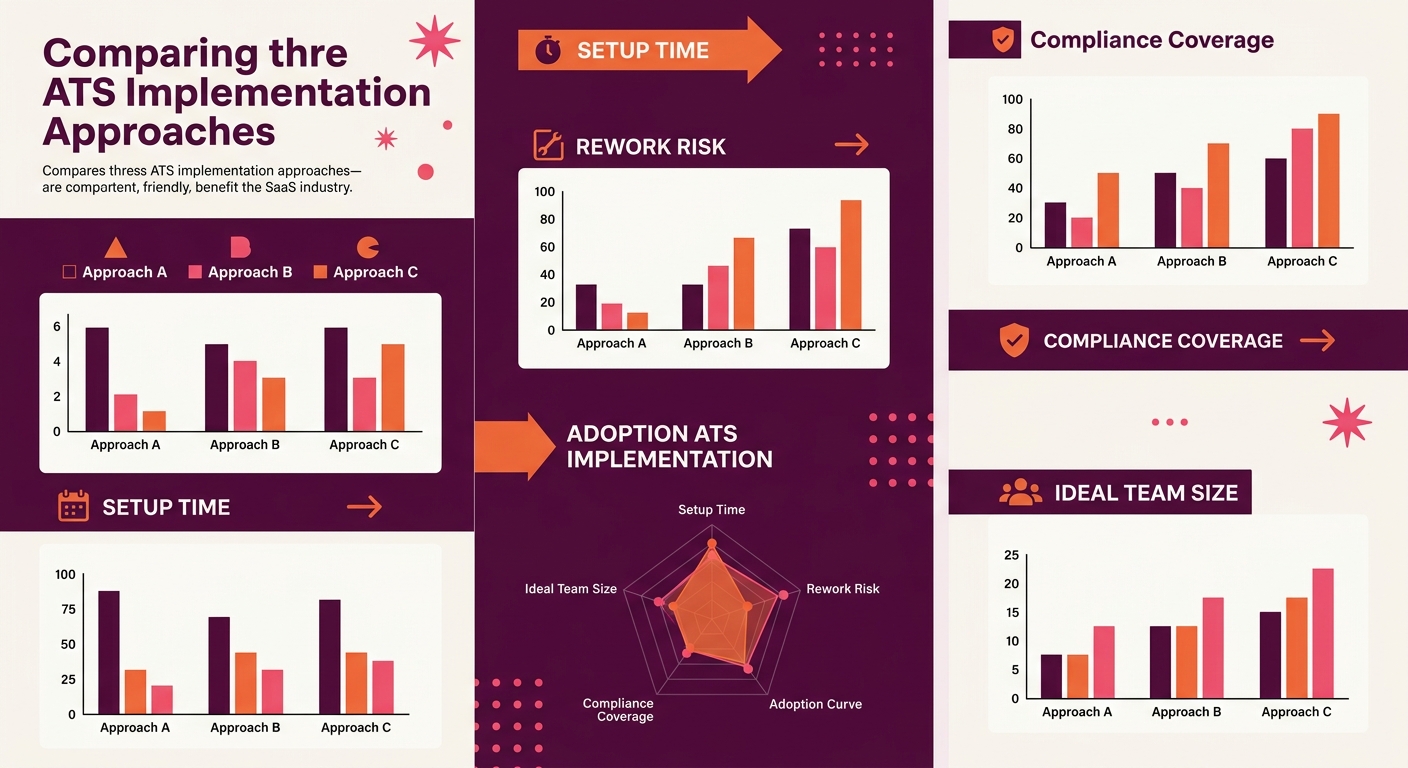
| Attribute | Technology-First | Process-First | 80/20 Hybrid |
|---|---|---|---|
| Setup time | Hours to 1 week | 3–6 weeks pre-config + build | 2–4 weeks total |
| Rework risk | High | Low | Low to moderate |
| Initial team adoption | Fast | Slow | Moderate |
| Long-term adoption | Drops as workarounds accumulate | High and sustained | High and sustained |
| Compliance coverage | Gaps likely | Thorough | Thorough for 80%, custom for 20% |
| Best fit | Solo recruiter, <50 hires/year | Enterprise, regulated industries | Mid-size, multi-location, growing teams |
Who Should Pick Which
The honest answer depends on three variables: your hiring volume, your regulatory exposure, and how many people touch the hiring process.
Single recruiter, early-stage company, minimal compliance requirements: Technology-first is fine. You’ll outgrow it within a year, but the rework cost at that scale is manageable. Spend 2 hours configuring basics and start hiring.
Enterprise with 10+ hiring managers, multi-state or multi-country operations, regulatory scrutiny: Process-first is the safer bet. The upfront investment in workflow mapping pays for itself by preventing the compliance gaps and inconsistent candidate evaluation that become audit liabilities. If your team is also exploring how AI screening tools intersect with recruitment automation governance, build those review checkpoints into your process map before they become system configurations.
Mid-size team (50–500 employees), growing headcount, 2 to 5 people involved in hiring decisions: The 80/20 hybrid gives you the most value per hour invested. Standardize the core pipeline in a focused 2-week sprint, localize the exceptions, and go live with a system that enforces consistency without strangling the teams that need flexibility. Companies that have rebuilt their ATS workflow from stage one report time-to-hire reductions of 40% or more, and the 80/20 split is the structural reason those rebuilds stick.
Whichever approach you choose, the pattern is clear: teams that treat ATS implementation as process design outperform teams that treat it as software installation. Configuration is the easy part. Knowing what to configure, and why, is where the work lives.