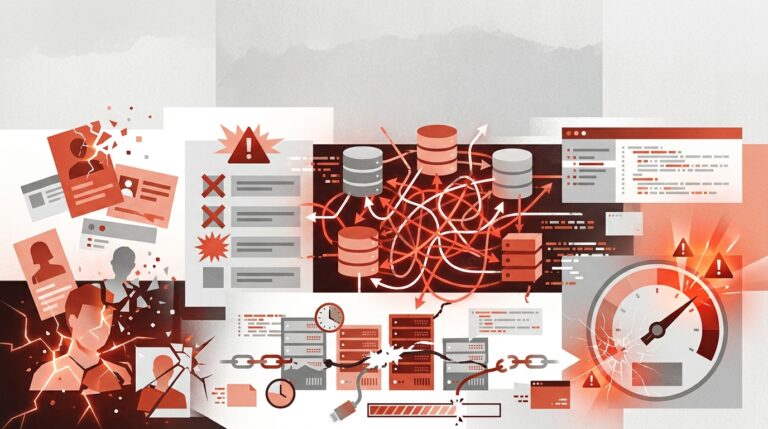
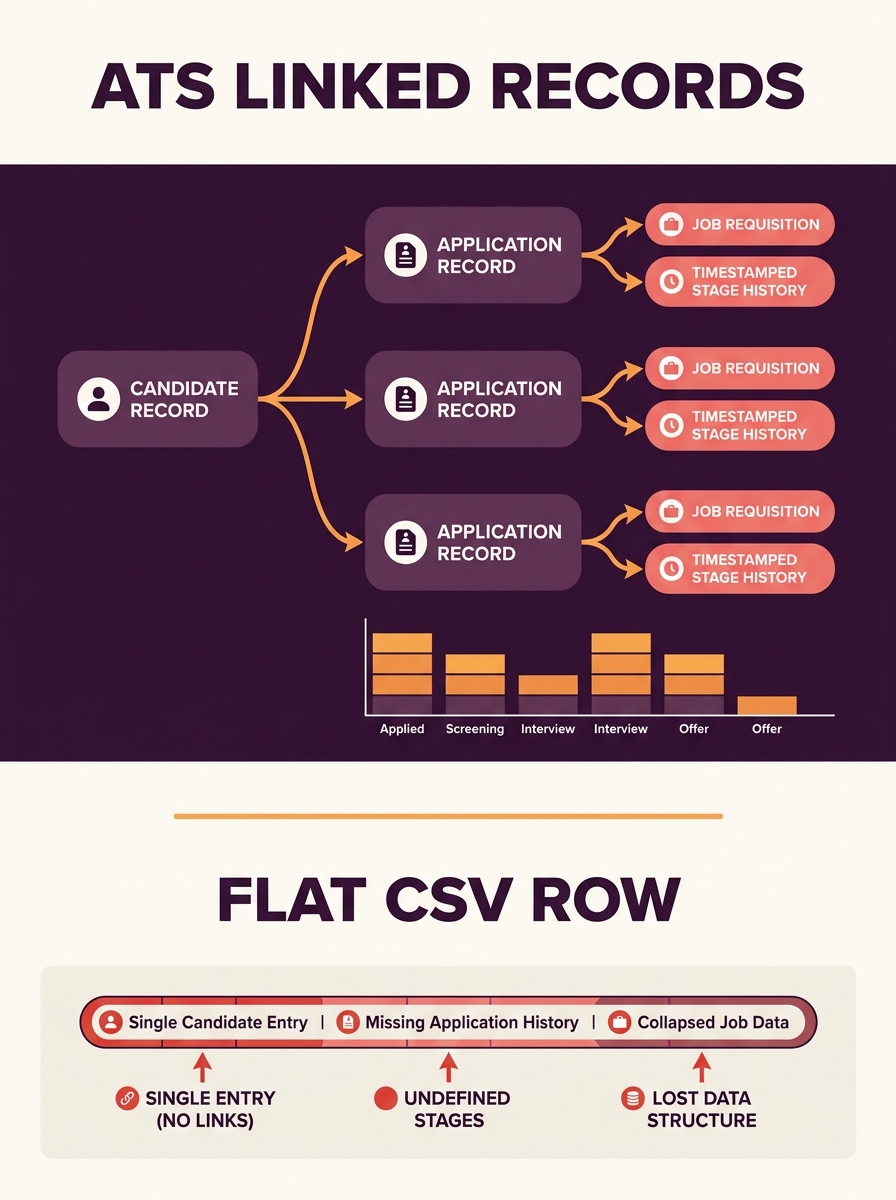
ATS migration fails when teams treat it as a file transfer. Candidate records exist as linked objects (person, application, job requisition, stage history), and flattening them into CSV rows permanently severs those relationships. The result: broken analytics, duplicate profiles, and compliance gaps that surface during regulatory audits months later.
TL;DR: ATS data migration is a relational data translation problem. Preserving the links between candidates, applications, jobs, and stage histories requires object-by-object field mapping, separate binary attachment handling, and compliance retention audits completed before a single record moves. Flat CSV exports break all three.
Why Flat Exports Shatter Candidate Records
The most common ATS migration attempt starts with a CSV dump. A recruiter exports “all candidates,” gets a spreadsheet with columns for name, email, job title, and status, then tries to import those rows into the new system. According to ClonePartner’s ATS migration guide, “a flat CSV export will break your recruiting data and create compliance exposure.”
Here’s why. A single candidate in Greenhouse or Lever isn’t one row. It’s a person record linked to 1 or more application records, each linked to a specific job requisition, each carrying 3 to 15 stage transitions with timestamps, evaluator IDs, and rejection reasons. One candidate who applied to 4 jobs over 2 years generates dozens of linked records across 5 or 6 database tables. A CSV collapses all of that into a single line with comma-separated values for “latest status.”
The data that disappears includes stage-transition history (when did this candidate move from phone screen to onsite?), evaluator attribution (who rejected them, and why?), and source tracking (did they come from LinkedIn, a referral, or a job board?). Every one of those fields matters for pipeline analytics and compliance reporting.
Relational Objects and Immutable Source Keys
Candidate data integrity during platform transition depends on preserving 3 core object types and their relationships: person records, application (candidacy) records, and job requisition records. Each object type carries its own unique identifier in the source system, and maintaining those IDs through migration is what prevents duplicate profiles and lost history.
The technique is called immutable source key mapping. Every person, candidacy, and job from the old ATS gets a cross-reference key in the new system. When Candidate #4872 in Lever becomes Candidate #91203 in Greenhouse, a mapping table preserves both IDs. Without that table, there’s no way to verify post-migration that 100% of records transferred, no way to trace discrepancies, and no way to connect old compliance documentation to new records.
ClonePartner’s migration team has executed migrations across 8 major platforms including Greenhouse, Lever, Workday, iCIMS, Ashby, Bullhorn, JazzHR, and Teamtailor, handling what they describe as “API orchestration, stage mapping, attachment re-association, and EEO data segregation.” Relational data mapping in recruitment at this scale requires API-level access to both source and destination systems. Batch CSV imports can’t maintain the parent-child relationships between objects.
Info: Evaluate migration readiness on three axes: **relational completeness** (are all object links between persons, applications, and jobs preserved?), **attachment fidelity** (do resumes and scorecards re-associate to the correct candidate?), and **retention compliance** (do jurisdiction-specific purge schedules transfer to the new system?). Score each axis before moving a single record.
Pipeline Stage Mapping Across Systems
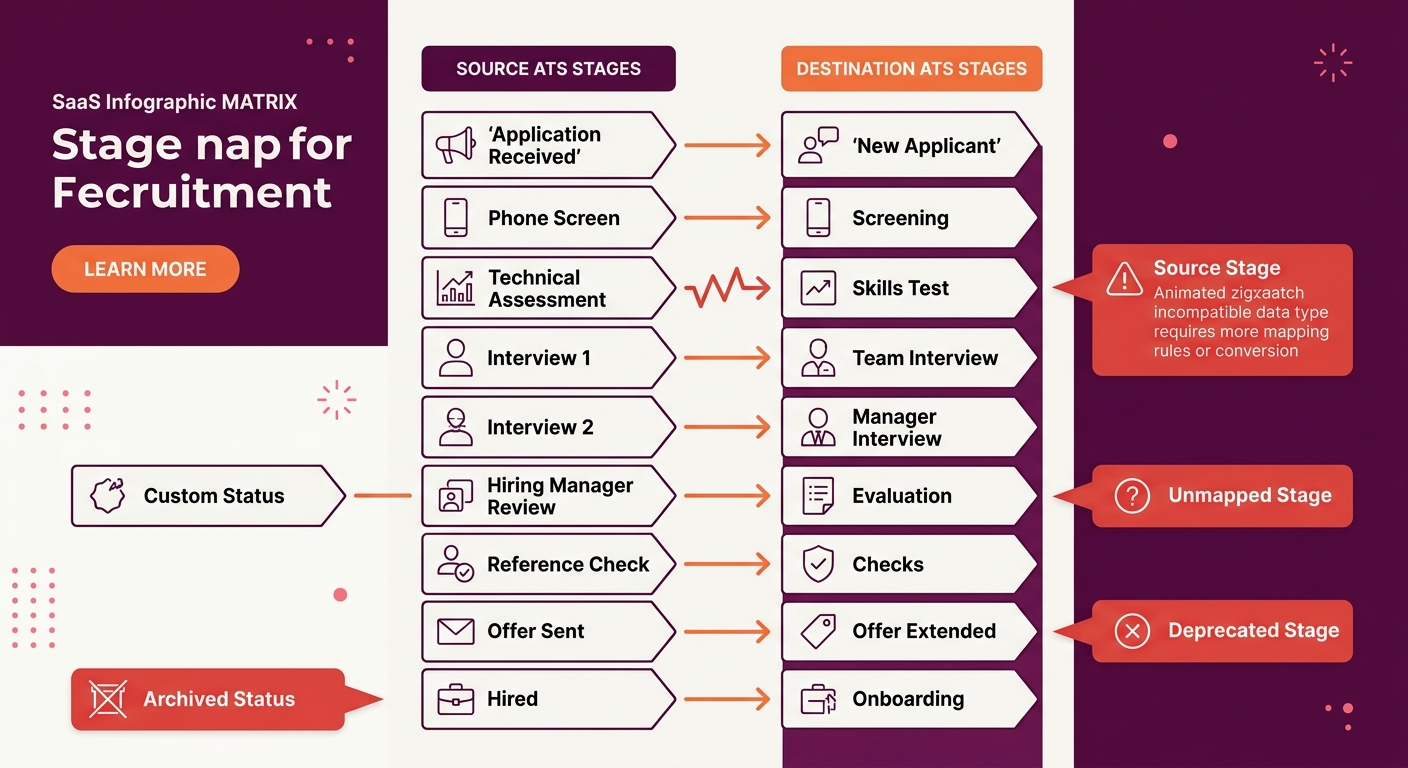
Why do stage histories break so consistently during migration? Because every ATS defines its own pipeline stages, and they almost never align 1-to-1 across platforms. Greenhouse uses a default 7-stage pipeline (Application Review, Recruiter Screen, Phone Interview, Onsite, Offer, Background Check, Hired). Lever uses a different default (New Lead, Reached Out, Responded, Phone Screen, On-site, Offer). Custom stages compound the mismatch. A mid-size company with 12 custom pipeline stages in their old ATS needs a mapping document that translates each stage to its closest equivalent, or creates new stages, in the target system.
ATLAS’s migration risk analysis states that “the most frequent issue is a lack of planning,” and stage mapping is where poor planning hits hardest. Getting stage translation wrong means every historical candidate shows the wrong status in the new system. Reporting on time-in-stage, conversion rates, and bottleneck analysis breaks immediately.
The technical approach: build a stage-mapping matrix before migrating a single record. List every stage from the source system (including archived or deprecated stages), map it to a destination stage, and document edge cases. Candidates who were in a deprecated “Culture Fit Interview” stage that doesn’t exist in the new platform need a documented home. A company that previously rebuilt their ATS workflow from stage one already knows how much pipeline stage definitions shape reporting accuracy.
Binary Attachments Travel on a Separate Track
A Workday study of enterprise ATS implementations confirms that resumes, cover letters, scorecards, offer letters, and interview recordings are binary files stored differently than structured data in every system. A candidate’s text fields (name, email, phone) transfer through API calls or structured imports. Their resume PDF, their completed scorecard, and their recorded video interview require entirely different handling.
Binary attachments need separate download-and-reattach workflows. Each file must be pulled from the source system’s storage (often S3 buckets or proprietary blob storage), tagged with the correct candidate and application ID, then re-uploaded and re-linked in the destination system. Implementation timelines for enterprise systems with complex integrations and data migration run from a few weeks for simpler platforms to 6 months or more, and binary attachment handling is a primary reason for that timeline bloat.
The failure mode here connects directly to how ATS platforms parse and store resume data. If attachments don’t re-associate correctly, candidate profiles in the new system show structured data (name, email, parsed skills) but link to the wrong PDF, or no PDF at all. Teams that rely on their ATS for resume extraction will find those parsed fields orphaned from their source documents.
Compliance Retention Audits Before Cutover
Compliance retention audits for an ATS migration aren’t optional, and they need to happen before data moves, not after. Three regulatory frameworks set minimum retention periods that constrain what you can and can’t delete during migration: EEOC requires 1 year of retention for all employment records, OFCCP extends that to 2 years for federal contractors, and GDPR grants candidates the right to erasure (meaning records for candidates who withdrew consent must not migrate at all).
According to Curriculo’s data security documentation, standard ATS retention configurations keep “talent pool candidates for 12 months with consent, and hired candidate records for 7 years” based on employment law requirements. All retention periods are configurable by the employer, which means migration teams need to export the source system’s retention rules alongside the data itself.
Regulators reviewing adverse impact data can draw adverse inference assumptions from incomplete records. If you migrated 85% of candidates and the missing 15% disproportionately represent a protected class, the burden falls on you.
The compliance audit process has 4 concrete steps. First, inventory every data object type in the source system (candidates, applications, referrals, EEO responses, interview notes). Second, map each object type to its applicable retention regulation. Third, flag records that have exceeded their retention period and should be purged before migration rather than carried over. Fourth, flag records where candidate consent has expired or been withdrawn under GDPR, and exclude them from the migration payload.
Skipping this audit creates real legal exposure. Teams handling AI hiring tool compliance and governance already understand this pattern: incomplete audit trails invite scrutiny.
EEO and OFCCP Data Requires Segregation
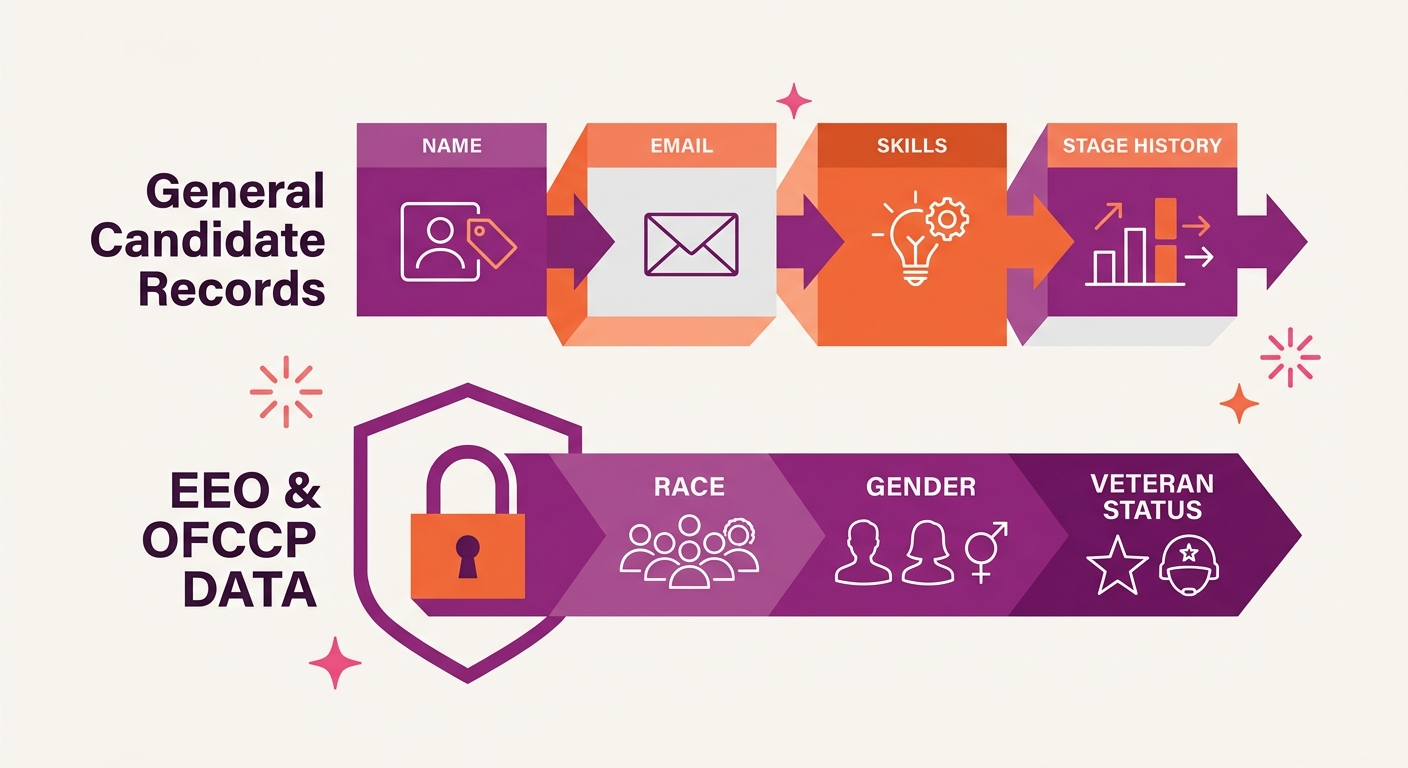
EEO (Equal Employment Opportunity) and OFCCP (Office of Federal Contract Compliance Programs) self-identification data must remain segregated from general candidate records during and after migration. This data includes race, ethnicity, gender, veteran status, and disability status that candidates voluntarily disclose. In the source ATS, this data typically lives in a separate database table with restricted access. The migration must preserve that separation in the destination system.
The technical risk: if EEO fields get merged into the general candidate export and imported alongside name, email, and application status, you’ve created a system where recruiters and hiring managers can see protected-class information attached to candidate profiles. That’s a compliance violation regardless of whether anyone actually looks at it. Employers carry legal liability for their hiring tools and their data handling practices, even when the breakdown happens during a vendor transition.
ATS migration technical implementation for OFCCP-regulated employers adds another layer: applicant flow log data must transfer intact. The applicant flow log tracks every candidate’s disposition at every stage, by protected class, and OFCCP auditors use it to calculate adverse impact ratios. Losing or corrupting flow log data during migration can trigger a compliance investigation that costs 6 to 18 months of legal and HR bandwidth to resolve.
Where the Model Breaks
This migration model works when both source and destination systems offer API access, when the migration team has enough time to build and test the mapping layer, and when the organization has clean enough data to map in the first place. All 3 conditions fail regularly.
Smaller ATS platforms, particularly those serving as recruitment software for small businesses, sometimes offer only CSV export with no API. That forces the flat-file approach and all the data loss that comes with it. The workaround (building a custom extraction script against the source system’s database) requires engineering resources most recruiting teams don’t have.
ATLAS notes that “one of the most avoidable causes of migration failure is a lack of testing.” The parallel-run period, where both old and new ATS operate simultaneously, is supposed to catch mapping errors before the old system goes offline. But parallel runs cost money (you’re paying for 2 systems), take time (4 to 8 weeks minimum for meaningful validation), and require recruiters to enter data in both places. Under budget pressure, teams skip or shorten this phase. That’s when duplicate profiles, broken stage histories, and missing attachments show up in production.
The honest assessment: even well-executed migrations lose some data fidelity. Taxonomy differences between systems (one ATS calls it “Source,” another calls it “Origin,” a third splits it into “Source Channel” and “Source Detail”) mean that reporting in the new system won’t perfectly replicate the old system’s historical dashboards. The goal is to preserve relational integrity, maintain compliance documentation, and accept that some reporting recalibration is inevitable. Teams that plan for 6 months of post-migration cleanup alongside the migration itself tend to come through with their data, their compliance posture, and their sanity intact.