
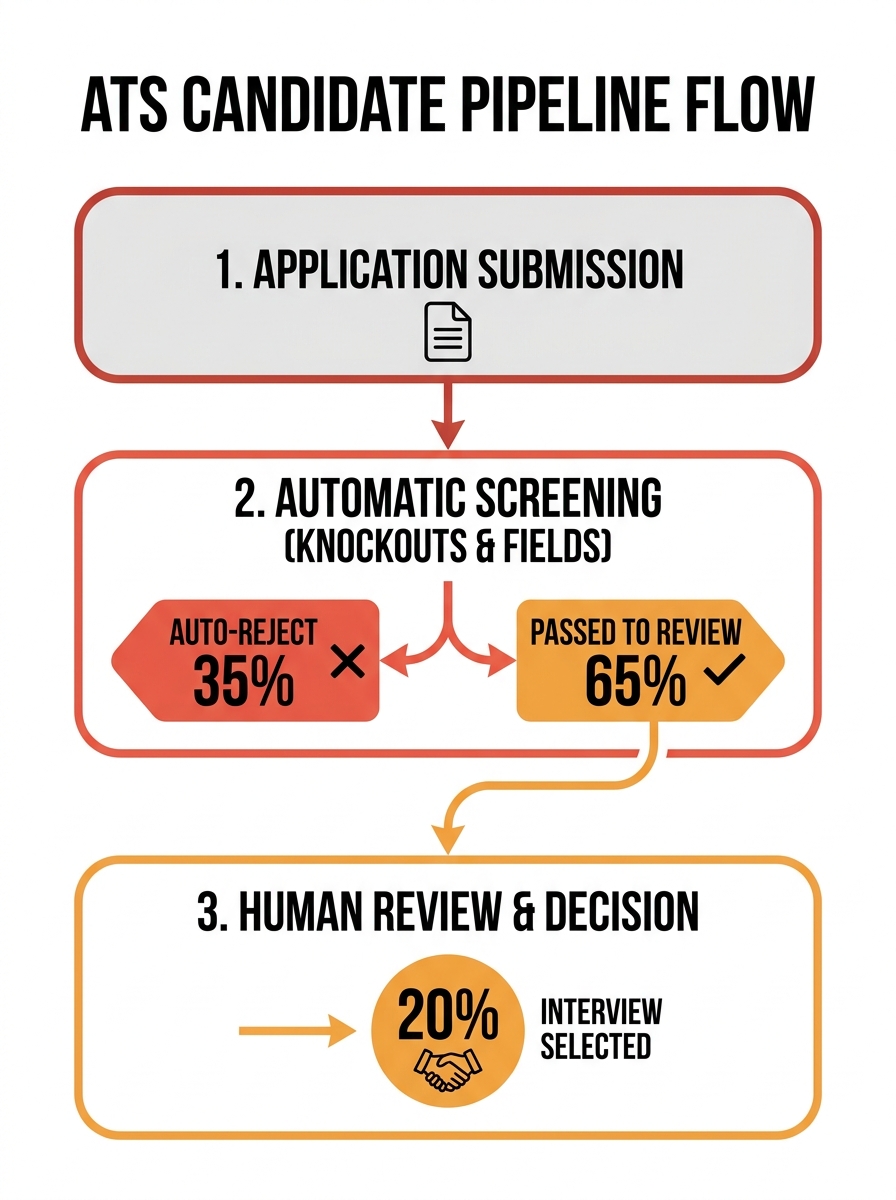
The single biggest source of automated candidate rejection in an ATS isn’t a bad resume. It’s a misconfigured required field or knockout question that the recruiting team set up once, forgot about, and never audited. The fix sits entirely on your side of the screen.
TL;DR: 92% of ATS rejections trace back to eligibility-based knockout questions and required-field configurations, not keyword filtering. Recruiters who audit their candidate screening rules quarterly recover qualified applicants they’ve been losing for months without realizing it.
The “75% Auto-Rejected” Number Is Wrong, and It’s Costing You Focus
The career advice industry loves repeating that 75% of resumes get auto-rejected by ATS software before a human sees them. That figure, traced back to Preptel (a now-defunct resume service with no published methodology), has been debunked. HR consultant Christine Assaf found no academic support for it after a thorough Google Scholar search, confirming it as a case of circular citation. An Enhancv survey of 25 U.S. recruiters across industries produced a very different picture: 92% of rejections are either manual or triggered by eligibility-based knockout questions like work authorization and required certifications. Only 8% of ATS platforms are configured for content-based auto-rejection at all.
This distinction matters because it redirects blame. If you believe resumes are being shredded by some opaque AI, you focus on coaching candidates to write better resumes. But when the data shows 92% of rejections come from your own knockout configurations and manual decisions, the intervention point shifts to ATS configuration best practices on the recruiter side.
Here’s a concrete scenario. A recruiter sets a required field: “Do you have a PMP certification?” with a Yes/No dropdown. The intent is to prefer certified candidates for a project management role. The ATS treats “No” as a hard disqualifier. A candidate with 12 years of project leadership experience and a PRINCE2 certification gets auto-rejected before anyone reads a single line of their resume. That rejection is invisible. It generates no alert for the recruiting team. The candidate receives silence.
44% of ATS platforms now include AI-generated “fit scores,” but 56% of recruiters ignore those scores entirely, preferring manual review, per the same Enhancv research. Another 36% use fit scores only as a loose guide, and just 8% use them for actual prioritization. The automated rejection workflows that kill candidacies are rarely the fancy AI scoring. They’re the binary Yes/No required fields someone checked in a setup wizard three requisitions ago.
Understanding how resume parsing failures compound this problem is essential, because a misconfigured required field interacting with a parser that misreads resume data creates rejection cascades no one is monitoring.
Required Fields and Parsing Failures Create a Compounding Rejection Machine
Why do candidate screening rules cause so much damage when they seem so simple? The required-field interface in most ATS platforms makes it trivially easy to mark any question as mandatory and zero-tolerance. The recruiter building the job post doesn’t witness the rejection. They see a clean settings panel. The candidate gets no human explanation. They get 47% odds of being stuck in ATS limbo, listed as “Under Review” or “No Status,” according to Enhancv’s data, meaning they’re technically in the pipeline but will never surface.
47% of “ghosted” applications aren’t rejected. They’re stuck in ATS limbo, invisible to both candidate and recruiter.
Three categories of ATS required fields do the most damage:
Years-of-experience thresholds. If the ATS cannot accurately calculate years of experience from a parsed resume, it may auto-reject for “Insufficient Experience” even when the candidate qualifies. A resume listing experience as “2019-present” versus “January 2019 to May 2026” can produce a parsing zero, and a required field set to “minimum 5 years” interprets that zero as a hard fail.
Exact keyword mandates. Recruiters configure rules like “MUST contain Python AND Django,” as documented in JobOwl’s ATS research. A candidate who writes “built web applications using Python-based frameworks” gets filtered out because the word “Django” never appears verbatim. The average resume is missing 52% of keywords from the target job description. And 99% of resumes fail to match in the experience section due to keyword gaps, with 94% failing in the skills section. Those numbers reflect a real content mismatch, but your required-field logic converts a ranking problem into a total rejection.
Certification or degree dropdowns. A binary “Bachelor’s degree required” eliminates candidates with equivalent foreign credentials, candidates who completed 95% of a program, or people with a decade of directly relevant work. Certified resumes see 41% higher acceptance than degree-only ones, which suggests that fine-grained credential recognition helps both sides. But a blunt Yes/No field can’t capture that nuance.
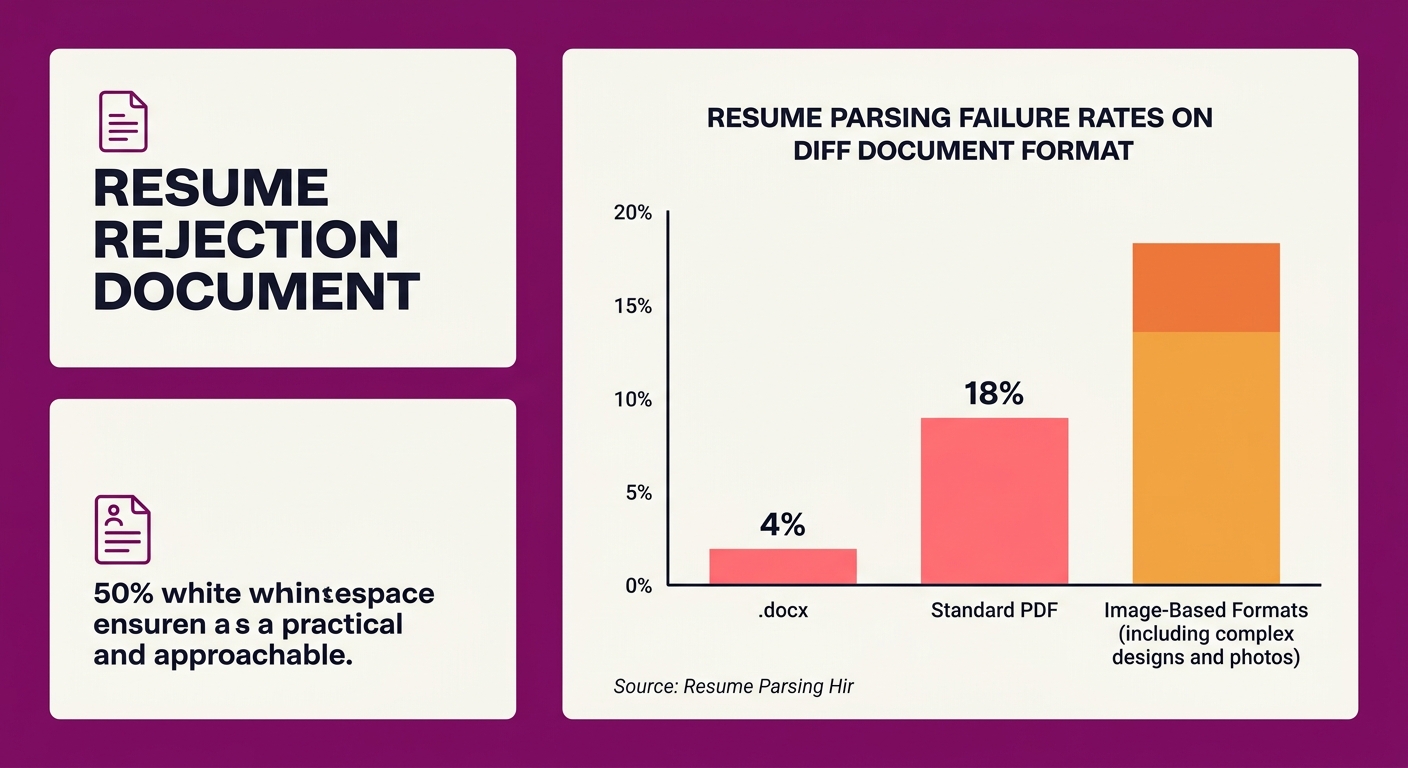
Resume parsing failures make all of this worse. A candidate submits a PDF with embedded fonts. The parser hits an 18% failure rate on that format, compared to 4% for .docx with plain text. The parser misreads or drops the candidate’s “Skills” section because it sat in a header/footer layer. Now the required field checking for “Python” finds nothing. A candidate with 6 years of Python experience scores a zero.
Carolyn Kleiman, career expert at ResumeBuilder.com, explained the candidate perspective: “ATS systems score resumes based on keyword alignment and contextual relevance. A well-structured resume doesn’t beat the system; it works within it.” That’s sound advice for applicants. For recruiters, the equivalent insight is that your configuration determines whether alignment scoring surfaces talent or functions as an invisible wall. Resumes listing skills in isolation show a 67% rejection rate. Those embedding skills in context (“Used Python to build predictive models”) drop to 34%. If your candidate screening rules demand exact keyword matches and your parser can’t extract contextual references, you’re filtering for resume-formatting ability, not job fitness.
Companies investing in real-time recruitment analytics catch these patterns early, because the data shows suspiciously high auto-rejection rates on roles where qualified candidates should be plentiful. And notification systems that flag unusual rejection spikes give recruiting teams the signal they need to intervene before a full quarter of pipeline damage accumulates.
Where This Argument Breaks
The strongest counter-argument is that required fields and knockout questions exist for legitimate legal and operational reasons. Work authorization is a genuine compliance requirement. Certain roles demand specific certifications with no substitute (a nurse must hold an RN license, period). Removing all required fields would flood recruiters with unqualified applicants. Entry-level roles already receive 400 to 600 applications, tech roles exceed 2,000, and 52% of recruiters begin screening immediately as applications arrive. ATS required fields provide triage at scale that human reviewers can’t replicate across hundreds of submissions per day.
88% of recruiters admit to missing great candidates due to outdated screening methods, but that doesn’t mean the answer is removing all automation. It means the automation needs better inputs.
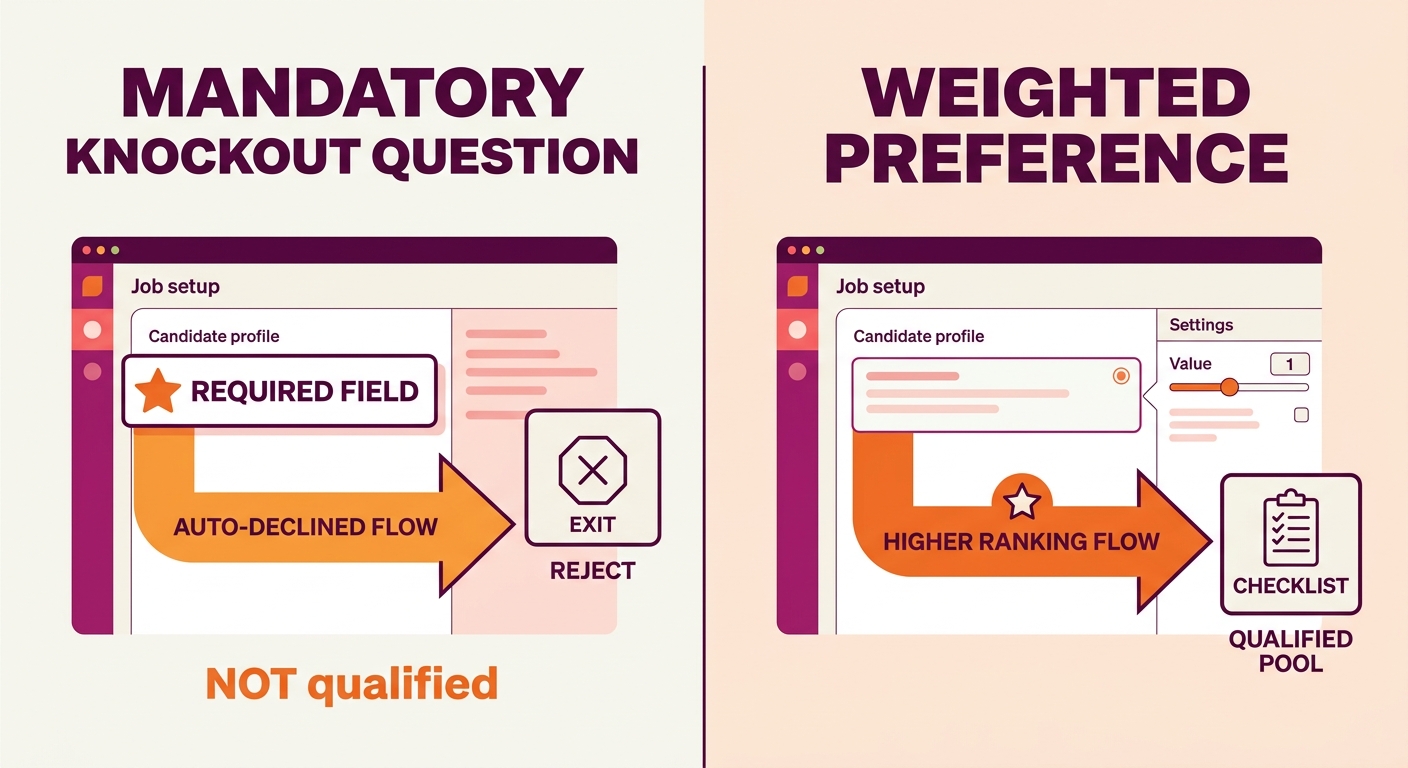
Tip: Start your quarterly required-field audit by pulling a report of auto-rejected candidates. Sample 20 at random and check whether their qualifications actually warranted disqualification. If more than 3 out of 20 look like false negatives, your knockout questions need loosening or converting to weighted preferences.
The argument here isn’t that required fields should disappear. It’s that the default setup, where fields are treated as hard knockouts and copied unchanged from previous requisitions, needs structured review at regular intervals.
The Configuration Problem, Revisited
The thesis holds: your ATS is doing exactly what you told it to do, and what you told it to do is wrong for a meaningful share of your open roles. The 75% auto-rejection stat is a myth. The 92% figure showing rejections trace to knockout questions and manual decisions sits closer to reality. That reality puts the responsibility on recruiting teams, not on candidates and not on software vendors.
Forbes reported that candidates who don’t match the profile of previous hires get filtered out, even when their qualifications are equivalent or stronger. When your required fields encode the profile of previous hires as rigid screening criteria, you’re automating a bias loop that shrinks your talent pool with every requisition.
Whether you’re evaluating free recruitment software or running enterprise recruitment software across thousands of open roles, the principle scales identically. Audit your required fields. Convert hard knockouts to weighted preferences wherever compliance allows. Sample your rejected candidates to validate that the automation is doing what you actually want.
The candidates your ATS rejected this month weren’t all unqualified. A meaningful share were misconfigured out of your pipeline by a checkbox someone set, copied forward, and forgot. The fix takes an afternoon. The cost of not fixing it compounds every single day the requisition stays open.