
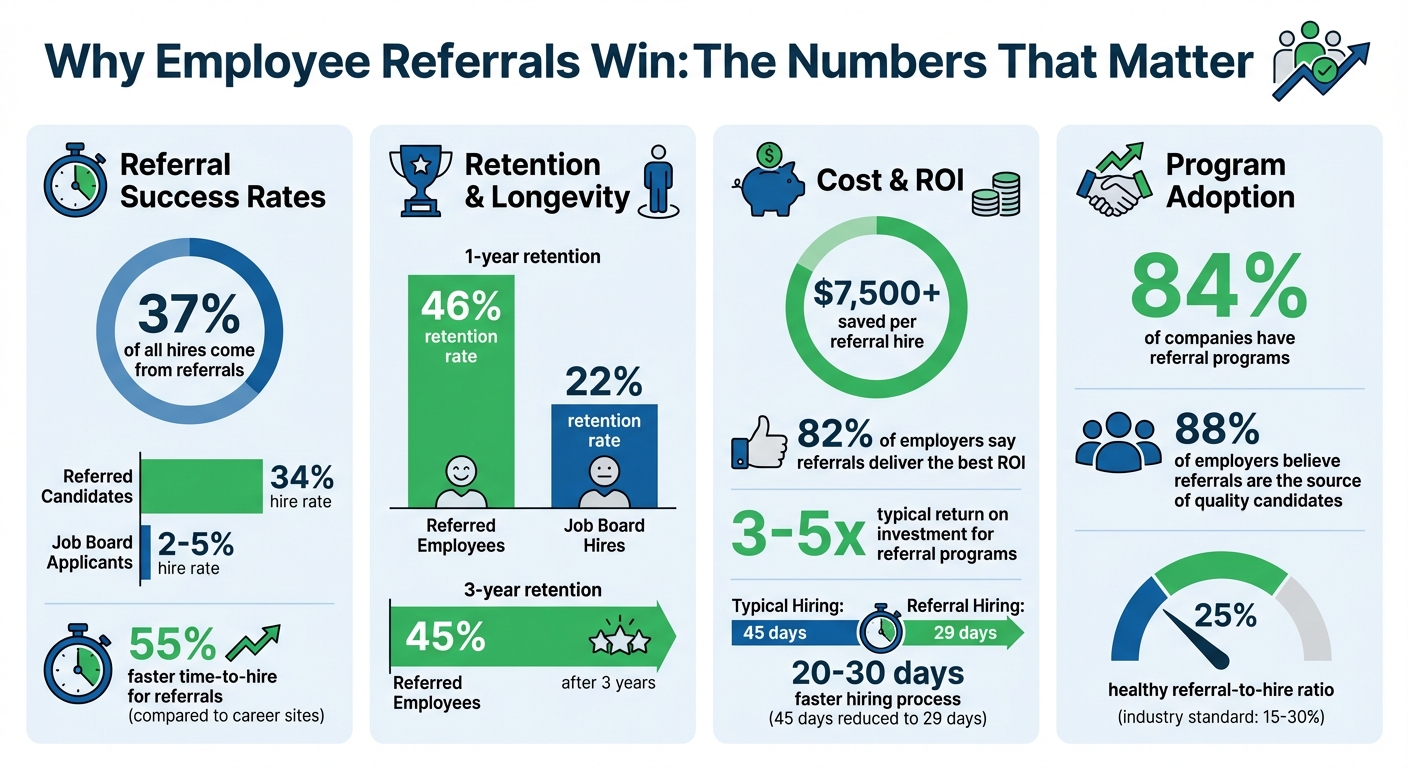
Integrating your referral program with recruitment software like Skillfuel can make hiring faster, cheaper, and more effective. Referrals account for 37% of all hires, and referred candidates have a 34% hire rate compared to just 2–5% for job board applicants. Plus, they stay longer, with a 45% retention rate after three years.
Here’s what you need to know:
- Why it matters: Automating referral tracking reduces errors, saves time, and improves employee engagement.
- What’s required: A Premium or Enterprise Skillfuel plan, API access to your ATS, and clear incentive details like bonus amounts and eligibility rules.
- How to set it up: Enable referral tracking in Skillfuel, connect it to your ATS, and configure workflows for notifications, payroll alerts, and referral submissions.
- How to measure success: Use analytics to track referral-to-hire ratios, time-to-hire, and ROI. Regular audits ensure compliance and help refine your program.
Employee Referral Program Statistics and ROI Benefits
Masterclass #1 | How to Successfully Launch a Referral Program | Carl Hoffmann, CleverConnect [EN]
sbb-itb-e5b9d13
What You Need Before Starting the Integration
Before diving into the integration process, make sure to verify your Skillfuel subscription tier. The Employee Referral Tracking feature is only available on Premium and Enterprise plans. If you’re on the free plan, you’ll need to upgrade to unlock advanced tools like automated workflows, incentive tracking, and proactive candidate matching.
You’ll also need administrative API access to your ATS (Applicant Tracking System). This level of access is essential for real-time syncing between Skillfuel and your recruitment database. Without it, you won’t be able to configure the API connections or set up the data flow needed to keep candidate information updated between both systems.
Take some time to gather details about your incentive structure. This includes information like which job roles qualify for referral bonuses, any probation period requirements, and payroll notification triggers. For instance, if engineering hires earn a $2,500 bonus while administrative roles only qualify for $1,000, these parameters must be outlined for the system to automate payout tracking effectively.
Next, review your current referral process – from submission to acknowledgment. Identify tasks that could benefit from automation and phase out outdated workflows. A surprising 84% of companies already have referral programs, but many rely on spreadsheets, which often create bottlenecks rather than solving them.
Once you’ve covered these prerequisites, you can move forward with enabling Skillfuel’s referral features.
Setting Up Skillfuel‘s Referral Features
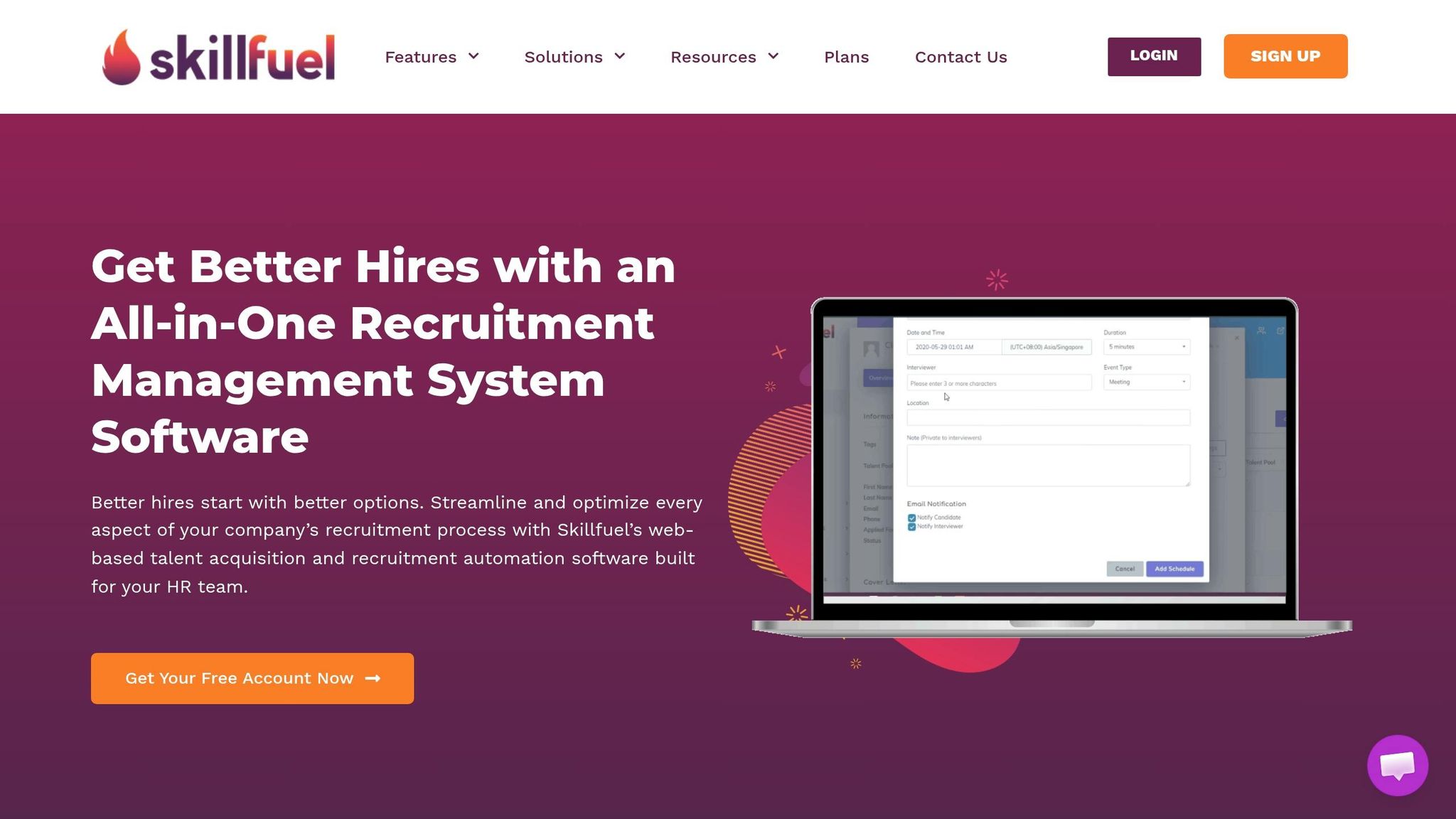
To start, log into your Skillfuel dashboard and head to the Employee Referral Tracking module. Activate the referral tracking toggle in your account settings. This will enable the functionality that allows employees to submit referrals directly through the platform. You’ll also need to configure workflow permissions, which let designated team members set up automated notifications, customize incentive modules, and adjust referral submission forms.
For Skillfuel’s proactive matching algorithm to work, the system requires access to your employee directory. This feature scans your organization’s network to identify potential candidates who fit open roles and sends targeted engagement messages to employees. Without access to this directory, you miss out on AI-powered suggestions that could help surface strong referrals even before a job is posted.
Preparing Your Recruitment Software Settings
Start by auditing your ATS setup for referral tagging capabilities. Your system needs to distinguish referrals from other application sources, such as job boards or direct submissions. Make sure pipeline stages, custom fields, and source tracking are configured to capture referral-specific data like the referrer’s name, submission date, and bonus eligibility.
Ensure your ATS is configured to accept data pushed from external platforms. Skillfuel will send candidate profiles, contact details, and referral metadata directly to your recruitment database. If your ATS requires manual CSV uploads or blocks external data imports, real-time integration won’t be possible. You’ll need API-based connectivity to keep both platforms in sync instantly.
Finally, set clear "human handoff" triggers. While automation can handle routine tasks like acknowledging resumes or updating candidates on initial screenings, more complex scenarios – like final-round coordination or compensation questions – should involve a recruiter. Define when the system should stop automating and notify a team member to step in. This ensures candidates don’t get stuck in automated loops or receive generic responses to specific queries.
Once these settings are in place, you’re ready to integrate Skillfuel’s referral features.
| Requirement | What You Need | Why It Matters |
|---|---|---|
| Plan Access | Premium or Enterprise subscription | Free plans lack advanced referral tracking |
| ATS Permissions | Admin-level API access | Needed for real-time syncing |
| Incentive Details | Job types, bonus amounts, probation rules | Automates payout tracking and payroll alerts |
| Employee Directory | Network access and contact lists | Powers AI-driven candidate matching |
| Workflow Rights | Permission to create automated rules | Enables custom notifications and processes |
How to Connect Your Referral Program with Skillfuel
Turning On Employee Referral Tracking in Skillfuel
Once you’ve activated Skillfuel’s referral features, the next step is linking your referral program to your ATS. Start by logging into your Skillfuel dashboard, heading to the Employee Referral Tracking module, and switching the activation toggle to allow employee submissions.
To streamline the process, connect Skillfuel to your ATS using API integration. This will automatically sync referral data into your candidate database. Simply go to the integration settings, input your ATS credentials (make sure they have admin-level permissions), and let the system establish a two-way sync. This sync ensures that referred candidate profiles, contact details, and referral metadata are directly added to your recruitment pipeline.
You’ll also need to confirm your incentive details and tie them to real-time ATS data. Configure bonus amounts based on job types and set up automated payroll notifications. These notifications will trigger once a referred candidate successfully completes their probation period, eliminating the hassle of manual tracking. As Skillfuel notes, "Skillfuel’s employee referral tracking software can automate probation periods and notifications to payroll for payouts, ensuring better tracking and accountability".
To make the process even smoother, create custom fields in your candidate profiles to capture essential referrer details. These fields – covering information like the referring employee’s name, department, submission date, and bonus eligibility – will populate automatically when a referral is submitted through the portal.
With tracking enabled and API integration set up, you’re ready to move on to the candidate submission process.
Setting Up the Referral Submission Process
Skillfuel’s Job Portal Development feature allows you to design a branded, mobile-friendly referral page. This page focuses on collecting only the most important candidate details, leaving additional information for follow-up conversations. For convenience, embed this submission form into your company intranet so employees can access it easily.
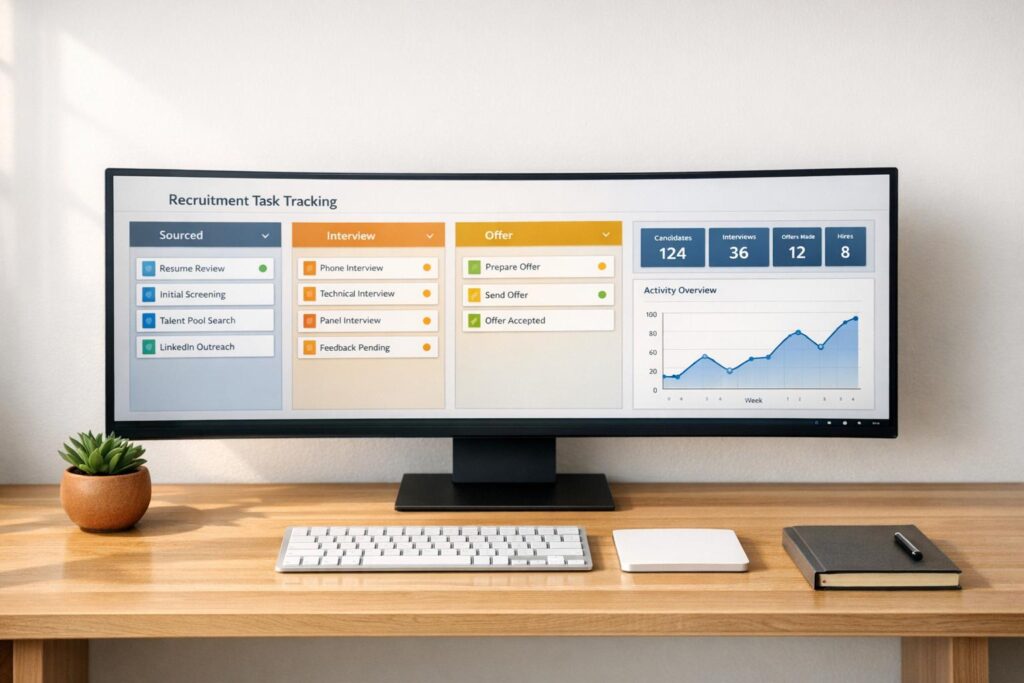
Referrals can then be managed through Skillfuel’s Kanban-style visual workflow. Each referral appears as a card that recruiters can drag and drop through various hiring stages, such as initial review, phone screen, and final interview. This visual system helps recruiters spot bottlenecks and ensures no referral gets stuck in the process. Plus, Skillfuel consolidates referrals and external candidate profiles into one centralized database, so there’s no need to juggle multiple platforms.
Take it a step further by enabling proactive matching notifications. Skillfuel’s algorithm scans your employee network and alerts team members when their connections align with open roles. This turns passive referrals into active sourcing opportunities, helping you tap into your employees’ networks more effectively.
From there, automate notifications and workflows to keep everyone updated throughout the hiring journey.
Creating Automated Workflows and Notifications
Keep referrers in the loop by enabling real-time status updates. Set up triggers for key milestones – like when an application is received, a resume is reviewed, or an offer is extended. These updates prevent the dreaded "black hole" experience where referrers are left wondering about their candidate’s status.
For recruiters, create notification rules to ensure no referral goes unnoticed. For example, configure alerts to notify hiring managers immediately when a new referral is submitted. You can also set up automatic weekly reminders to follow up on high-priority referrals that haven’t been reviewed, ensuring nothing slips through the cracks during busy periods.
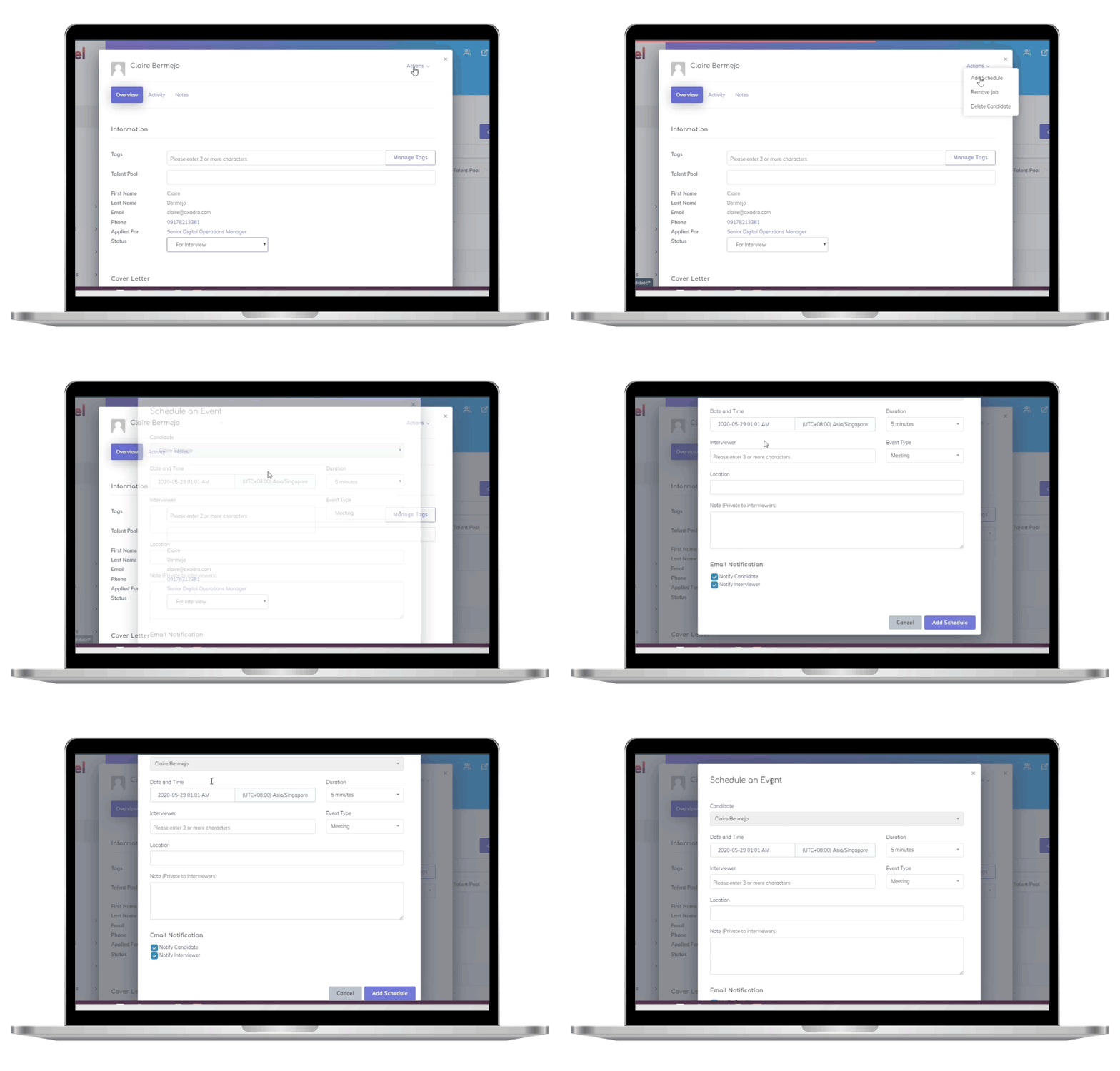
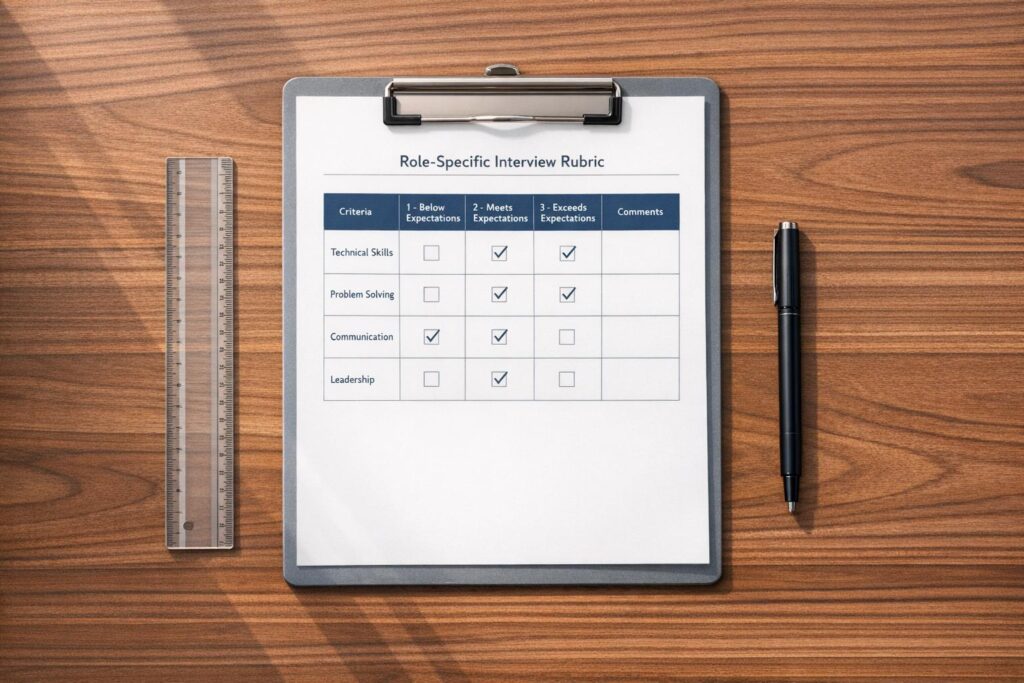
Sync referral tracking with Skillfuel’s interview scheduling tool to further streamline the process. When a referred candidate schedules an interview, the system automatically captures feedback from the interviewer and shares updates with the referrer. You can even configure the system to send summary reports after each interview round, maintaining transparency and keeping everyone informed.
| Automation Type | Trigger Event | Action Taken |
|---|---|---|
| Status Updates | Candidate moves to new pipeline stage | Email sent to referrer with progress details |
| Recruiter Alerts | New referral submitted | Instantly alert hiring managers with candidate details |
| Incentive Tracking | Referred hire completes probation | Automated payroll notification for bonus payout |
| Follow-Up Reminders | Referral pending review for 7 days | Weekly alert to recruitment team |
| Interview Sync | Interview scheduled or completed | Feedback captured and shared with referrer |
Measuring Results and Improving Your Referral Program
Using Skillfuel’s Analytics Tools
Once your referral program is live, keeping an eye on the numbers is how you’ll know if it’s working. Skillfuel’s analytics dashboard puts all your referral data in one place, from the first submission to the final hire.
Start by checking your referral-to-hire ratio, which is calculated as: (Hires from Referrals ÷ Total Referrals) × 100. To find this in Skillfuel, go to the Analytics tab and select Referral Insights. Set your date range (in MM/DD/YYYY format), and the system will calculate the ratio for you. A healthy ratio is around 25%, as the industry standard typically ranges from 15-30%. You can also break it down by referrer or job role to see which employees or departments are bringing in top candidates.
Another key metric is time-to-hire. Referred candidates tend to move through the hiring process 20-30 days faster than others, cutting the average time from 45 days to about 29 days. With Skillfuel, referrals are automatically synced with your ATS pipeline, and visual tools show where candidates are in the process. This makes it easy to spot delays and prioritize high-quality referrals before they lose interest.
For tracking program ROI, Skillfuel provides a built-in formula: ROI = (Total Value of Hires from Referrals – Referral Program Costs) ÷ Program Costs × 100. For example, if you’re hiring for roles with an $80,000 average first-year salary and offering referral bonuses of $2,000-$5,000, the dashboard will show your returns through comparison charts. Many companies using analytics tools report seeing returns of 3-5x on their referral programs.
Keep an eye on your top referrers as well. Skillfuel’s leaderboard ranks employees by the number of hires they’ve contributed (top performers often average five hires annually) and by quality metrics like retention at 90 days. You can export these reports and use them to send automated recognition emails – an approach that can boost overall submissions by 40%. Monthly KPI reviews help ensure you’re hitting goals, like aiming for 25% of your hires to come from referrals. Use the data to adjust incentives if needed.
These analytics aren’t just for tracking success – they’re the foundation for regular audits and ongoing improvements.
Running Regular Audits and Maintaining Compliance
Quarterly audits are essential for keeping your referral program accurate and ensuring compliance with data regulations. In Skillfuel, head to Reports > Referral Audit to get started. Filter by time period (e.g., Q1 2026) and review key metrics like drop-off rates between submission and hire, as well as any compliance flags raised by the system. Aim for benchmarks like a 20% hire rate and generate PDF summaries to share with your team.
Skillfuel ensures data security with AES-256 encryption, role-based access controls, and automated GDPR-compliant data purging. Candidate information can be anonymized after six months, and the Compliance Dashboard logs every access trail to confirm proper consent handling. For companies in the U.S., Skillfuel also meets CCPA standards and maintains 99.9% uptime for secure reporting.
During audits, double-check that referral bonuses are being tracked and paid correctly by cross-referencing payroll notifications with hire dates. This prevents errors that could harm employee trust in the program. Confirm that the system is capturing key details like referrer names, departments, submission dates, and bonus eligibility in the custom fields you set up earlier.
Audit results can guide improvements. For example, if certain departments have low engagement, it might be time to ramp up internal marketing or tweak incentives. If the number of qualified referrals is dropping, employees might need clearer guidance on what makes a great candidate. Try experimenting with different rewards – cash bonuses versus experiential incentives – to see which drives better results. Think of your referral program as a business function: measure, audit, and refine based on the data.
Tips for Maintaining a Successful Referral Program
Keeping Referrers Informed and Engaged
Once you’ve automated candidate tracking, the next step is keeping referrers engaged. One of the biggest reasons employees stop participating in referral programs is a lack of communication. If they refer someone and never hear back, their motivation dwindles. To tackle this, Skillfuel’s automated notification system steps in, providing instant updates whenever a referred candidate progresses – whether it’s scheduling an interview, extending an offer, or reaching a final decision. This transparency keeps employees in the loop and encourages continued participation.
Offering diverse incentives can also make a big difference. While cash bonuses are always a hit, consider mixing things up with other rewards like extra vacation days, tech gadgets, gift cards, or even charitable donations made in the referrer’s name. A tiered reward system can add another layer of excitement, with bigger rewards tied to the number of successful hires or the seniority of the role. For example, GoDaddy moved from offering $3,000 cash bonuses to more creative approaches, such as gifting engraved hand-held mirrors to participants. This shift boosted their employee referral rate from 17% to 33%.
Gamification is another way to keep things lively. Skillfuel’s leaderboard feature can rank employees based on their referral success, with top performers recognized during company meetings or on Slack channels. This kind of friendly competition not only motivates employees but also highlights the program’s importance. Managers should also actively promote the referral program to encourage participation. After all, 88% of employers believe that employee referrals are the best source of high-quality candidates. Once engagement is solid, the next step is measuring the program’s impact.
Comparing Results Before and After Integration
Skillfuel’s analytics tools make it easier to evaluate your referral program’s success. Start by comparing data from the six months before and after the platform’s integration. Focus on metrics like time-to-hire (referrals tend to be hired 55% faster), cost-per-hire (referrals usually cost less than agency placements), and participation rates (the percentage of employees submitting referrals).
Using Skillfuel’s reporting dashboard, create a simple comparison table to share with leadership. Highlight key improvements, such as an increase in referral-to-hire conversions or a reduction in administrative hours thanks to automation. For example, if your referral-to-hire ratio jumps from 15% to 25% after integration, document and share this progress. Regular audits can help you spot trends early and fine-tune your incentives to keep the program thriving.
Conclusion
Integrating your referral program with Skillfuel transforms a tedious, manual process into an efficient hiring powerhouse. By automating workflows, Skillfuel eliminates common bottlenecks – like lost referrals in email chains – and provides real-time dashboards that give recruiters and employees clear insights into every candidate’s progress. This level of transparency keeps referrers engaged and eager to participate.
Consider this: referred candidates are hired 55% faster than those sourced through career sites. Additionally, 82% of employers say employee referrals deliver the best ROI, with each referral potentially saving over $7,500. Even better, referred employees boast a 46% retention rate after one year, compared to just 22% for hires from job boards.
These stats highlight the impact of a well-integrated system. Skillfuel’s analytics tools allow you to track critical metrics like time-to-hire, cost-per-hire, and referral conversion rates. This not only demonstrates measurable ROI but also ensures rewards are distributed accurately.
To keep your referral program thriving, think of it as an ongoing strategy, not a one-off effort. Regularly audit the program, maintain open communication with referrers, and introduce creative rewards to keep things fresh. With Skillfuel taking care of the administrative legwork, your HR team can focus on connecting with top-tier talent and making hiring decisions that strengthen your business.
FAQs
What ATS data fields are required for referral syncing?
To connect referrals with an ATS, it’s crucial to include key data fields like candidate details (name, contact information, and resume), referring employee information (such as their name or employee ID), and referral status (e.g., pending or hired).
You can also add optional fields, like user IDs for HR personnel, to tie referrals to specific recruiters or interviewers. These fields help ensure accurate tracking and seamless integration within the ATS.
How do I prevent duplicate candidates when referrals sync?
To prevent duplicate candidates when syncing referrals, rely on unique identifiers such as email addresses or phone numbers within your recruitment software. Conduct regular audits of your database to spot and merge duplicates effectively. If you’re using Skillfuel, set it up to require unique fields for candidates and schedule periodic database reviews. This keeps your records accurate and ensures a seamless referral and recruitment workflow.
How can I prove referral ROI after integration?
To show the return on investment (ROI) of your referral program after it’s integrated, dive into your recruitment software’s analytics. Focus on tracking metrics like the number of hires coming from referrals, how much your time-to-hire has decreased, and any improvements in retention rates. Compare these numbers with data from before the program was implemented.
Also, take a close look at cost savings – think about reduced spending on external recruiting and the benefits of quicker onboarding processes. Using dashboards and detailed reports can help you present clear, accurate data that highlights the program’s value to stakeholders.