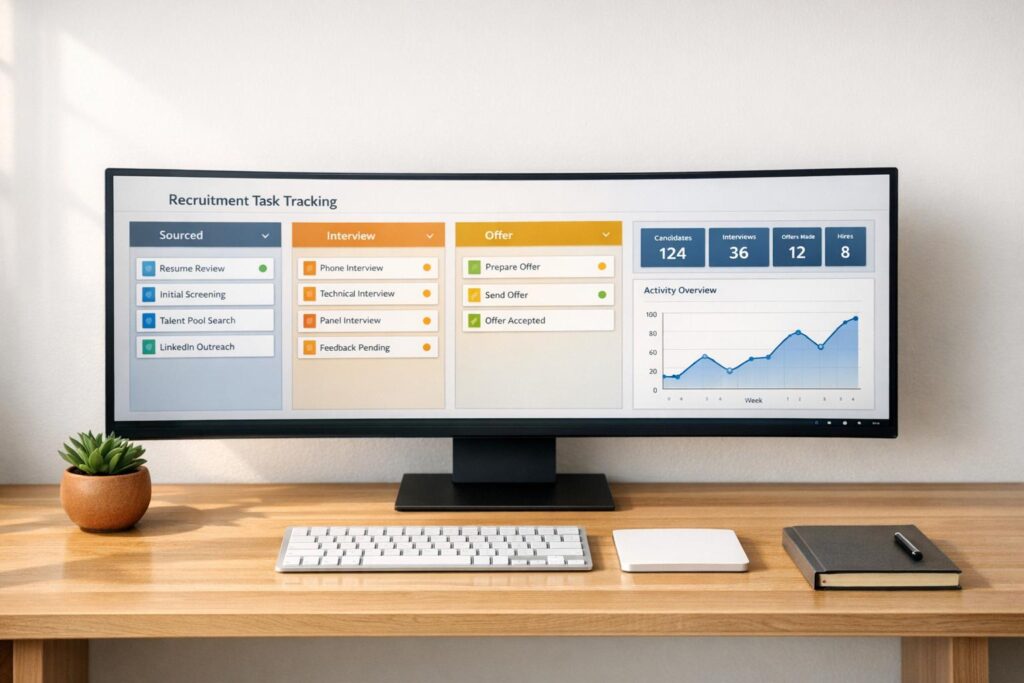
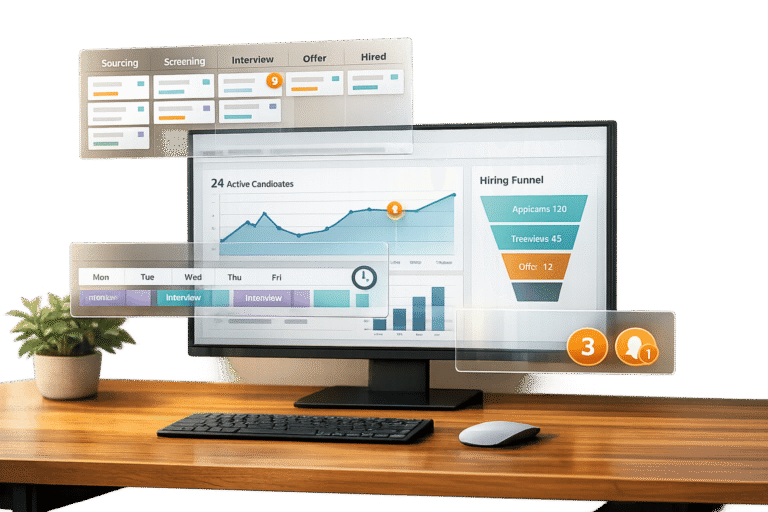
Real-time workflow monitoring helps recruitment teams track candidate pipelines, team activities, and hiring metrics instantly. By integrating data from applicant tracking systems into a single dashboard, it provides full visibility into every stage of the hiring process. Teams can spot bottlenecks, reassign tasks, and make faster decisions with features like automated alerts, Kanban workflows, and real-time scheduling tools.
Key Benefits:
- Centralized Dashboards: View candidate progress, team workloads, and pipeline health in one place.
- Kanban Workflow Management: Visualize hiring stages and identify delays.
- Automated Alerts: Get notified when candidates are stuck or deadlines are missed.
- Real-Time Scheduling: Sync calendars, avoid double bookings, and save time.
- Live Analytics: Track metrics like time-to-hire and pipeline efficiency to improve decision-making.
Skillfuel simplifies recruitment by automating repetitive tasks, ensuring timely updates, and improving team coordination. Start by customizing dashboards, integrating ATS data, and setting up notifications to streamline your hiring process.
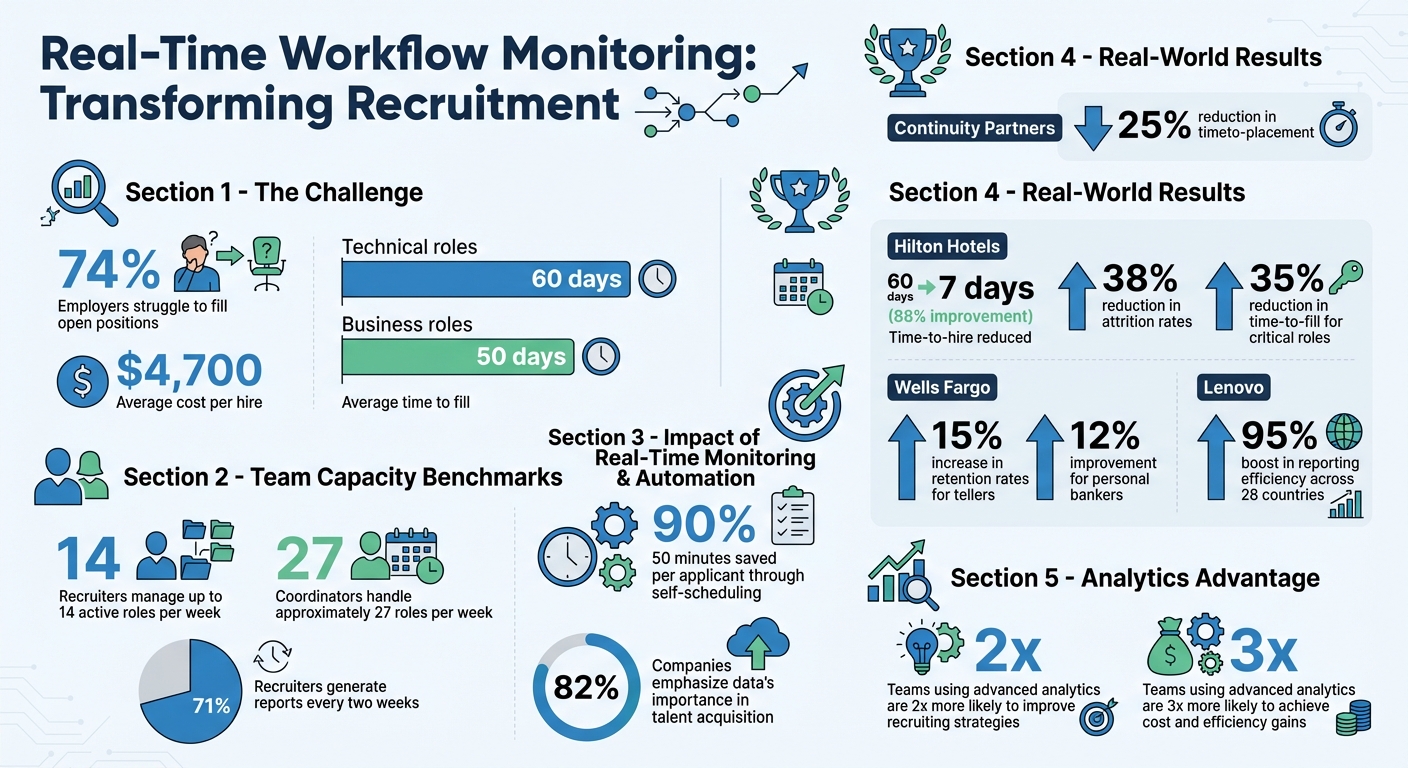
Real-Time Workflow Monitoring: Key Statistics and Impact on Recruitment Efficiency
Real-Time Workflow Monitoring Features in Skillfuel
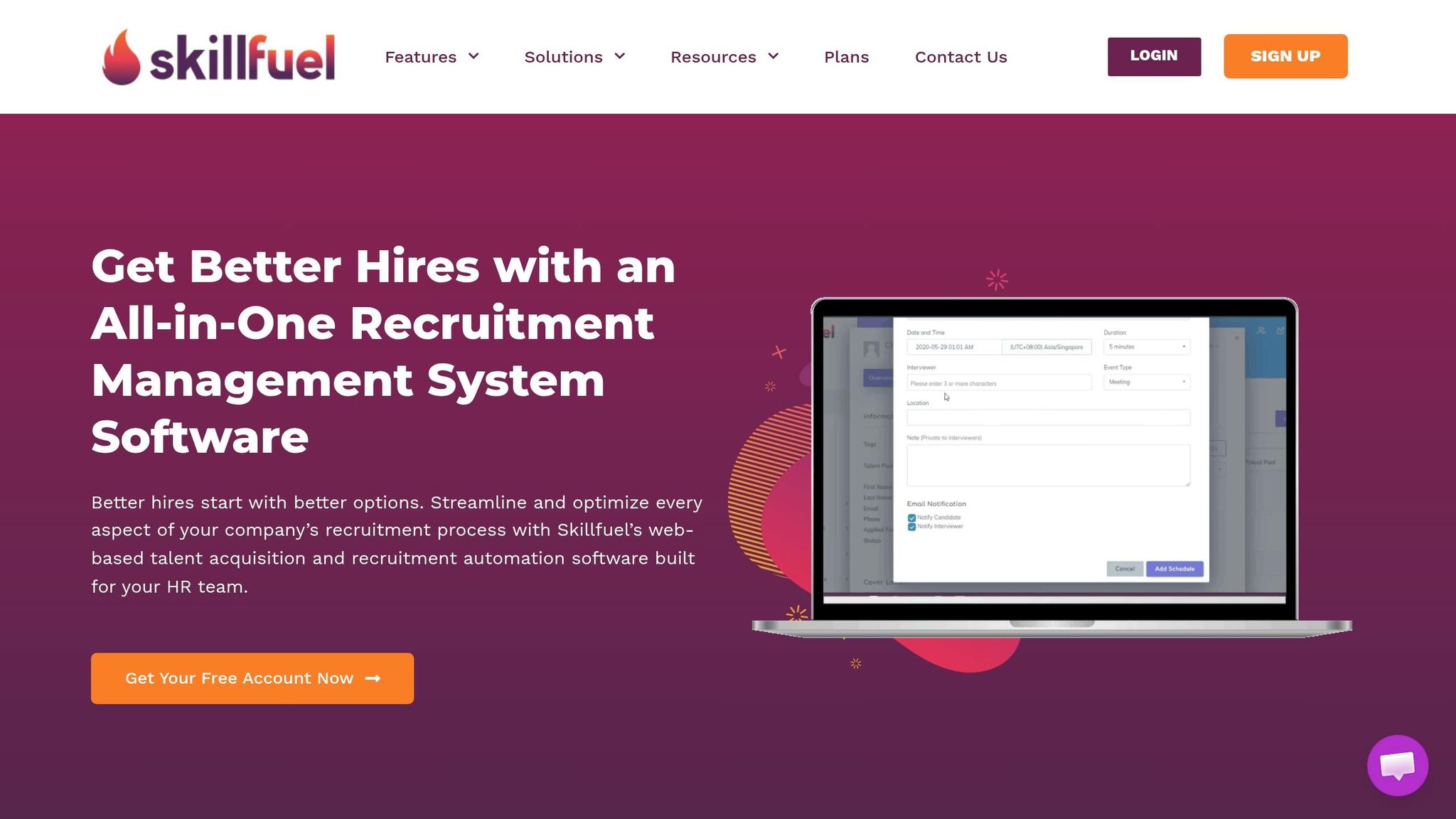
Centralized Dashboards for Recruitment Analytics
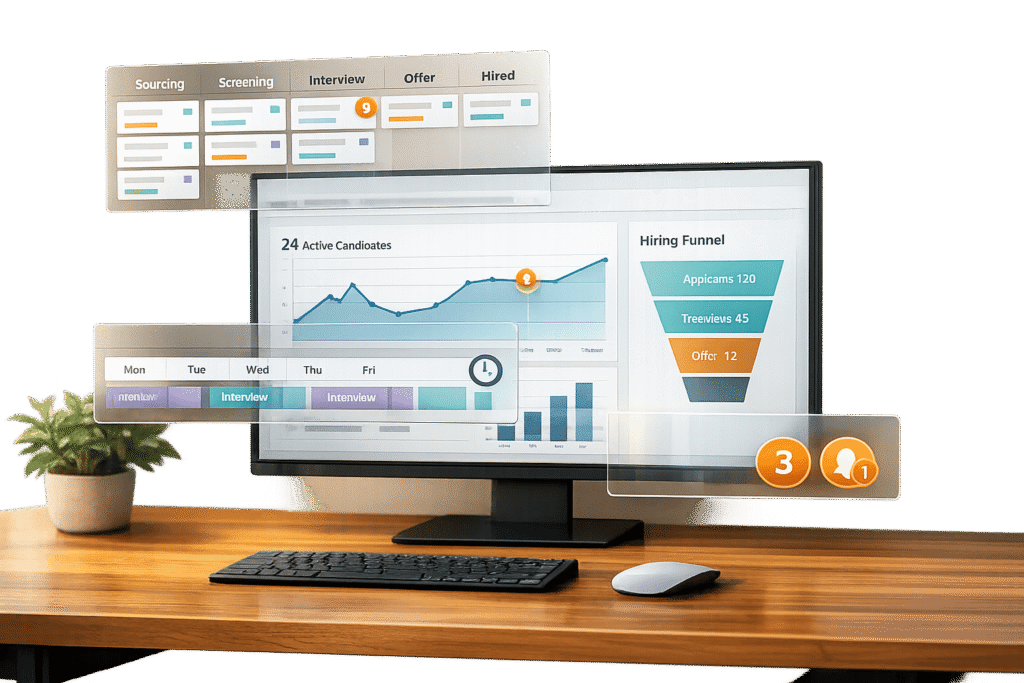
Skillfuel’s centralized dashboard brings every part of the recruitment process into one easy-to-navigate view. Recruiters and managers can check candidate statuses, monitor team workloads, and track progress – all without juggling multiple tools. The drag-and-drop interface makes organizing candidates simple, offering a clear, at-a-glance overview.
The dashboard is fully customizable, allowing team members to focus on the metrics that matter most to them. For instance, hiring managers might keep an eye on pipeline health and time-to-hire, while recruiters zero in on candidate progress and interview feedback. With 82% of companies emphasizing data’s importance in talent acquisition decisions, having all analytics in one place is a game-changer for staying ahead.
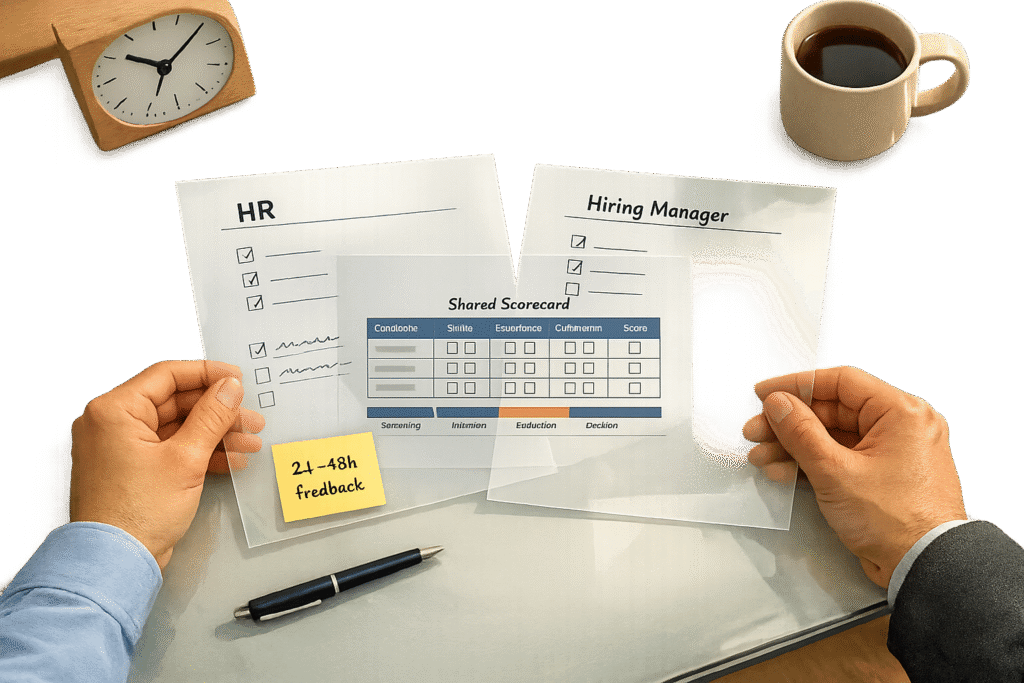
Skillfuel also integrates real-time collaboration tools directly into the platform. Team members can share interview feedback instantly, ensuring decisions are based on current information rather than delayed input. Built-in reporting tools highlight bottlenecks in the hiring process, helping managers pinpoint where candidates are getting stuck and adjust workloads to keep things moving smoothly.
Skillfuel doesn’t stop at dashboards – its visual tools make managing each recruitment stage intuitive and efficient.
Kanban Workflow Management and Automated Alerts
Skillfuel’s Kanban system offers a clear, visual way to manage recruitment stages like screening, interviewing, and offers. Each candidate is represented as a card that moves across columns, making it easy to see exactly where they are in the pipeline. This layout helps teams quickly spot bottlenecks, such as candidates waiting too long for feedback from hiring managers.
To keep things on track, automated alerts notify recruiters when candidates remain in a stage longer than the average cycle time. These notifications ensure no one gets overlooked and keep the process running smoothly. Teams can also set Work in Progress (WIP) limits for each stage, ensuring every application gets the attention it deserves. Buffer columns, like "Ready for Interview", act as holding areas between stages, offering a clear signal when candidates are prepared to move forward.
Real-Time Calendar Sync and Scheduling Tools
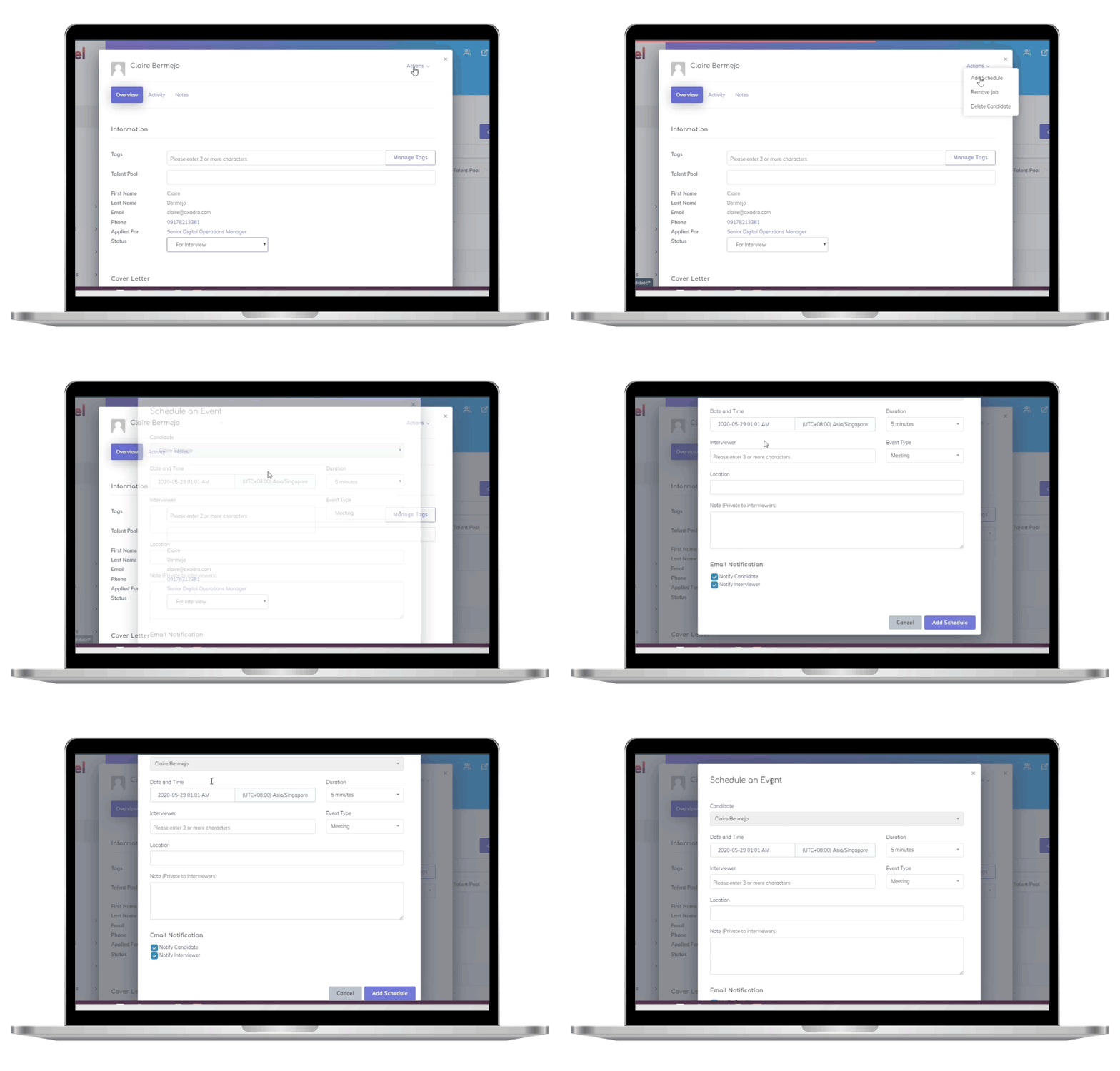
Skillfuel’s calendar tools take the headache out of scheduling. By syncing directly with Gmail and Outlook, the platform ensures up-to-date interviewer availability and avoids double bookings. Candidates can even schedule their own interviews by choosing from pre-set time slots, saving recruiters up to 50 minutes per applicant.
Once a candidate selects a time, the system automatically handles invites, confirmations, and reminders for both the candidate and the hiring team. This scheduling data syncs instantly with the applicant tracking system, keeping the pipeline transparent and up to date. For panel interviews or multi-session assessments, Skillfuel coordinates schedules and even manages in-person room bookings.
To capture feedback while it’s fresh, the tool schedules automatic debrief meetings immediately after interviews. Rules can also be set to assign alternate interviewers if someone becomes unavailable, ensuring the process keeps moving without delays. All notes and feedback are stored in one place, accessible 24/7 from any device, so teams can stay aligned no matter where they are.
sbb-itb-e5b9d13
How to Set Up Real-Time Workflow Monitoring in Skillfuel
Customizing Dashboards and Defining Metrics
Setting up your dashboard in Skillfuel is all about focusing on the metrics that matter most. For example, recruiters might need a view that highlights candidate progression, while hiring managers may prioritize pipeline health. Skillfuel’s drag-and-drop interface makes this process simple – no coding or IT expertise required.
With 82% of companies emphasizing the importance of data in talent acquisition decisions, defining key metrics from the start is essential. Use Skillfuel’s built-in reporting tools to monitor compliance metrics, such as selection rates, to spot and address potential biases early. These customized dashboards allow your team to make real-time adjustments, staying nimble and responsive to any changes in recruitment demands.
This customization also integrates smoothly with Skillfuel’s larger ecosystem, ensuring seamless functionality across the board.
Integrating ATS Data with Skillfuel
Skillfuel includes its own applicant tracking system (ATS), eliminating the need for scattered tools or manual spreadsheets. Migrating your candidate data into the platform is straightforward. Once imported, the ATS organizes candidates on a Kanban board, where updates can be made instantly using the drag-and-drop interface.
When paired with your tailored dashboards, this automated integration ensures that every update is reflected immediately. Plus, Skillfuel’s mobile-responsive design means you can access recruitment data anytime, anywhere, ensuring your team always has the most up-to-date information at their fingertips.
With all your data in sync, the next step is to set up notifications to make your workflow even more efficient.
Setting Up Notifications for Workflow Optimization
Notifications in Skillfuel help you catch potential delays before they become bottlenecks. For example, you can configure alerts for candidates who exceed average cycle times. Referral tracking automatically sends updates to employees about their referred candidates, while the Interview Scheduler tool provides auto-feedback and preparation notes for stakeholders. Together, these features ensure everyone stays in the loop.
The visual Kanban cues work alongside these alerts to highlight exactly where processes might be slowing down. By automating status updates and feedback sharing, Skillfuel reduces the need for manual follow-ups, saving time and keeping your team aligned. Properly configured notifications not only streamline communication but also cut down on administrative tasks, letting your team focus on what matters most.
Best Practices for Real-Time Workflow Monitoring
Balancing Workloads with Team Views
Recruitment teams often face the challenge of uneven workload distribution – some team members are overloaded while others have capacity to spare. Skillfuel’s centralized dashboards make these disparities easy to spot. By tracking hires per recruiter and open roles per person, you can establish a baseline for your team’s capacity. For example, recruiters typically manage up to 14 active roles per week, while Coordinators handle about 27. Use these benchmarks to assign appropriate weights to different tasks. Technical roles, which may take around 60 days to fill, often require more focus compared to business roles that average 50 days. Offload administrative tasks like scheduling to Coordinators or automation tools, freeing recruiters to focus on engaging with candidates.
"It’s not about perfection [when it comes to using talent acquisition insights]. It’s about reviewing the data, adjusting accordingly, and keeping the train on the track." – Christina Schmit, Director of Talent & Culture, Renewal by Andersen
Keep a close eye on days-in-stage metrics. If candidates are stalling in the pipeline, it could signal that your team is overwhelmed. Regular bi-weekly reviews of recruitment metrics can help you catch these issues early, a practice already adopted by 71% of recruiters who generate reports every two weeks. This consistent review process helps teams stay ahead of potential bottlenecks and burnout.
These workload insights lay the groundwork for effective use of live analytics in recruitment decisions.
Using Live Analytics for Decision-Making
Once workloads are balanced, live analytics take recruitment strategies to the next level. If you notice a drop in job acceptance rates or a surge in candidate drop-offs, Skillfuel’s real-time dashboards act as an early warning system. Instead of waiting for monthly reports, you can address problems as they arise.
In September 2025, Wells Fargo used predictive models based on data from over two million candidates. The result? A 15% increase in retention rates for tellers and a 12% improvement for personal bankers. Similarly, Hilton analyzed historical data and performance metrics, achieving a 38% reduction in attrition rates and cutting time-to-fill for critical roles by 35%. Focus on metrics like interview-to-offer ratios and pipeline pass-through rates to maintain hiring efficiency. These numbers help assess whether recruiters are conducting high-quality interviews and effectively converting candidates. Teams leveraging advanced analytics are twice as likely to improve recruiting strategies and three times more likely to achieve cost and efficiency gains.
Pair internal data with external benchmarks for deeper insights. For instance, if acceptance rates dip, compare your salary and benefits packages against industry norms. Skillfuel’s mobile-friendly design makes it easy to monitor dashboards consistently, ensuring you can act on opportunities as they arise.
Standardizing Recruitment Stages with Automation
After fine-tuning processes with data and real-time analytics, automation ensures consistency across recruitment stages. A standardized approach guarantees that every candidate experiences a structured and repeatable process, which is crucial given that the average cost per hire is around $4,700.
Skillfuel’s Kanban-style workflow management lets you create custom workflows that align with your company’s processes. Automation can handle routine tasks – like sending preparation materials or scheduling interviews when a candidate moves from "Phone Screen" to "Technical Interview." This reduces manual follow-ups and keeps candidates engaged throughout the process.
"Making things as automated as possible when setting up your system is going to set you up for success in the long run." – Michelle Yoshihara, Manager of Recruiting Operations, Greenhouse
Lenovo replaced manual reports with automated dashboards across 28 countries, boosting reporting efficiency by 95%. To ensure reliable real-time monitoring, require specific fields in your ATS, as accurate data is the backbone of automation. Automated skills assessments can also streamline the applicant pool, narrowing 2,000 candidates down to the top 20 most qualified individuals. With 74% of employers struggling to fill open positions, automation helps speed up the process without compromising on quality.
Conclusion
Summary of Benefits
Real-time workflow monitoring has turned recruitment into a more proactive and data-driven process. With Skillfuel’s centralized dashboards, Kanban-style workflows, and automated alerts, hiring teams gain full visibility into their pipeline. This approach makes it easier to identify bottlenecks, balance workloads across recruiters, and make decisions based on live analytics instead of outdated monthly reports. Automation can handle up to 90% of interview management tasks, allowing teams to focus on the most promising candidates.
For example, in 2023–2024, Continuity Partners, a U.S.-based tech staffing agency, cut their time-to-placement by 25% and improved candidate quality by adopting AI-driven matching and real-time Kanban workflow tracking. Similarly, Hilton Hotels reduced their time-to-hire from 60 days to just 7 days by using automated screening and real-time verification tools. These results demonstrate how real-time monitoring can transform talent acquisition strategies across industries.
This approach also ensures consistency and compliance. Standardized workflows create a structured experience for every candidate, while built-in tracking helps teams meet GDPR and other data protection standards. Features like automated communication, calendar syncing, and live feedback sharing eliminate the inefficiencies of manual coordination and scattered spreadsheets.
By adopting these tools, recruitment teams can immediately improve their hiring processes and achieve better results.
Next Steps for Recruitment Teams
These benefits make it clear: the time to act is now. Getting started with Skillfuel is simple. First, sign up for a free account to explore the platform’s interface and dashboards. Import your existing candidate data into the centralized system, then customize the drag-and-drop Kanban boards to match your hiring stages. This visual workflow will help you quickly identify where candidates are getting stuck.
Next, connect your calendar apps to Skillfuel’s Interview Scheduler and set up automated, personalized email updates to keep candidates engaged throughout the process. Configure notifications for key workflow events, like when a candidate moves to the next stage, to avoid delays. You can also create branded career pages within the platform, ensuring new applicants are automatically added to your real-time monitoring system.
Start tracking essential metrics right away: time-to-hire, number of qualified candidates per role, recruiter hours saved, and candidate satisfaction scores. Compare these metrics to your pre-implementation data to measure progress. With 74% of employers reporting difficulties in filling open positions, teams that embrace real-time analytics and automation will gain a clear advantage over those relying on manual processes. Finally, consider scheduling a demo or activating Skillfuel’s employee referral module to tap into internal networks and expand your talent pool – all while tracking results in real time.
Recruitment Analytics Dashboard | Microsoft Power BI
FAQs
Which hiring metrics should we track in real time first?
When it comes to improving your hiring process, keeping an eye on the right metrics is critical. Three key metrics to focus on are application rates, time-to-hire, and candidate source performance. Here’s why they matter:
- Application Rates: This tells you how many people are applying for your open roles. A dip in this metric might mean your job postings need tweaking or your outreach isn’t hitting the mark.
- Time-to-Hire: This measures how long it takes to fill a position. A shorter time-to-hire often reflects an efficient process, while delays could signal bottlenecks that need fixing.
- Candidate Source Performance: This shows which platforms or channels are bringing in the most qualified candidates, helping you allocate resources effectively.
By using dashboards to track these metrics in real time, your team can spot issues quickly, address roadblocks, and fine-tune your recruitment strategy to keep things running smoothly.
How do we set alert rules without overwhelming the team?
To keep your team focused without drowning them in alerts, it’s smart to fine-tune notifications to highlight only the most important updates and milestones. Real-time dashboards and automated workflows can handle tracking key metrics and candidate statuses, cutting down on the need for constant manual checks. You can also adjust the frequency and content of alerts based on each team member’s role, ensuring they get updates that matter to them. This way, you avoid alert fatigue while keeping everyone informed and on track.
What’s the fastest way to standardize hiring stages in Skillfuel?
The quickest approach is leveraging Skillfuel’s built-in tools to streamline and automate your recruitment workflows. Set up your pipeline with well-defined stages, such as application review, screening, interviews, and offers. By automating notifications and feedback at each step, you can maintain consistency while making decisions faster. Plus, real-time dashboards and workflow tools make it easier to track progress and stick to standardized processes without hassle.