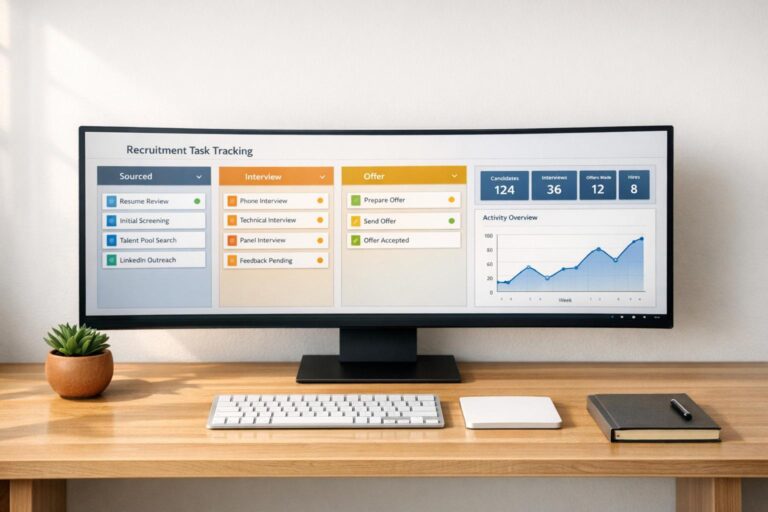
Recruitment task tracking simplifies hiring by consolidating every step – job posting, interviews, offers, and onboarding – into one centralized system. This eliminates scattered tools like spreadsheets and emails, streamlining workflows and improving collaboration. Key benefits include:
- Automation: Reduces manual tasks like scheduling and data entry, saving time and cutting costs.
- Real-Time Dashboards: Tracks candidate progress, identifies bottlenecks, and provides actionable insights.
- Improved Efficiency: Speeds up hiring processes, with tools like Kanban boards and automated reminders reducing delays.
- Data-Driven Decisions: Metrics like time-to-fill and offer acceptance rates help refine hiring strategies.
Speed Up Your Hiring! Build an Applicant Tracking System with No Code
sbb-itb-e5b9d13
Why Track Recruitment Tasks
Recruitment can spiral into chaos without a proper tracking system. Missed deadlines, misplaced resumes, and repeated efforts can drain productivity and resources. This disorganization comes with a hefty price tag – the average cost of hiring in the U.S. is about $4,700, while senior roles can cost up to three or four times an employee’s annual salary. Relying on scattered tools like spreadsheets often leads to what’s called the “Excel ceiling,” where limitations in search, data entry errors, and security risks create inefficiencies.
A centralized tracking system changes the game by offering a single source of truth. Every team member can instantly access up-to-date candidate information, resumes, and communication history. With real-time dashboards, you’ll know exactly where each candidate stands in the hiring process, which roles need attention, and who’s responsible for the next step. This level of transparency prevents bottlenecks from disrupting timelines and keeps the process running smoothly.
Switching to automated tracking systems has proven to deliver impressive results. For instance, Truckrs transitioned from Google Sheets to an automated platform and saw their revenue multiply tenfold in 2025. Pierre-Arnaud, the company’s president, shared:
"We almost did 10 times the revenue from last year to this year with Recruit CRM".
Similarly, Unilever adopted HireVue’s automated video interviewing and tracking software, cutting total recruiting time by 75% and saving over $1 million.
Integrated scheduling features in these systems also address common frustrations that can drive candidates away. Synced calendars prevent double bookings and missed interviews, while automated reminders ensure timely follow-ups. This matters because 92% of job seekers abandon applications if the process feels disorganized.
Beyond efficiency, tracking systems enable data-driven decisions. Metrics like time-to-fill, source of hire, and offer acceptance rates replace guesswork with actionable insights. For example, IBM used the Watson Recruitment platform to analyze hiring data, reducing time-to-fill by 40% and improving the quality of hires by 20%. These insights allow companies to allocate budgets to the most effective channels and refine processes that slow them down.
Features to Look for in Recruitment Task Tracking Tools
The right recruitment software can make a noticeable difference in how efficiently your hiring process runs. With HR automation becoming more common, the key is identifying tools with features that deliver tangible results.
One of the biggest challenges for many companies is managing recruitment data. For example, 56% of employers – and a staggering 75% of small and medium-sized enterprises (SMEs) – struggle to maintain accurate recruitment data because they rely on multiple disconnected systems. On top of that, large companies often juggle over 80 different HR tools, which only adds unnecessary complexity. A good recruitment task tracker should simplify your workflows, not complicate them further. By consolidating candidate data and processes, these tools help address the chaos caused by scattered systems, enabling smoother task management.
Kanban Workflow Management
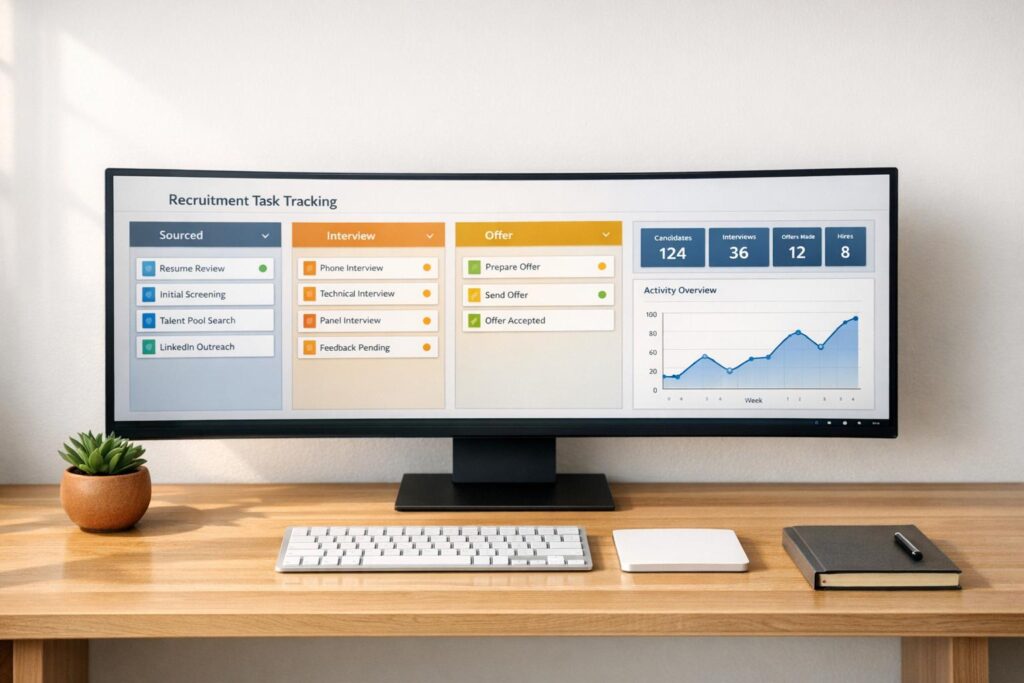
Kanban boards are a game-changer for managing recruitment workflows. These visual pipelines let you easily drag and drop candidates through different stages – like "Sourcing" or "Offer Accepted" – while giving your team instant visibility into where each candidate stands. They also make it easier to spot bottlenecks when candidates pile up in a specific stage.
Companies that use Kanban-style workflows with automated scheduling and tracking have seen their time-to-fill drop by an average of 27%, with some enterprise tools reporting reductions of up to 50%. Look for tools that let you customize stages for different roles without needing IT support, so your team can adapt the system to fit their needs.
Automation and Reminders
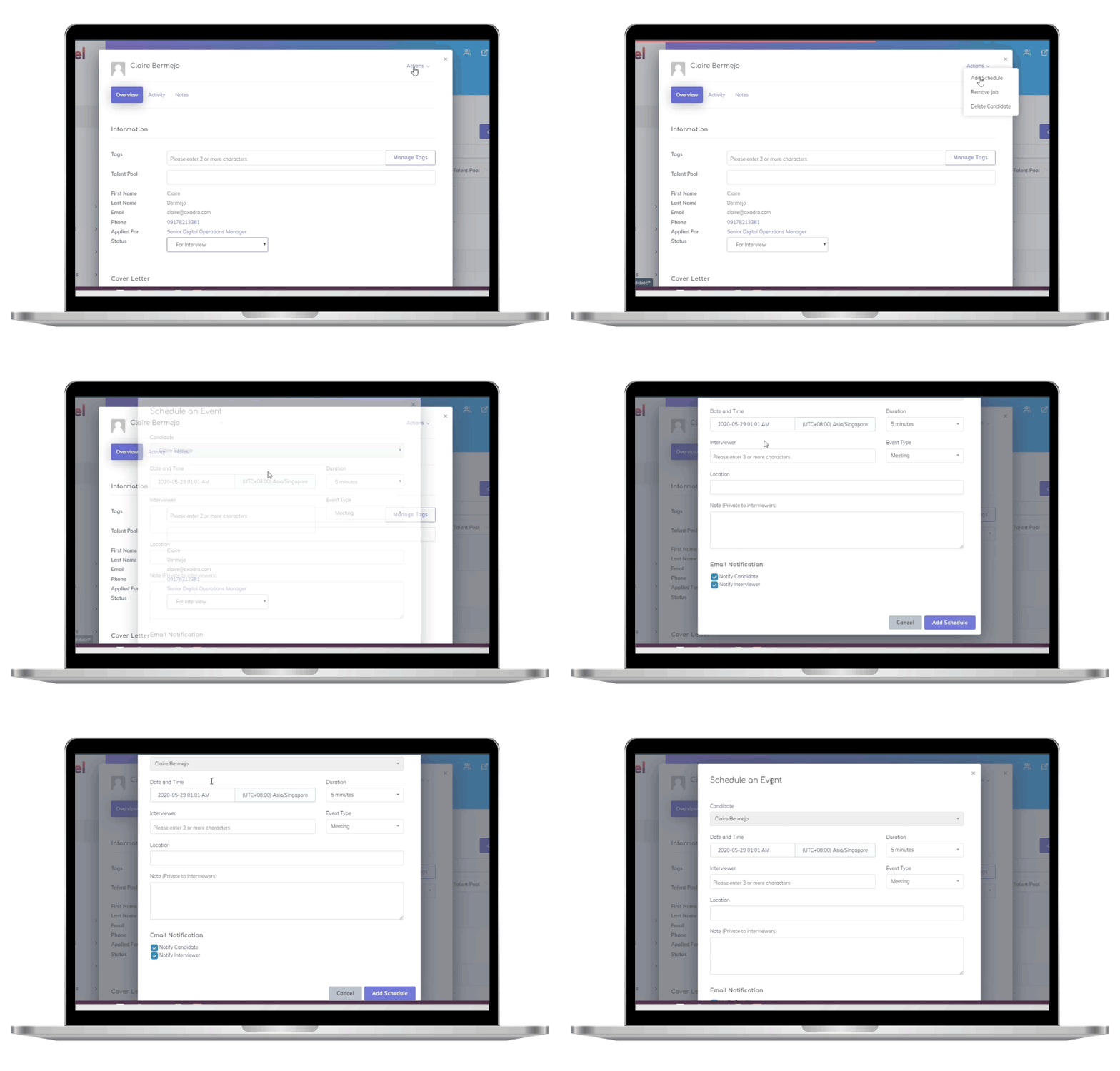
Repetitive tasks like follow-ups can eat up a lot of time. Automation helps by taking over these administrative chores, ensuring both candidates and hiring managers stay on track. Beyond visual workflows, automation can enhance efficiency in other ways. For instance, tools that automate interview scheduling can sync with calendars, allow candidates to self-book time slots, and even manage time zones while sending reminders. This eliminates the back-and-forth emails and keeps the recruitment process running smoothly.
The benefits are clear: automated resume parsing can cut screening time by 65%, and pre-set communication templates reduce response times by 40%. AI-powered workflows also handle tasks like status updates, email nudges, and data entry, ensuring nothing gets overlooked. This efficiency doesn’t just save time – it lowers the average cost-per-hire from $4,000 to $1,500 per role. Automated triggers keep everyone informed, streamlining the entire process.
Centralized Candidate Repository
Disconnected tools often lead to data silos, which slow down recruitment efforts. A centralized repository solves this by storing everything – resumes, interaction histories, feedback, and communications – in one easily searchable database. This setup gives your team instant access to up-to-date candidate profiles without needing to dig through emails or chase down colleagues for information.
Data is also essential for making informed hiring decisions, with 82% of companies emphasizing its importance in talent acquisition. A centralized system makes this data actionable, allowing recruiters to build talent pools from past applicants and significantly reduce time-to-fill. Additionally, these repositories help with GDPR compliance by offering features like audit trails, secure access controls, and consent management tools.
How to Use Skillfuel for Recruitment Task Tracking
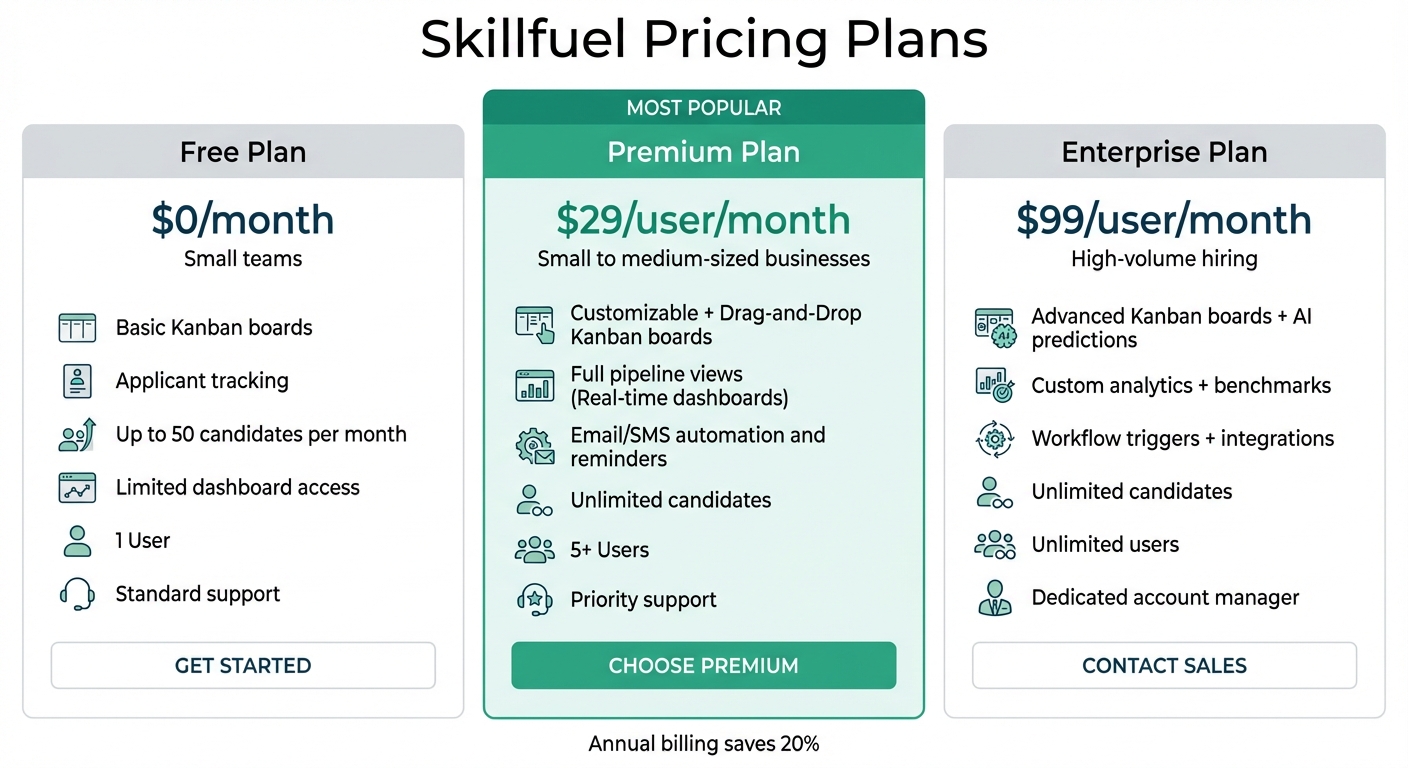
Skillfuel Recruitment Software Pricing Plans Comparison
Skillfuel takes recruitment task management to the next level by combining Kanban workflows, automation, and a centralized candidate database. This setup gives you real-time visibility into your hiring pipeline, making it easier to track and manage every step of the recruitment process.
Applicant Tracking and Kanban Boards
Skillfuel’s drag-and-drop Kanban boards are designed to fit seamlessly into your hiring process. You can set up custom columns like "New Applications", "Screening", "Interviewing", "Offer", and "Hired", then move candidates between these stages with a simple drag. Color-coded tags help you prioritize candidates based on their source or urgency, while built-in notes and resume attachments keep all relevant details in one place.
Collaboration is a breeze with shared boards, allowing multiple team members to stay on the same page. Features like role-based permissions and @mentions ensure everyone knows what needs attention. For instance, when a recruiter moves a candidate to "Interview Scheduled", the hiring manager gets an instant notification – no need for endless email chains. This setup not only improves communication but also helps address bottlenecks faster.
Real-Time Dashboards and Progress Updates
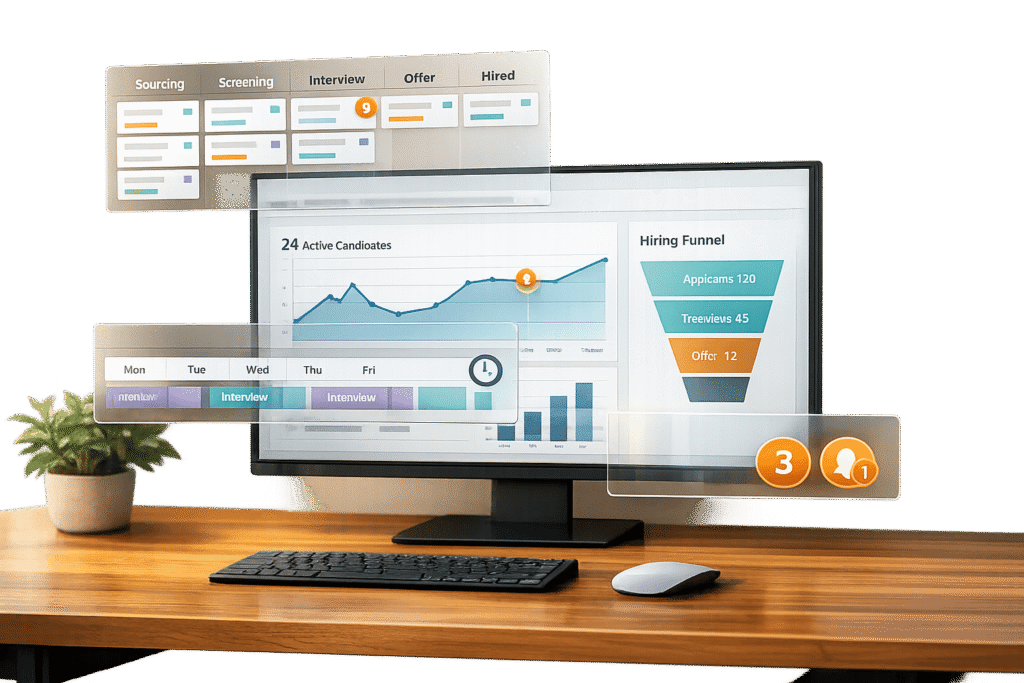
Skillfuel’s dashboards provide an at-a-glance view of key recruitment metrics, such as pipeline health, time-to-fill for roles, candidate response rates, and stage conversion rates. These dashboards update automatically and can be customized with widgets to suit specific team or department needs. For example, a dashboard might highlight that the average time-to-hire is 25 days, with a 3-day delay in interview scheduling.
The platform’s automated alerts are another time-saver, notifying you if a candidate has been stuck in a stage for over 48 hours. This allows your team to take quick action and keep the process moving. With 82% of companies citing data as a critical factor in talent acquisition decisions, these reporting tools provide valuable insights to improve your hiring strategy. Plus, Skillfuel offers 24/7 mobile access, so you can track progress and update candidate statuses no matter where you are.
Pricing and Plan Comparison
Skillfuel offers pricing plans that cater to teams of all sizes, with clear options to match your hiring volume. All pricing is in U.S. dollars:
- Free Plan ($0/month): Designed for small teams, this plan includes basic Kanban boards and applicant tracking for up to 50 candidates per month, along with limited dashboard access.
- Premium Plan ($29/user/month): Perfect for small to medium-sized businesses, this plan offers unlimited candidates, automation reminders, full real-time dashboards, and team collaboration for up to 5 users.
- Enterprise Plan ($99/user/month): Ideal for high-volume hiring, this plan includes advanced analytics, custom integrations, unlimited users, and priority support. Annual billing saves you 20%.
Here’s a quick breakdown of the features:
| Feature | Free | Premium | Enterprise |
|---|---|---|---|
| Kanban Boards | Basic | Customizable + Drag-and-Drop | Advanced + AI Predictions |
| Real-Time Dashboards | Limited Metrics | Full Pipeline Views | Custom Analytics + Benchmarks |
| Automation/Reminders | None | Email/SMS | Workflow Triggers + Integrations |
| Users/Candidates | 1 User / 50 per month | 5+ Users / Unlimited | Unlimited |
| Support | Standard | Priority | Dedicated Account Manager |
Skillfuel also integrates seamlessly with tools like Zoom, Google Meet, BambooHR, LinkedIn, Indeed, and Slack, making it easy to connect with your existing workflows.
Metrics to Track in Recruitment Task Management
Monitoring key recruitment metrics helps you make smarter decisions, identify bottlenecks, streamline timelines, and justify costs. These metrics work hand-in-hand with Skillfuel’s dashboards, offering actionable insights at every stage of the hiring process. Let’s dive into some core metrics that can help you quickly address delays and improve efficiency.
Time-to-Fill and Time-to-Hire
Though they sound similar, time-to-fill and time-to-hire measure different parts of the hiring process. Time-to-fill tracks the number of days from when a job opens to when a candidate accepts an offer. Across industries, this figure averages 45 days as of 2025. It reflects the overall efficiency of your recruitment process, including internal approvals and sourcing strategies.
On the other hand, time-to-hire focuses on the days between a candidate applying and accepting the offer. This metric highlights how quickly you’re engaging and evaluating applicants.
If time-to-fill is high, it could point to slow internal approvals or ineffective sourcing methods. A lengthy time-to-hire often signals delays in interview scheduling or candidate evaluations. For context, in 2025, 75% of technical roles were filled within 60 days, while business roles averaged around 50 days. Comparing your metrics to these benchmarks can help you pinpoint problem areas and prioritize fixes.
Candidate Response Times
Quick candidate responses are a sign of a smooth process. Measuring how fast applicants complete forms or reply to communications can reveal where friction exists. For example, 60% of candidates drop out of applications that are too long or complicated. Keeping forms to 15–20 minutes can significantly reduce this abandonment rate.
You can also assess your Candidate Net Promoter Score (NPS) through post-process surveys to gauge how applicants view their experience with your company. This score not only affects your employer brand but can also influence the quality of future applicants. As Recruiterflow puts it:
"A satisfied customer is the best kind of customer".
Even candidates who don’t land the job are more likely to refer others or apply again if they had a positive experience. To dig deeper into your process, track how long candidates spend in each stage of the recruitment funnel.
Pipeline Stage Durations
Breaking down the recruitment pipeline into stages lets you find specific bottlenecks. For example, candidates might spend 3 days in screening, 14 days waiting for interviews, and 21 days in the offer approval stage. This level of detail helps you target delays – like slow feedback from hiring managers or approval backlogs – rather than trying to overhaul the entire process.
An interview-to-offer ratio of 2:1 is considered average, meaning 50% of candidates interviewed receive offers. If your ratio is lower, it might indicate overly broad screening or an interview process that doesn’t align well with job requirements. Similarly, an offer acceptance rate below 90% could point to issues like uncompetitive salaries, poor candidate experiences, or delayed offer delivery. As Talentpool highlights:
"An offer declined is more than a disappointment, but it is lost time and often lost credibility".
Best Practices for Recruitment Task Tracking
Once you know what metrics to track, the next step is building a system that keeps your recruitment process organized and efficient. A well-structured approach ensures no tasks are overlooked and your team stays coordinated from the moment a candidate applies to the final offer.
Define Clear Recruitment Stages
Using standardized recruitment stages helps your team speak the same language. Instead of vague terms like "under consideration" or "pending", opt for clear, consistent labels such as New, In Review, Interview, Offer, and Hired for every role. This shared terminology eliminates confusion about candidate status and identifies who is responsible for the next step.
Map out the entire candidate journey – from initial application to placement – and assign clear ownership at every stage. Abhishek Sharma, SEO Lead at Recruiterflow, simplifies it:
"A recruiting workflow answers three simple questions: Where is this candidate right now? What needs to happen next? Who owns the next step?"
Set specific criteria for advancing candidates between stages, such as passing a technical interview or completing a background check. This ensures everyone knows when and why a candidate moves forward. While most hiring processes take about three weeks, manual tasks can slow things down significantly. Once your stages are defined, automation can help speed things up.
Automate Routine Tasks
Automation is a game-changer for keeping your recruitment workflow moving smoothly. By automating repetitive tasks – like sorting resumes, sending follow-up emails, and scheduling interviews – you free up valuable time for evaluating candidates. For example, automated resume parsing can pull data on skills, experience, and education to create consistent candidate profiles. This reduces manual errors and lets recruiters focus on the top 10% to 20% of qualified applicants.
Automated trigger-based emails keep candidates updated as they move through the process, reducing the risk of "ghosting", which can harm your employer brand. With 74% of employers struggling to fill open roles, these time-saving measures are critical. Centralizing these automated processes further enhances team collaboration.
Use Centralized Dashboards for Team Collaboration
Disorganized communication and scattered data can delay hiring decisions. Centralized dashboards, like those offered by Skillfuel, serve as a single source of truth where HR teams, hiring managers, and interviewers can collaborate and share feedback in real time. Tools like visual Kanban boards make it easy to see where candidates are in the pipeline and identify bottlenecks at a glance.
With 82% of companies relying on data to guide their talent acquisition strategies, having all information centralized and easily accessible is essential. Dashboards can also be customized for role-based views, so team members see only the details they need, reducing unnecessary complexity while keeping everyone on the same page. Additionally, these systems support compliance by maintaining audit trails, promoting fair and transparent hiring practices.
Common Challenges in Recruitment Task Tracking
HR teams often face hurdles that can slow down the hiring process. Identifying these roadblocks – and knowing how to tackle them – can help maintain a smooth recruitment workflow.
Managing Bottlenecks
Bottlenecks occur when candidates get stuck in stages like interview scheduling or waiting for manager feedback. These delays not only extend the time-to-hire but also increase the chances of losing top candidates. Utilizing real-time dashboards can help spot where candidates are piling up in your pipeline.
Analyzing recruitment data for recurring patterns is key. For example, if candidates frequently drop off during assessments or if scheduling takes too long, you’ve identified a problem area. Tools like funnel analysis can pinpoint these drop-off points. Solutions such as self-scheduling tools can minimize delays caused by back-and-forth emails and keep the process moving.
Recruitment platforms with AI-driven automation can also make a big difference. These tools save teams up to 12 minutes per interview and can reduce first-year attrition rates by 32%. Setting SMART goals – like filling positions within 90 days – and monitoring progress through dashboards ensures resources are allocated effectively. Addressing bottlenecks early improves both speed and efficiency in recruitment task tracking.
Reducing Manual Updates
Manual data entry is time-consuming, prone to errors, and often results in outdated information. This inefficiency is why over 76% of recruiters plan to upgrade their systems within the next 12 to 24 months.
Automated status updates can simplify this process. For instance, when a candidate moves from "Interview" to "Offer" on a Kanban board, the system can automatically notify the candidate and update all related dashboards. This eliminates the need for manual tracking across different tools.
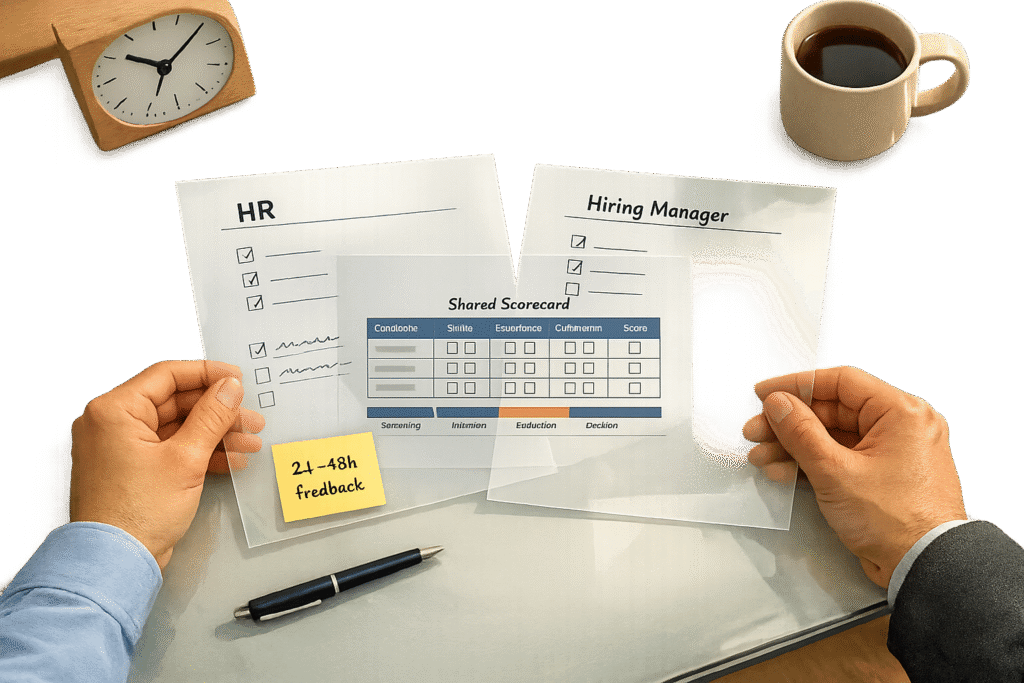
Automation also boosts efficiency in other ways. For example, advanced systems drive over 90% scorecard completion rates, freeing recruiters to focus on evaluating top candidates instead of administrative tasks.
Integrating Recruitment Tools
Disconnected tools create data silos, where valuable information is scattered across systems that don’t communicate. Whether it’s your applicant tracking system (ATS), HRIS, video conferencing platforms, or job boards, manually transferring data between these tools can lead to inconsistencies and delays.
Integrated systems solve this issue by connecting all your recruitment tools into a single, unified ecosystem. For instance, when your ATS syncs with your HRIS, video platforms like Zoom or Microsoft Teams, background check services, and job boards, candidate data flows seamlessly. This ensures that when an interview is completed, all feedback, scores, and next steps are updated across platforms in real time.
Platforms like Skillfuel address these integration challenges by acting as a centralized hub for the entire recruitment process. It combines applicant tracking, interview scheduling, job portal management, and social media recruitment into one system, offering real-time visibility into candidate progress. With 82% of organizations now emphasizing integrated systems to eliminate silos, choosing a platform that streamlines your tech stack has become a necessity.
Conclusion
Recruitment task tracking takes the chaos out of hiring and replaces it with a more organized, data-focused process. By moving away from scattered spreadsheets and disconnected tools, HR teams gain real-time visibility into their hiring pipelines, spot and resolve bottlenecks before they become problems, and free up time to focus on connecting with top candidates. With 82% of organizations leveraging data from applicant tracking systems to refine their recruiting strategies, adopting centralized and automated task tracking has become a must-have rather than a nice-to-have.
This approach doesn’t just streamline operations – it delivers measurable results. For example, a 30-minute role kickoff meeting with the hiring manager can cut time-to-hire by as much as 20%. Meanwhile, platforms equipped with AI interview tools have shown impressive outcomes: 90%+ scorecard completion rates, 12-minute time savings per interview, and a 32% drop in first-year attrition. These kinds of improvements directly impact your company’s performance, candidate experience, and ability to compete for top talent in a competitive market.
Skillfuel tackles the challenges discussed in this guide by integrating applicant tracking, interview scheduling, job portal management, and social media recruitment into a single, cohesive platform. Its Kanban boards offer a clear, visual way to manage workflows, making it easy to identify and address bottlenecks. Automation takes care of repetitive tasks like interview scheduling and status updates, while its integration features ensure candidate data flows seamlessly through every step of your hiring process. Skillfuel simplifies recruitment so your team can focus on what matters most – hiring the right people.
FAQs
What’s the difference between time-to-fill and time-to-hire?
Time-to-fill measures the total number of days from when a job is posted until a candidate accepts an offer. It reflects the overall duration of the hiring process. On the other hand, time-to-hire focuses on the candidate’s journey, tracking the time from their application or first contact to when they accept the offer.
Which recruitment tasks should I automate first?
Start by focusing on automating tedious and time-draining tasks such as resume screening, scheduling interviews, and managing candidate communication. Automation helps speed up the review process for resumes, eliminates scheduling mishaps, and simplifies how you interact with candidates. These changes not only save time but also improve efficiency and make the hiring process smoother for candidates, setting the stage for broader automation initiatives.
How can I identify and resolve hiring bottlenecks faster?
Recruitment dashboards and ATS (Applicant Tracking System) data can be game-changers when it comes to spotting bottlenecks in your hiring process. They provide real-time metrics on things like pipeline health and recruiter performance, making it easy to identify where delays are happening – whether it’s during resume reviews or interview scheduling.
On top of that, automating repetitive tasks like candidate communication and scheduling can save time and eliminate unnecessary back-and-forth. With these tools, you’re not just speeding things up – you’re also using data-driven insights to fine-tune each stage of the process, ensuring everything runs more smoothly.