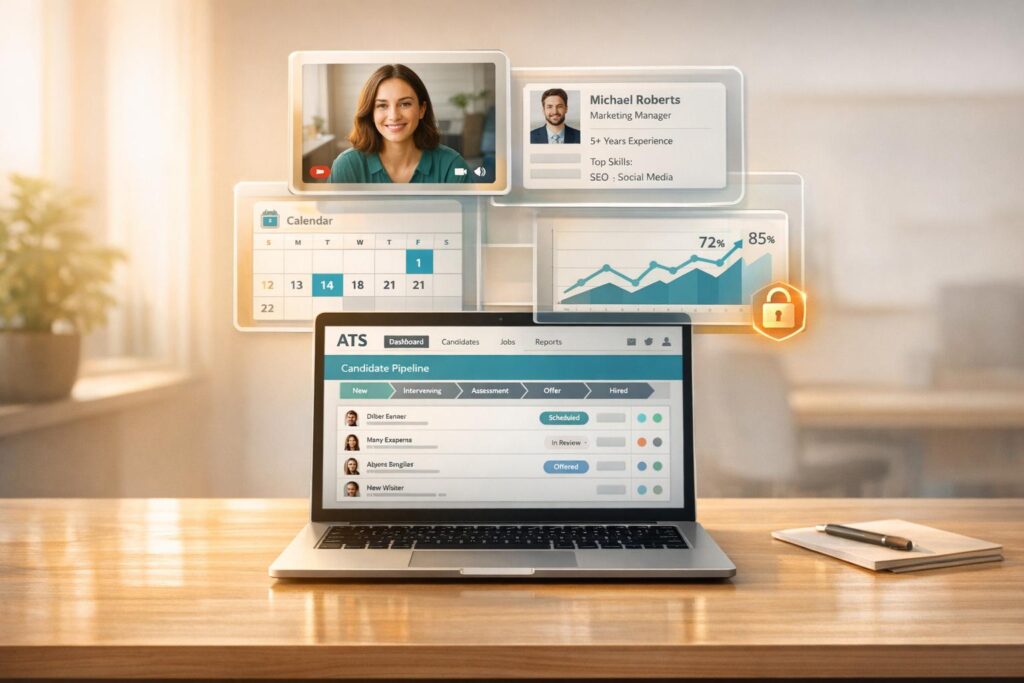
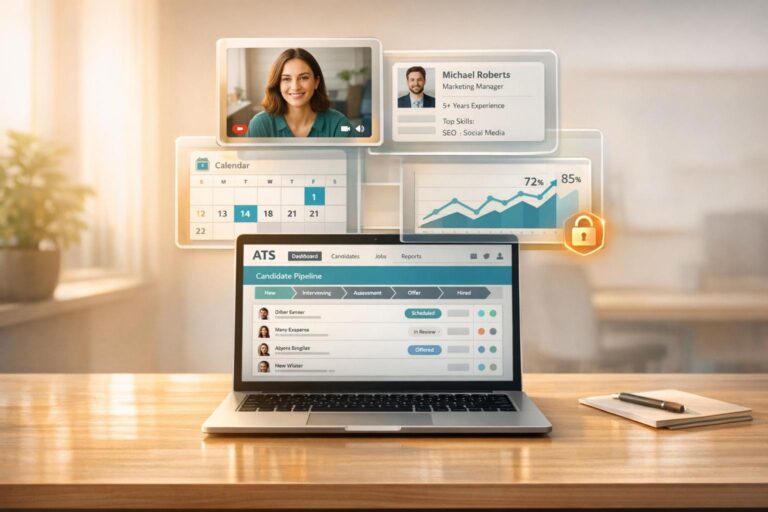
Recruiters waste hours when video interview tools don’t sync with ATS systems, juggling manual updates, chasing feedback, and managing fragmented data. Integration solves this by centralizing everything – interview invites, recordings, and feedback – into one platform, cutting screening time by 20–40% and saving up to 75 hours per month for every 500 candidates screened. It also improves the candidate experience, with automated scheduling and status updates reducing drop-offs, as nearly half of job seekers reject offers due to poor interview processes.
To integrate successfully:
- Evaluate ATS compatibility: Ensure open APIs, secure authentication, and compliance with standards like GDPR and SOC2.
- Set clear goals: Identify bottlenecks, define metrics (e.g., reducing screening time or improving completion rates), and calculate ROI.
- Choose the right video tool: Look for features like automated invites, completion sync, and mobile accessibility for candidates.
- Test thoroughly: Use sandbox environments to ensure data flows correctly and troubleshoot issues before launch.
- Monitor metrics: Track time-to-screen, completion rates, and technical success rates to refine workflows.
A well-planned integration not only saves time but also enhances the hiring process, ensuring smoother operations and better candidate experiences.
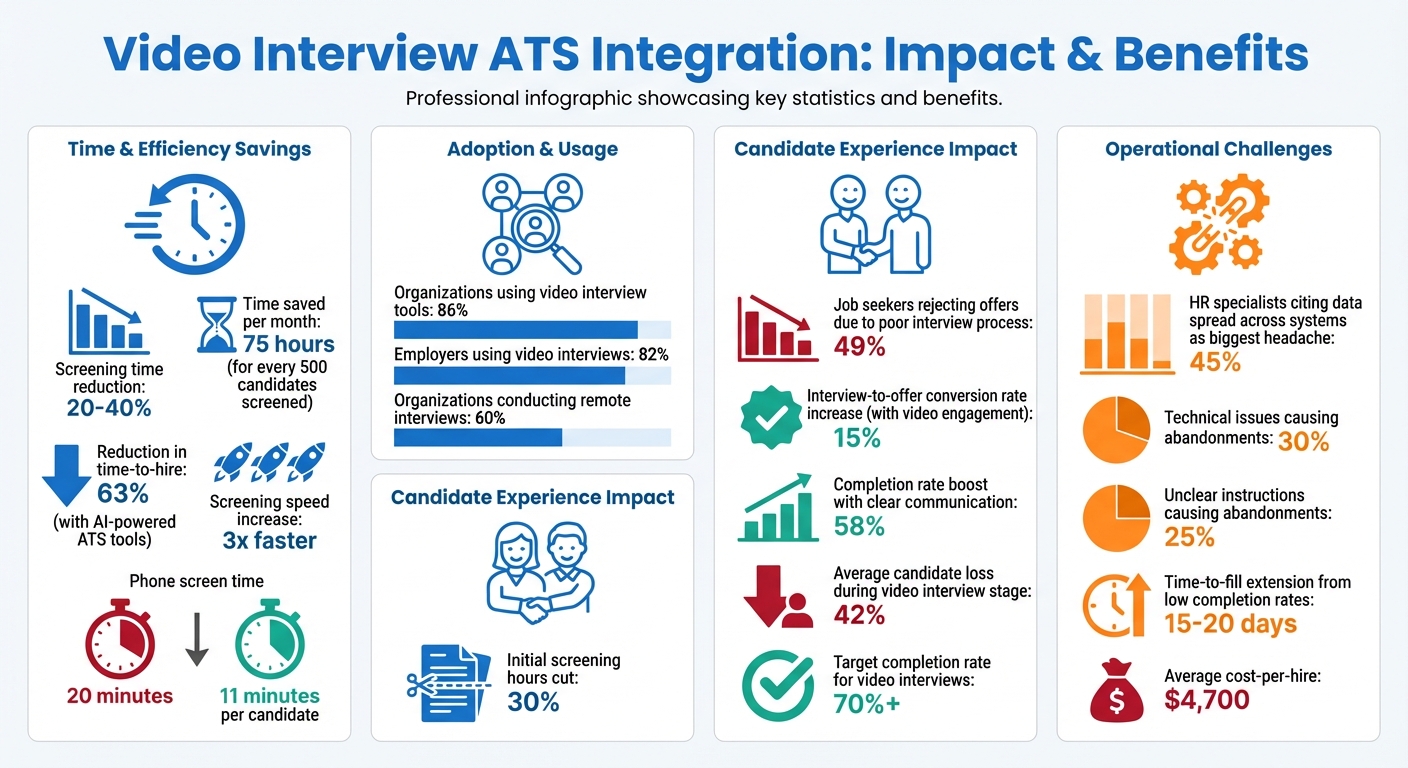
Video Interview ATS Integration: Key Statistics and Time Savings
Video Interviewing with Greenhouse ATS and Willo – Integration Tutorial
sbb-itb-e5b9d13
Evaluating ATS Compatibility and Setting Integration Objectives
Before jumping into integrating a video interview tool, take a step back and assess your ATS (Applicant Tracking System) capabilities. Why? Because nearly half (45%) of HR specialists say their biggest operational headache is dealing with data spread across multiple HR systems. Rushing into integration without preparation can lead to data silos, extra manual work, and wasted resources.
Work closely with your IT team to evaluate your ATS’s technical strengths. Does it have an open API or pre-built partner integrations? Dive into the API documentation to see what kind of data can flow between systems and what might cause roadblocks. Make sure your team has the necessary administrative permissions (e.g., Greenhouse requires "Manage ALL organization’s API Credentials") and that your ATS uses secure OAuth authentication while meeting compliance standards like GDPR and SOC2 Type 2.
Once you’ve reviewed these technical details, you’ll be ready to set clear integration objectives.
Reviewing ATS Features and Technical Specifications
Your ATS needs specific technical capabilities to handle video interview integration smoothly. One key feature is field mapping. Your system should be able to accurately link candidate information – like names, email addresses, and file uploads – to the right fields in the video interview tool.
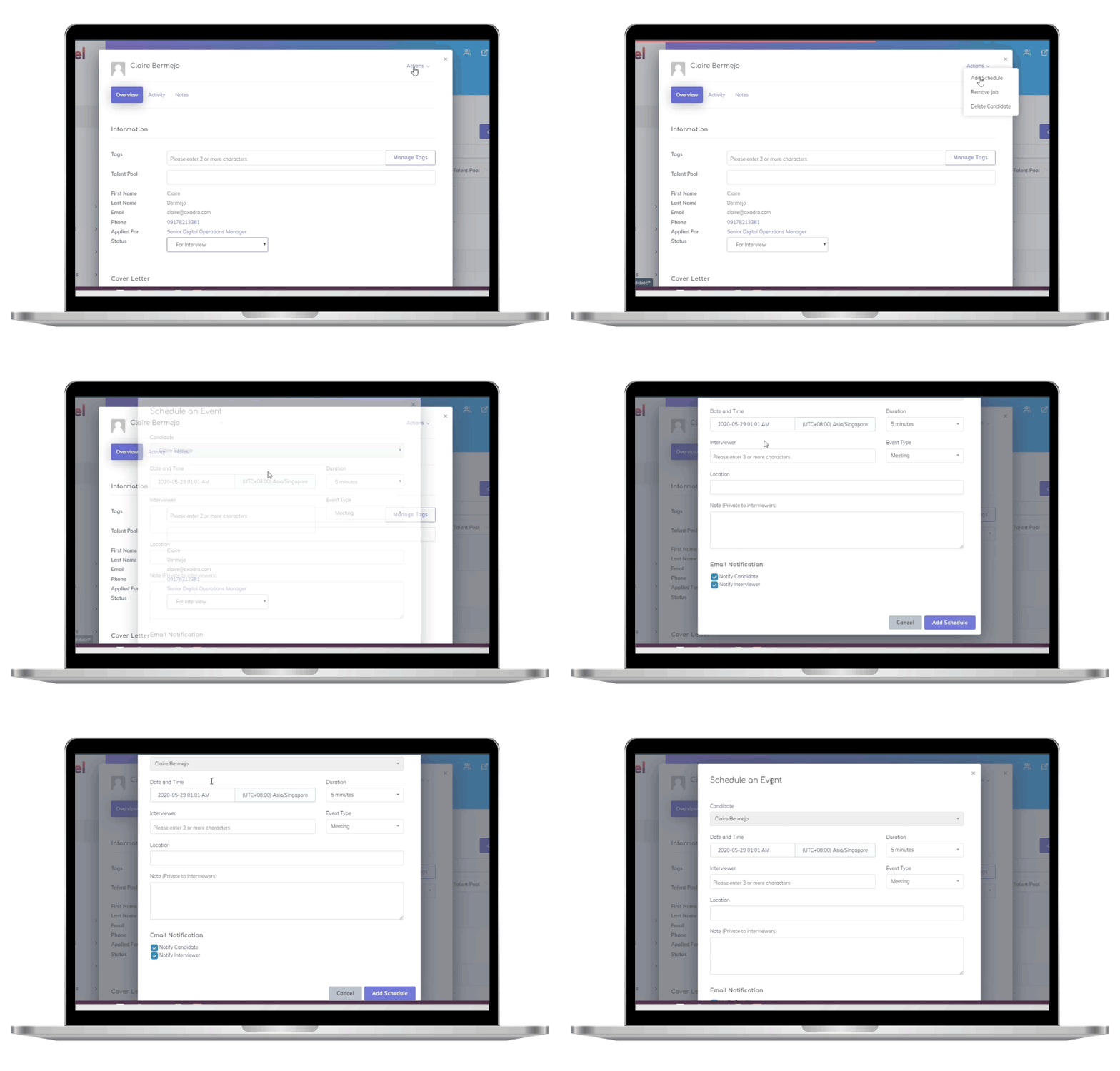
Another important feature is workflow automation. Can your ATS automatically send video interview invitations when a candidate reaches a particular stage, like "Recruiter Screen"? Automation like this can centralize interview data, reduce manual tasks, and sync with standard calendars to streamline the process.
To avoid surprises, test the integration in a sandbox environment. This lets you verify that data flows correctly without disrupting your live recruiting process. Troubleshooting in a controlled setting minimizes risks and ensures everything works as intended before going live.
Once you confirm technical compatibility, shift your focus to defining measurable goals that address your specific pain points.
Defining Measurable Integration Objectives
Clear, measurable goals are essential to guide your integration efforts. Start by identifying bottlenecks, such as delays in scheduling, fragmented data, or high candidate drop-off rates. Then, set baseline metrics. For instance, if phone screens currently take 20 minutes per candidate, aim to cut that down to 11 minutes with one-way video interviews.
Data shows that AI-powered ATS tools can reduce time-to-hire by 63% and screen candidates three times faster. Use these benchmarks to set realistic targets. For example, aim for a 70% or higher completion rate for one-way video interview invitations. Anything below that might signal issues like a clunky invitation process or technical glitches. Similarly, establish goals for reviewer turnaround, such as having hiring managers provide feedback within 48–72 hours after an interview syncs to the ATS.
Don’t forget to calculate the potential ROI. For instance, screening 500 candidates per month and reducing the time from 20 minutes to 11 minutes could save 75 hours monthly. These metrics not only justify the investment but also ensure everyone involved understands what success looks like. With clear goals in place, you’ll be able to measure whether the integration truly improves recruiter efficiency and enhances the candidate experience.
Selecting a Video Interview Tool for ATS Integration
After confirming your ATS is technically ready, it’s time to choose a video interview platform that integrates seamlessly with it. While over 86% of organizations use video interview tools, not all of them are designed for smooth integration. Picking the wrong tool can leave you juggling tasks like manually copying interview links, chasing feedback, and flipping between tabs.
The difference between a standard video conferencing tool and a dedicated video interview platform lies in the structure it provides. As Truffle explains:
Video interview software adds structure (same questions for every candidate), scoring (built-in rubrics for consistent comparison), and workflow… Zoom helps you meet. This helps you screen and decide.
This added structure turns scattered data into a centralized hiring record that’s easy to act on.
Key Features to Look For in Video Interview Platforms
To ensure effective integration, your video interview tool should include four main functions: invite triggers, completion sync, results write-back, and disposition sync.
A bi-directional data sync is essential. It should automatically send interview invitations when candidates reach a specific ATS stage (like "Recruiter Screen") and write results – transcripts, scores, or video links – directly into their ATS profile. When evaluating platforms, ask vendors to demonstrate a completed candidate record within your ATS, not just in their standalone system.
For high-volume screening, asynchronous (one-way) interviews are a must. These allow candidates to record their responses while recruiters review them in batches, cutting screening time by 30–60% compared to live phone calls. A mobile-first, browser-based platform can minimize candidate drop-off, so it’s worth testing the entire candidate experience on both iOS and Android before committing.
For live interviews, features like availability coordination, conflict blocking, and automated reminders can reduce no-shows. Built-in tools – such as rubrics, scorecards, and anchored rating scales – help reviewers stay consistent without leaving the ATS.
AI-powered tools can further streamline the process. Automated transcription, summaries, and match scoring speed up reviews while offering clear reasoning behind each score. However, it’s best to treat AI-generated scores as a guide rather than a final decision, ensuring transparency in reviews.
With these features in mind, let’s look at how Skillfuel integrates video interview tools into its platform.
How Skillfuel Supports Video Interview Integration
Skillfuel builds on your ATS’s technical capabilities, offering tools that automate interview invitations and centralize candidate data. This recruitment management platform is designed to integrate effortlessly with video interview tools through its core ATS functions.
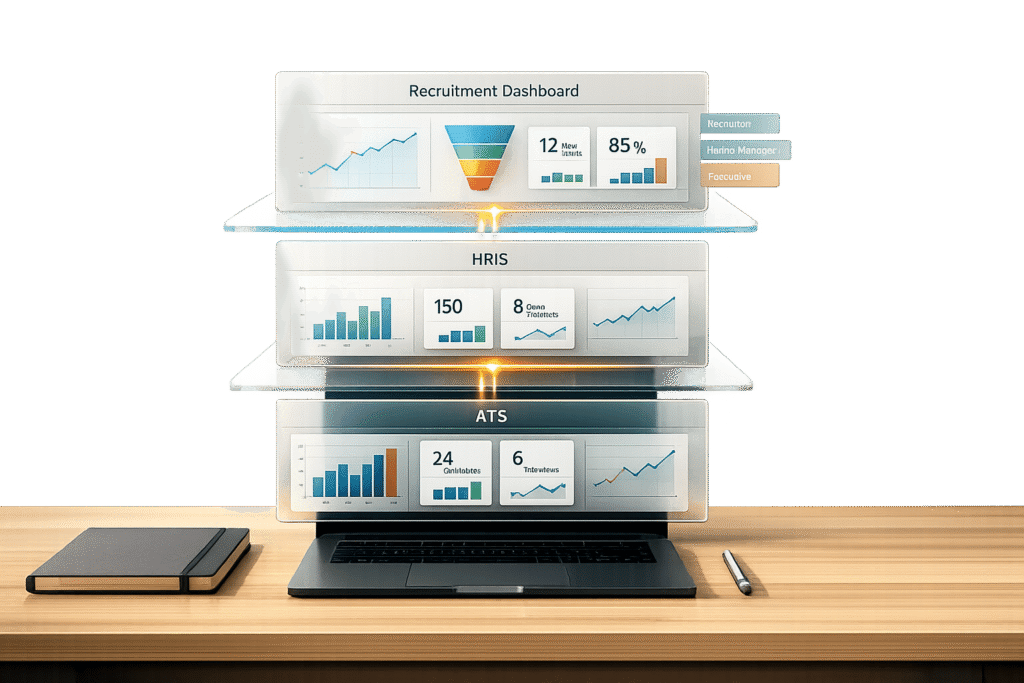
Skillfuel provides real-time calendar syncing with standard scheduling platforms, automates candidate communication to trigger interview invitations at the right stage, and centralizes all interview data – recordings, feedback, and scores – into a single repository for easy access.
Its Kanban workflow management simplifies automation. For example, when a candidate moves to the "Video Screen" stage, Skillfuel can automatically send an interview invitation without requiring manual input. This automation is especially helpful for managing large candidate pools, keeping the process efficient and on track.
Skillfuel also enhances the candidate experience with customizable career pages and job portal development, embedding video interviews directly into the application process. With GDPR compliance and robust data security, the platform ensures video interview data is handled according to U.S. employment and data protection standards.
For teams handling high-volume hiring or remote interviews – which are now the norm for nearly 60% of organizations – Skillfuel’s centralized dashboard eliminates inefficiencies like tab switching. As Huda Farooq from HeyMilo AI explains:
If your hiring team is wasting time switching tabs and doing things twice, that’s a sign your interview platform and ATS aren’t working together.
How to Integrate Video Interview Tools with Your ATS
Integrating your video interview platform with your ATS can streamline your hiring process, but it requires careful planning to ensure smooth communication between the systems. As interviewstream explains:
"An API acts as a translator, allowing [the ATS and video tools] to exchange information seamlessly."
Breaking the process into three phases – preparation, implementation, and testing – helps ensure a smooth integration that supports your hiring operations without disruption.
Preparation: Collecting API Credentials and Documentation
Start by gathering all the API credentials and reviewing the technical documentation for both your ATS and video interview platform. These credentials, such as API keys or secret codes, act as secure passwords that enable the systems to communicate effectively.
Next, dive into your ATS’s API documentation to understand its capabilities and limitations. You’ll likely need admin or developer-level access to enable the integration and map data fields properly. To ensure the setup aligns with your actual hiring needs, involve a cross-functional team that includes HR and IT representatives. Additionally, confirm that your video platform complies with your internal data storage policies and U.S. data protection standards.
Implementation: Configuring Key Features
Once you have the credentials, it’s time to configure the integration’s core functions. Start by mapping recruitment stages to trigger automated actions. For example, reaching the "Recruiter Screen" stage in your ATS could automatically send a video interview invitation.
Enable bi-directional data synchronization so that information flows seamlessly between the systems. This ensures that completed video recordings, evaluator notes, and ratings populate directly in the ATS. As Titus Juenemann from ZYTHR puts it:
"Integration decreases handoffs – invites, recordings, and reviewer notes live inside [the ATS]."
Set up reminders to nudge candidates with incomplete invitations, which can help boost completion rates beyond the 70% mark. For one-way interviews, provide candidates with a 48–96 hour window to complete their responses, offering a balance between urgency and flexibility. Lastly, map user accounts between the systems so that interview invitations are correctly attributed to the appropriate recruiter. Once these steps are complete, rigorous testing can validate the workflow.
Testing and Verification
Testing is critical before launching the integration. Use a staging environment where you can experiment without impacting real candidate data. Begin with basic API calls to confirm that the systems can communicate effectively.
Conduct scenario-based tests that mimic your recruitment process. For instance, move a test candidate through each stage to ensure interview invitations are triggered, videos embed correctly, and feedback syncs to the right profiles. Additionally, confirm that role-based access allows team members to view and evaluate recordings without technical barriers.
Test the candidate experience across various browsers and mobile devices to identify any compatibility issues. If completion rates fall below 70%, investigate potential technical problems or unclear instructions. Before going live, pilot the integration with a small group of users to catch any workflow or interface issues that might not appear during controlled testing.
| Testing Phase | Focus Area | Verification Goal |
|---|---|---|
| Initial Setup | API Credentials | Verify secure API handshake |
| Functional Testing | Core Features | Ensure scheduling links and video embedding work |
| User Acceptance | Workflow | Confirm recruiters can manage the process in the ATS |
| Technical Audit | Compatibility | Test playback and recording on various devices |
| Data Integrity | Synchronization | Ensure notes, scores, and videos sync accurately |
Keep a detailed log of your testing process and any fixes you apply. This documentation will be an essential resource for troubleshooting and maintaining the integration in the future.
Maintaining Security and Compliance During Integration
After setting up and testing your integration, the next priority is ensuring security and compliance. These elements are essential when connecting video interview tools to your ATS, as they protect sensitive candidate data and align your operations with legal standards.
When systems exchange information, they create multiple vulnerable points. Each of these touchpoints requires robust safeguards. As Interviewstream emphasizes:
"Protect your sensitive data! Use strong authentication methods like the validated API keys provided by your account manager. Encryption is also your friend here."
But security alone isn’t enough. Your integration must also comply with U.S. employment laws and data protection regulations. This involves knowing exactly where videos are stored, who has access, and how long they’re retained.
Safeguarding Candidate Information
Start with SSL/TLS encryption to secure data both in transit and at rest. Encryption ensures that sensitive information, like video recordings and metadata, remains protected from unauthorized access.
Use Role-Based Access Control (RBAC) to limit who can view candidate videos. By linking user accounts between your ATS and the video platform, you can restrict playback to designated hiring managers. Regular audits of permissions help prevent outdated or unnecessary access.
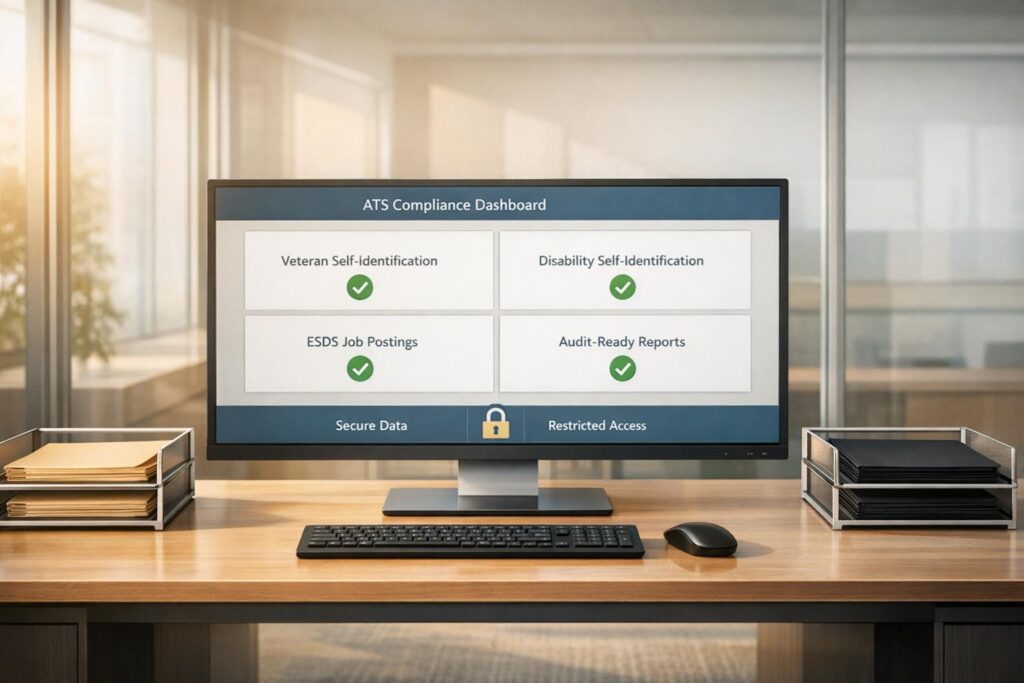
Verify your vendor’s credentials, such as SOC 2 Type 2 certification and GDPR compliance, to confirm they follow strict data protection standards during exchanges.
Retention policies are equally important. Define clear rules for how long video recordings are kept and ensure deletion schedules align with your organization’s guidelines. Document where the recordings are stored – whether on vendor servers or within your ATS – and specify who can access them. If your industry has strict regulations, confirm that server locations meet any applicable data residency requirements.
These steps not only protect candidate information but also prepare your organization to meet regulatory expectations in the U.S.
Meeting U.S. Employment and Data Protection Laws
Compliance with U.S. data protection laws is non-negotiable. For instance, California’s Civil Code Section 1798.83 gives residents the right to request details about how their personal data is shared with third parties. Your integration must support these requests, which often require responses within 30 days.
Check the platform’s privacy policy to ensure it aligns with both internal policies and state-level requirements. If your organization hires internationally, confirm the integration supports frameworks like the EU-U.S. Data Privacy Frameworks or similar agreements.
Keep detailed documentation of your integration process. This includes API configurations, security settings, and account mappings. Such records simplify compliance audits and help troubleshoot issues without jeopardizing security. Additionally, monitor for API updates from vendors, as changes to these "digital handshakes" can impact your security measures.
| Security Measure | Implementation Step | Purpose |
|---|---|---|
| Authentication | Validated API Keys | Ensures only authorized systems exchange data |
| Encryption | SSL/TLS Protocols | Protects sensitive candidate data during transfers |
| Access Control | Role-Based Permissions | Limits video access to specific hiring team members |
| Compliance | SOC 2 Type 2 / GDPR | Confirms vendor adherence to strict data protection and privacy standards |
| Governance | Retention/Deletion Rules | Prevents storing candidate data longer than legally or internally required |
Measuring Integration Performance with Key Metrics
After launching your video interview integration, the real challenge begins: measuring its performance. Metrics are your best friend here, offering clear insights into bottlenecks and return on investment (ROI). They help you validate how well the integration improves recruitment efficiency and enhances the candidate experience.
Focus on metrics that highlight both technical performance and business outcomes. For instance, time-to-screen measures how quickly candidates transition from application to their first interview. This reflects whether your automated resume parsing and filtering are working as intended. Another key metric, interview completion rate, reveals the percentage of scheduled interviews that candidates finish. This rate indicates whether the integration provides a seamless experience or creates obstacles. On average, completion rates hover between 55-60%, with technical issues accounting for about 30% of abandonments and unclear instructions contributing another 25%.
Equally important is panel reviewer turnaround, which tracks how long hiring managers take to provide feedback after viewing a video interview. A delay here might point to internal process inefficiencies rather than technical problems. Similarly, the technical success rate – the percentage of interviews conducted without audio, video, or connectivity issues – helps you gauge the stability of your API connection and overall system reliability. These metrics, tied to your technical setup, offer actionable insights for improving both technology and processes.
Metrics to Track After Integration
To assess your integration’s effectiveness, begin by setting benchmarks for your core performance indicators. Keep an eye on key conversion points and reviewer response times.
| Metric | Definition | Strategic Value |
|---|---|---|
| Time-to-Screen | Time taken to move a candidate from application to the first interview stage | Reflects the efficiency of automated resume parsing and filtering |
| Interview Completion Rate | Percentage of scheduled interviews that are successfully completed | Indicates how user-friendly the integration and scheduling process are |
| Panel Reviewer Turnaround | Time taken by hiring managers to submit feedback after a video interview | Highlights internal delays in the decision-making process |
| Technical Success Rate | Percentage of interviews conducted without software or connectivity issues | Measures the reliability of the integration and IT infrastructure |
| Candidate Drop-off Rate | Stage where candidates most commonly abandon the process | Identifies specific friction points in the candidate journey |
Also, monitor candidate satisfaction and interviewer engagement to uncover any hidden issues. Pay attention to recurring technical support requests, as these may point to bugs in your ATS-video tool connection.
Using Data to Improve Recruitment Workflows
Once you’ve established baselines, use this data to refine your recruitment process. For instance, ATS dashboards can reveal where candidates drop off or where feedback gets delayed. If you see a 15% drop in completion rates after adding more than three to five questions, you’ve identified a clear area for improvement.
Cohort analysis can also provide valuable insights. Compare candidates who engaged with video content to those who didn’t. Companies often report a 15% higher interview-to-offer conversion rate among candidates who interacted with video. If one job board consistently delivers candidates with higher completion rates, consider reallocating your budget to that platform.
Automated alerts in your ATS can further streamline your process. For example, flag candidates who watch more than 50% of an employer branding video. This allows recruiters to prioritize high-intent applicants, potentially reducing screening time by 20-40%. In practice, integrating video engagement data has been shown to cut initial screening hours by 30%.
Another critical metric is time-to-completion, which tracks how long candidates take to submit their video after receiving an ATS invitation. If this metric increases, investigate whether technical barriers or unclear instructions are slowing candidates down. Clear and timely communication can boost completion rates by 58%.
For high-volume hiring, even small gains can make a big difference. Companies lose an average of 42% of candidates during the video interview stage, and low completion rates can extend time-to-fill by 15-20 days. With the average cost-per-hire sitting at around $4,700, every efficiency improvement translates into significant savings.
Fixing Common Integration Problems
Even with thorough planning, integration issues can pop up. Addressing these problems effectively ensures smooth operations and keeps your hiring process on track. Most issues follow predictable patterns, and knowing how to handle them can save you hours of troubleshooting.
Common Integration Issues and Solutions
One frequent problem is API configuration errors. These can arise from missing parameters, incorrect endpoint URLs, or improperly formatted authentication credentials. Such issues are common during the initial setup but can usually be caught early by testing in a sandbox environment.
Another common hiccup involves authentication and token expiry, which can disrupt data flow. API tokens often expire on varying schedules depending on the vendor. Without automatic renewal in place, data exchange comes to a halt. To avoid this, set up automated token refresh or use calendar reminders. As Shivam Gupta explains:
A successful ATS integration means continuous, accurate, bidirectional data flow with zero manual intervention required.
Data mapping and field mismatches can also cause silent failures, where no data is transferred. For instance, if your ATS uses text fields for experience but your video tool expects numerical values, or if custom fields aren’t recognized across systems, issues arise. Standardizing data formats and documenting required versus optional fields can prevent these problems.
Version compatibility is another issue to watch for. When your ATS updates its API but your video tool is still using an outdated version, communication can break down entirely. Regular audits – ideally quarterly – can catch these mismatches early. On the candidate side, technical barriers like firewalls blocking uploads or browser incompatibility can lower completion rates. Aim for a completion rate of 70% or higher; anything less suggests friction.
| Common Integration Issue | Potential Solution |
|---|---|
| Expired API Tokens | Set up automated token refresh or calendar reminders for manual updates |
| Field Mismatch | Align data structures and document required vs. optional fields (e.g., phone number formats) |
| Missing Recordings | Check ATS permissions and ensure correct account mapping in the video tool |
| Audio/Playback Issues | Suggest candidates switch browsers or check network firewalls blocking media uploads |
| Duplicate Profiles | Fine-tune synchronization logic to prevent duplicate records |
Strategies for Quick Problem Resolution
Once you’ve identified an issue, resolving it quickly is key to maintaining momentum in your hiring process. Start by auditing API logs for error codes or timeout messages. Check that your synchronization interval matches your configuration – if your system syncs every 24 hours instead of every 15 minutes, delays are inevitable.
AI tools can help by flagging anomalies, such as an 80% drop in application volume overnight. This often signals an integration failure rather than a sudden lack of candidates. Automated alerts like these allow you to address problems before they escalate.
A quarterly test of your hiring flow is another great strategy. Create a test job and candidate, then follow the data through each stage – from application submission to interview completion. This process can pinpoint exactly where failures occur. Keeping detailed documentation of your integration setup and any past issues will also make future troubleshooting much faster.
For persistent technical problems, reach out to your vendor’s support team with specific error codes and API log excerpts. Vendors typically respond more quickly when provided with clear details. It’s also helpful to include technical instructions in candidate interview invitations. Simple tips – like links for system checks, lighting and audio guidelines, and alternative contact methods – can significantly reduce drop-off rates. Promptly addressing these issues ensures your recruitment process stays efficient and effective.
Maintaining and Improving Your Integration Over Time
Keeping an integration effective isn’t a one-and-done task. APIs evolve, vendors roll out new features, and recruitment needs shift. As interviewstream puts it:
APIs can change, so make sure your team is up to date with any updates or modifications.
To ensure your integration remains smooth and secure, regular updates and user feedback are essential.
Keeping Systems Updated
A quarterly review is a good practice to keep your integration running seamlessly. Check for valid API credentials, ensure field mappings are accurate, and verify that data flows without errors. Before rolling out vendor updates, test them in a sandbox environment to avoid disruptions during critical hiring periods.
Dashboards can help you keep an eye on sync frequency and system latency. If your ATS or video platform updates its API version, double-check that your authentication methods are still secure and compliant with standards like SOC 2 Type 2. Regular audits of parsed data outputs also help identify and fix any misclassified information before it impacts your database.
Collecting User Feedback for Improvements
While technical updates are crucial, user feedback is just as important for making meaningful improvements. Recruiters, hiring managers, and candidates interact with your integration daily, offering insights that can guide refinements. For example, tracking interview completion rates can help identify potential problem areas.
Set up feedback loops to gather both qualitative and quantitative data. If hiring managers report delays in accessing recordings, check permissions settings and account mappings. When candidates face technical issues, adjust your communication templates to provide clearer instructions on topics like interview duration, lighting, or system checks. Use this feedback to make small but impactful adjustments that align your integration with current recruitment needs.
| Feedback Source | What to Track | Action to Take |
|---|---|---|
| Candidates | Interview completion rate | Improve invite clarity and optimize mobile usability |
| Recruiters | Hires per recruiter | Simplify workflows and automate repetitive tasks |
| Hiring Managers | Panel reviewer turnaround | Ensure access permissions and streamline scoring tools |
| IT/Admin | Troubleshooting logs | Update credentials and resolve field mapping issues |
Conclusion
Integrating video interview tools with your ATS isn’t just about linking systems – it’s about creating a faster, more consistent hiring process that enhances your entire recruitment strategy. When done right, this integration can cut time-to-hire by up to 63% and save recruiters approximately 75 hours per month. It eliminates tedious manual data entry while centralizing candidate information for easier access.
Achieving these results requires thorough planning, careful testing, and regular maintenance. Start by defining clear goals and ensuring your ATS can handle the "four handoffs" – invite triggers, completion syncs, results write-back, and disposition updates. Before launching, test workflows in a sandbox environment, and make quarterly reviews a habit to keep API credentials valid and field mappings accurate.
Video interviews are becoming a standard in hiring, with 82% of employers using them. At the same time, nearly half of job seekers – 49% – turn down offers due to poor interview experiences. A well-integrated system not only streamlines internal processes but also enhances the candidate experience by offering flexible, mobile-friendly interview options. Regular updates and refinements ensure your integration remains an asset, helping you attract and retain top talent.
Track key metrics like interview completion rates, time-to-screen, and reviewer turnaround to measure the integration’s impact. Use feedback from both recruiters and candidates to fine-tune workflows, improve communication, and eliminate technical hiccups. As interviewstream emphasizes:
Regular testing and improvements are key to maintaining a smooth-running integration.
The payoff? A well-integrated video interview system quickly justifies its cost – not just through saved recruiter hours, but also by delivering better hires and boosting your employer brand. With Skillfuel’s ATS integration, these benefits translate into a stronger edge in securing top-tier talent.
FAQs
How can I make sure my ATS works seamlessly with video interview tools?
To make sure your Applicant Tracking System (ATS) works seamlessly with video interview tools, prioritize API compatibility and data synchronization. A reliable API connection ensures smooth data sharing, easier interview scheduling, and better communication between the systems.
First, check if your ATS supports integration with video interview platforms and fits into your recruitment process. Opt for tools that let you embed video interviews directly into candidate profiles. This eliminates tedious tasks like sharing links or manually tracking responses, saving time and simplifying your workflow.
For example, if you’re using a platform like Skillfuel, take full advantage of its customizable API options and automation features to simplify the process. Also, make it a habit to test integrations in a controlled setting and keep your documentation updated to address security concerns or API updates effectively.
What features should a video interview platform have for smooth ATS integration?
When selecting a video interview platform to pair with your applicant tracking system (ATS), focus on tools that streamline processes and improve usability. One key feature to look for is strong API functionality, which ensures smooth data sharing and automation between the two systems. This integration allows video interviews to be directly embedded within the ATS, enabling recruiters to invite candidates, track responses, and review recordings – all without needing to switch between platforms.
Other useful features include one-click scheduling, automatic notifications, and compatibility with major virtual meeting tools like Zoom and Google Meet. These additions make the process easier for both recruiters and candidates. Don’t overlook security – ensure the platform includes data encryption and other safeguards to protect sensitive candidate information. With these elements in place, you can build a recruitment process that’s both efficient and secure.
How can I evaluate the success of integrating video interviews with my ATS?
To gauge how well video interviews integrate with your ATS, keep an eye on the metrics that reveal improvements in your hiring process. Key indicators include time-to-hire, candidate engagement, and pipeline quality. For instance, look at reductions in screening time, higher completion rates for video interviews, and feedback on candidate satisfaction. These figures can give you a clear picture of how the integration is performing.
Your ATS’s analytics tools can also be a powerful resource. Use them to evaluate operational efficiency – like how much manual work has been automated or how smoothly interview scheduling runs. These insights can help you calculate ROI and fine-tune your recruitment strategy for even better results.