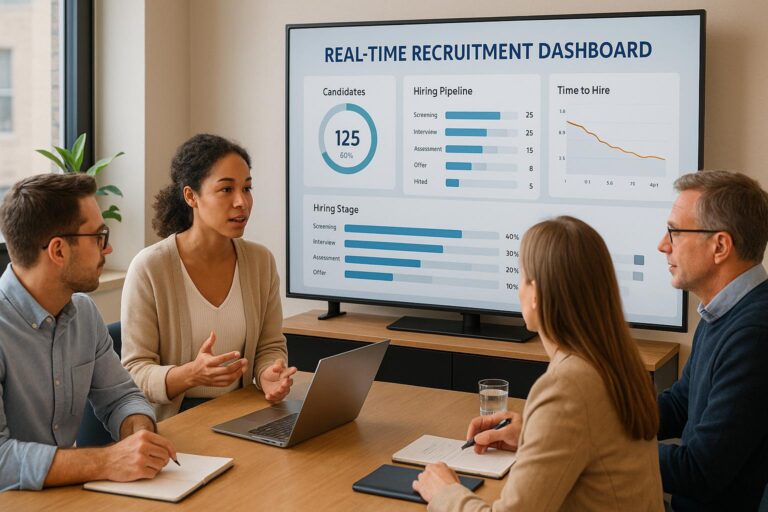
Real-time recruitment dashboards simplify hiring by providing live updates on key metrics like application rates, time-to-hire, and recruiter performance. Unlike traditional reports, these dashboards pull data directly from recruitment systems, offering instant insights to make faster, informed decisions. They help identify bottlenecks, improve candidate experience, and optimize costs by tracking metrics such as cost-per-hire and source effectiveness.
Key Takeaways:
- Live Metrics: Track applications, pipeline health, and recruiter productivity in real-time.
- Faster Decisions: Spot issues like delays or candidate drop-offs immediately.
- Better Budgeting: Analyze cost-per-hire and channel performance to allocate resources efficiently.
- Improved Candidate Experience: Ensure clear communication and transparency throughout the process.
- Enhanced Accuracy: Automated data collection reduces errors from manual reporting.
Skillfuel’s platform is a standout tool for building and managing these dashboards, offering features like applicant tracking, real-time updates, and compliance tools tailored for businesses of all sizes. Whether you’re a small business or a large enterprise, real-time dashboards are essential for staying competitive in today’s fast-paced job market.
Key Metrics and KPIs for Recruitment Dashboards
Top Recruitment Metrics to Track
An effective recruitment dashboard starts with tracking the right metrics to understand your hiring process better. Time-to-hire measures how many days it takes from a candidate’s application to their offer acceptance, while time-to-fill tracks the duration from job requisition approval to the final offer acceptance.
Cost-per-hire is another crucial metric, breaking down total recruitment expenses by the number of hires. This helps you see how recruitment spending aligns with your budget.
Another key indicator is quality of hire, which assesses how well new employees perform and integrate into the company.
The recruitment funnel effectiveness metric looks at conversion rates at each stage of the hiring process – from job postings to applications, interviews, and final offers. By examining where candidates drop off, HR teams can identify and address any bottlenecks.
Lastly, source effectiveness helps pinpoint the most productive recruitment channels. By analyzing the volume and quality of candidates from places like job boards, employee referrals, social media, or career fairs, recruiters can fine-tune their strategies and allocate budgets more effectively.
These metrics form the backbone of smarter, data-driven hiring decisions.
How Recruitment KPIs Impact Decision-Making
Recruitment KPIs turn raw data into actionable insights, helping you refine your hiring practices. For example, if the dashboard shows that candidates often withdraw during early interviews, it may indicate a need to improve that part of the process to make it more engaging.
Candidate satisfaction scores provide direct feedback on the hiring experience. Low scores might highlight issues like poor communication, drawn-out processes, or unprofessional interactions – problems that could harm your employer brand if left unaddressed.
Offer acceptance rates shed light on how competitive your job offers are. A lower rate might suggest it’s time to revisit your compensation packages, benefits, or growth opportunities to better align with market expectations.
Recruiter productivity metrics track how many candidates are sourced, screened, and hired, highlighting high-performing recruiters and identifying areas where additional support or training might be needed.
Pipeline health is another critical metric, showing whether there’s a steady flow of qualified candidates at every stage. If the pipeline is thin early on, it could signal a need for more sourcing efforts. Bottlenecks later in the process might point to scheduling or decision-making delays.
Using Metrics to Align with Business Goals
Metrics don’t just inform day-to-day hiring decisions – they also align recruitment efforts with broader business strategies. For instance, when expanding into new markets, tracking regional hiring data can provide valuable insights to support growth plans.
Budget management also benefits from recruitment dashboards. By analyzing spending trends across recruitment channels, teams can adjust resources as financial conditions shift, ensuring efficient allocation.
Diversity and inclusion metrics are equally important. Tracking demographic data helps ensure your hiring process builds teams that represent varied perspectives. These insights can lead to targeted actions, like crafting more inclusive job descriptions or collaborating with organizations that connect you to diverse talent pools.
Additionally, recruitment data can aid in skills gap analysis. If certain roles consistently take longer to fill or attract fewer qualified candidates, it might signal the need to build talent pipelines through proactive outreach or partnerships.
Finally, historical hiring data can reveal seasonal patterns in recruitment activity. This information helps HR teams better plan campaigns and allocate resources during peak hiring periods or slower times, ensuring a more strategic approach.
Setting Up a Real-Time Recruitment Dashboard
Steps to Build Your Dashboard
Start by defining your main objectives and pinpointing the key hiring challenges you want to address. It’s also crucial to identify the primary users of the dashboard – whether that’s executives, recruiting managers, or individual recruiters.
Next, figure out where your data will come from. Common sources include applicant tracking systems, HRIS platforms, job boards, and even social media. Make sure these systems can integrate seamlessly, either through APIs or other means. Without smooth data flow, your dashboard risks showing outdated or incomplete information.
Decide how often your data should refresh. For example, critical metrics like application volume or interview scheduling should update hourly. On the other hand, less urgent data, such as monthly hiring costs, can refresh daily.
When designing the layout of your dashboard, place the most important metrics at the top. Visual hierarchy is key – executives should immediately see high-level KPIs like total open positions or time-to-fill averages. More detailed breakdowns, such as individual recruiter performance or pipeline health, can be displayed further down.
Before launching, test your data connections thoroughly. Run parallel tracking for a couple of weeks to ensure the numbers match up and the dashboard is functioning as intended.
Finally, prioritize reliability by implementing strong measures to maintain data accuracy and consistency.
Ensuring Data Accuracy and Reliability
Accurate data is the backbone of any effective recruitment dashboard. Set up automated validation processes to catch anomalies, like negative time-to-hire values or missing application dates. These flags will help you identify and fix issues before they skew your reports.
Standardize how data is entered across your recruitment team. Use dropdown menus for recurring fields such as rejection reasons, interview feedback, or candidate sources. This avoids inconsistencies like "LinkedIn" being entered as both "LinkedIn" and "Linked In", which could lead to inaccurate reporting.
Make sure to back up historical data and maintain version control for your dashboard configurations. If you update how metrics are defined or calculated, keep a record of the old setup. This ensures you can still generate accurate year-over-year comparisons.
Monitor how long it takes for data to flow from source systems into your dashboard. If interview feedback typically appears within two hours but suddenly takes eight, you’ll want alerts in place to flag such delays. This helps you address technical glitches quickly, ensuring your pipeline stays on track.
Once your data is accurate and reliable, you can focus on tailoring the dashboard to meet the specific needs of its users.
Customizing Dashboards for Different Users
Different roles within your organization require different types of insights. Executives often need a high-level view, focusing on trends and metrics that show the overall business impact. Recruiting managers, by contrast, benefit from operational details like recruiter performance, pipeline health by job category, and tools to drill down into specific bottlenecks. Individual recruiters find value in dashboards that track their personal productivity, such as sourcing activity, candidate response rates, and interview-to-offer conversion rates. Meanwhile, hiring managers in other departments need dashboards tailored to their open positions, showing pipeline status and interview schedules.
Customizing dashboards in this way ensures every team member has access to the insights they need to take action. To maintain security, implement role-based access controls so users only see the data relevant to their role. For example, finance team members might need access to cost-per-hire data but shouldn’t view individual candidate details for privacy reasons.
Allow for some flexibility within these roles. For instance, let recruiters choose which metrics they want to prioritize on their dashboards, or let managers adjust timeframes to match their planning cycles. Tools like Skillfuel make this kind of customization straightforward, enabling users to personalize their views without compromising the overall consistency or security of the data.
Best Practices for Using Real-Time Recruitment Dashboards
Maintaining Data Security and Compliance
Recruitment dashboards deal with highly sensitive information, making data security and compliance a top priority. In the United States, while there isn’t a single overarching national privacy law, HR teams must navigate a patchwork of federal and state regulations. For instance, California’s Privacy Rights Act (CPRA) imposes specific requirements like detailed privacy notices, compliant vendor agreements, and clear procedures for handling data subject requests. These regulations are paving the way for more rigorous global data standards.
When hiring internationally, the stakes are even higher. Compliance with frameworks such as the EU’s General Data Protection Regulation (GDPR) is essential, as it has influenced stricter data protection laws worldwide. HR departments are at the forefront, tasked with creating robust internal policies and providing training to ensure candidate information remains secure throughout the recruitment journey.
sbb-itb-e5b9d13
Build a Recruitment Dashboard in Power BI (Step-by-Step Guide)
Skillfuel‘s Role in Real-Time Recruitment Dashboards
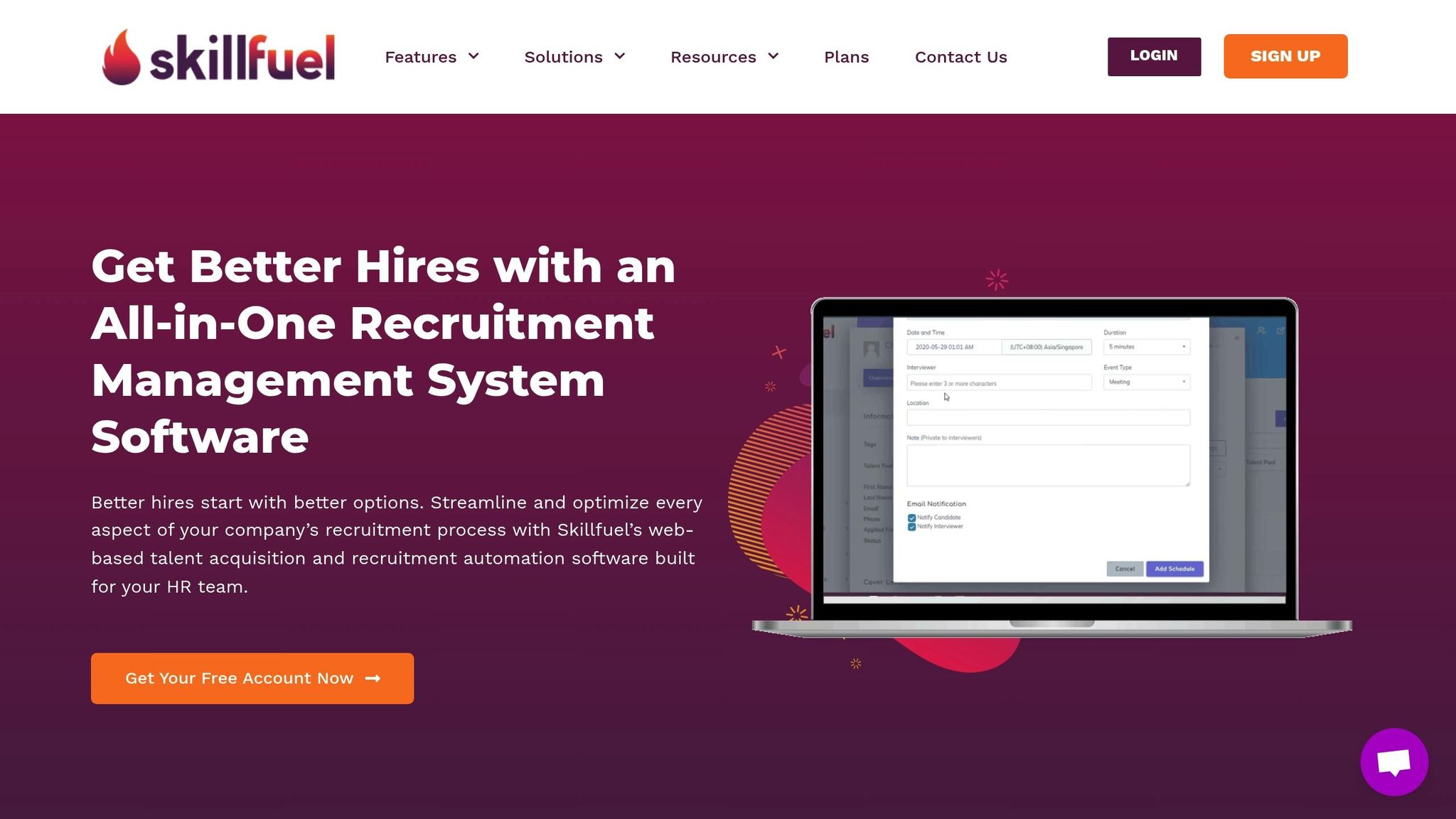
Skillfuel’s platform brings real-time dashboards to the forefront, offering tools that transform hiring into a more efficient and strategic process.
Key Features of Skillfuel
Skillfuel provides a web-based recruitment management platform that simplifies every step of the hiring journey. At the heart of this system is its applicant tracking system (ATS), which automatically collects and organizes candidate information as they progress through the recruitment pipeline.
The platform’s Kanban system offers a clear, visual representation of candidate stages, making it easy to spot and address delays. With real-time calendar synchronization, scheduling interviews becomes seamless. Skillfuel also integrates social media recruitment tools and employee referral tracking, consolidating all candidate sources into one unified view.
For companies focused on compliance, Skillfuel includes robust GDPR compliance tools and data security features to help meet privacy standards – especially crucial for U.S.-based organizations managing international hiring. These tools not only ensure compliance but also set the stage for greater efficiency, a topic explored in the next section.
How Skillfuel Improves Recruitment Efficiency
Skillfuel uses data to revolutionize recruitment. Its reporting tools highlight bottlenecks and reveal areas for improvement, enabling HR leaders to refine their hiring strategies with confidence.
The platform’s real-time feedback capabilities foster collaboration by allowing hiring managers to share evaluations and insights directly within the system. This streamlined communication keeps the recruitment process moving smoothly. Additionally, the customizable dashboard ensures that each team member can focus on the metrics that matter most to their role, supporting smarter, data-driven decisions.
Customizable Dashboards for Scalable Solutions
Skillfuel’s dashboards are designed to grow with your organization, offering flexibility for businesses of all sizes.
For small businesses, Skillfuel provides a free plan, making it easy to manage recruitment without extra costs. As hiring needs expand, companies can scale up by adding users and tailoring dashboard views to meet increasing demands. Larger organizations benefit from advanced features, such as tools for managing complex workflows and generating detailed reports. These capabilities help HR teams stay agile, even during busy hiring periods.
With Skillfuel’s real-time recruitment dashboard, HR teams can streamline their processes, boost efficiency, and make informed decisions in a fast-paced hiring environment.
Conclusion
Real-time recruitment dashboards have become indispensable for modern HR teams aiming to improve hiring outcomes. These tools offer real-time insights into critical metrics, allowing businesses to track key performance indicators and respond quickly to changing market conditions. By consolidating the entire hiring pipeline – from applications to job offers – into a single view, these dashboards help HR teams and decision-makers act swiftly and confidently.
One of the standout advantages of these dashboards is their ability to automate data collection and visualization, eliminating the need for time-consuming manual reporting. This automation frees up HR professionals to focus on strategic initiatives, shifting recruitment efforts from reactive to proactive management, which can significantly boost efficiency.
To maximize the benefits, success hinges on aligning dashboard metrics with overall business objectives, maintaining data accuracy, and routinely updating dashboards to reflect evolving hiring needs.
In practice, Skillfuel’s platform simplifies recruitment by automating data collection, offering customizable dashboards, and ensuring compliance with robust tools. With options ranging from free plans tailored to small businesses to enterprise-level solutions for larger organizations, Skillfuel ensures companies of all sizes can harness the advantages of data-driven recruitment.
As highlighted throughout this guide, real-time recruitment dashboards are essential for organizations striving to attract top talent in today’s competitive landscape. By applying the strategies and best practices discussed here, HR teams can streamline their processes, make smarter decisions, and build stronger teams that drive business growth.
FAQs
How do real-time recruitment dashboards enhance the candidate experience?
Real-time recruitment dashboards enhance the candidate journey by providing up-to-date information on application statuses. This level of transparency ensures applicants feel acknowledged and connected throughout the hiring process.
These dashboards also empower recruiters to address inquiries promptly and simplify communication, making the entire process more seamless. By promoting clear and responsive interactions, companies can leave a lasting positive impression on candidates, increasing both their satisfaction and engagement.
How can I ensure the data in my real-time recruitment dashboard is accurate and reliable?
To ensure your real-time recruitment dashboard remains accurate and reliable, start with regular data audits. These audits can help spot and fix any inconsistencies, keeping your data clean and trustworthy.
Set up clear data validation rules to catch errors right at the data entry stage. This simple step can go a long way in maintaining the integrity of your dashboard.
It’s also crucial to rely only on trusted data sources and enforce strict data governance policies. This ensures that the information powering your dashboard is dependable. By combining continuous monitoring with periodic reviews, you can keep your dashboard current and aligned with real-time insights, making it a powerful tool for smarter decision-making.
How can Skillfuel be tailored to meet the unique needs of different roles within an organization?
Skillfuel provides a range of customization options designed to meet the unique needs of different roles within your organization. For example, you can set up role-based access permissions, ensuring team members only interact with the tools and data relevant to their specific tasks. Workflows can also be fine-tuned to mirror the priorities and processes of each role, making recruitment tasks more organized and efficient.
Features like skills taxonomies and reporting dashboards can be tailored to support the hiring objectives of every role. This level of flexibility not only boosts collaboration across teams but also helps align recruitment efforts with broader organizational goals.