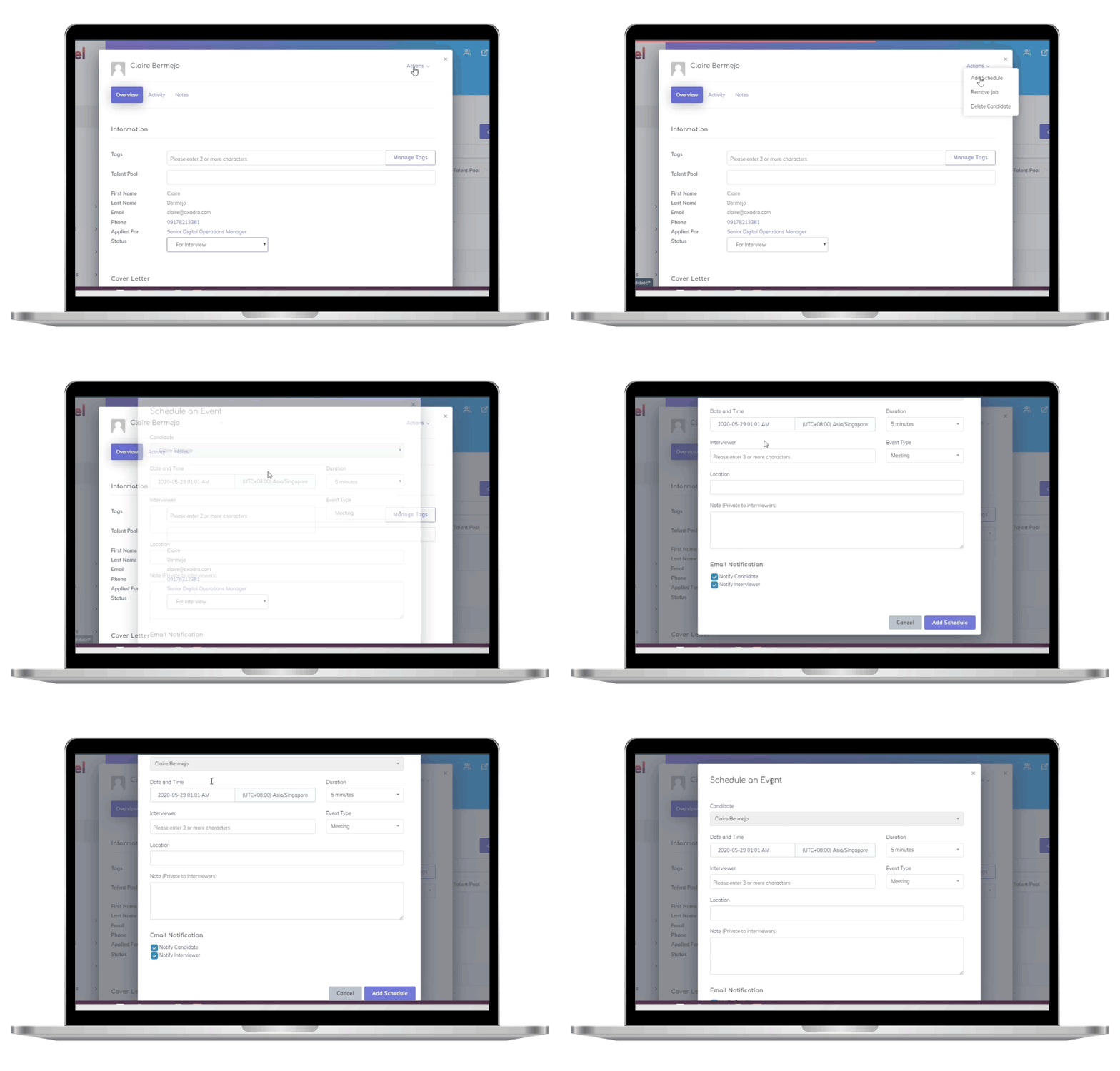

In today’s hiring landscape, protecting candidate data is a must. Cyber threats are growing, and regulations like GDPR and U.S. state privacy laws demand strict compliance. Here’s why HR teams need to prioritize ATS (Applicant Tracking System) security training:
- Human error causes most breaches – training minimizes risks.
- Regulations are tightening – violations can lead to fines (e.g., up to 4% of global revenue under GDPR).
- Trust matters – candidates won’t apply if their data isn’t safe.
To secure ATS data, HR teams need training in:
- Data privacy laws like GDPR and CCPA.
- Password and authentication best practices.
- Phishing awareness to avoid scams.
- Secure data handling from collection to disposal.
- Incident response for quick, effective breach management.
Skillfuel, a modern ATS, offers tools like GDPR compliance features and role-based access controls to simplify security efforts. Combine these with structured training and ongoing updates to build a strong defense against data breaches.
Cybersecurity for Employees’ Data
Pre-Training Preparation for HR Teams
Before diving into training, it’s crucial to lay a solid foundation. Skipping this step often leads to training that fails to bring about meaningful behavioral changes. This preparation stage is where you set the stage for success, ensuring your efforts go beyond simply meeting compliance standards. Start by clearly defining responsibilities and setting measurable goals.
Identify Stakeholders and Goals
The first step is assembling a team that brings together both technical expertise and practical insights into data security. For example:
- IT teams: Offer technical know-how about system vulnerabilities and security protocols.
- Data Protection Officers: Ensure training materials comply with regulations and align with company policies.
Each group should have specific responsibilities. HR leaders typically oversee content delivery and track participation. IT departments handle the technical aspects, like setting up systems and resolving access issues. Meanwhile, Data Protection Officers review the training content to ensure it meets legal and policy standards.
Setting measurable goals is key. Instead of vague objectives like "improving data security", aim for concrete outcomes. For instance, focus on reducing security incidents or achieving high participation rates in phishing simulations. Document these goals and share them with your team to ensure everyone understands their role and how it contributes to overall security improvements.
Gather Required Resources
Successful training depends on having the right tools and information. Start by gathering:
- Current data security policies
- Incident response procedures
- Existing training materials
Review these resources to identify any gaps. Your training should cover general data security principles as well as specific guidance tailored to your Applicant Tracking System (ATS). This might include managing candidate consent or securely sharing interview feedback.
Don’t forget to review your organization’s data retention policies, breach notification procedures, and processes for managing candidate rights. These documents not only guide your training content but also help HR teams understand the importance of compliance and how it builds trust with candidates.
Finally, make sure all participants have the access they need to the ATS platform during training. For Skillfuel users, ensure training accounts have the right permissions while keeping live candidate data secure. Once you’ve gathered the necessary resources, you can move on to setting up a secure training environment.
Set Up Permissions and Access Controls
Role-Based Access Control (RBAC) is a key part of securing your systems. This model limits access based on an employee’s role, making it easier to manage permissions and improve security. Pre-training is an ideal time to refine these controls.
Start by creating roles that match your HR team’s actual responsibilities, such as HR Assistant, HR Manager, or Recruiter. Each role should have the appropriate level of access. Separation of Duties (SoD) is another important principle – this ensures no single person has enough access to perform sensitive tasks alone. It prevents conflicts by restricting roles that might overlap or clash during training sessions.
Begin by defining broad roles, like an "All HR Employees" group with basic permissions, and then refine these as needed. Regularly review and update access controls to reflect changes in job responsibilities or organizational needs. Scheduling periodic reviews helps you remove unnecessary permissions and adapt roles to evolving security requirements.
Core Modules for ATS Data Security Training
Now that the groundwork is set, it’s time to zero in on the training modules that will empower your HR team to protect candidate data like pros. These modules provide hands-on strategies to tackle vulnerabilities and secure sensitive information throughout the recruitment process.
Data Privacy and Compliance
Privacy training is essential for building trust and safeguarding your organization. This module should address both federal and state regulations that affect recruitment data. For example, the General Data Protection Regulation (GDPR) applies to any organization handling data from EU residents, while U.S. state laws like the California Consumer Privacy Act (CCPA) add further requirements.
Rather than overwhelming your team with legal jargon, focus on practical steps. Teach them how to obtain proper consent before collecting candidate data, manage data retention timelines, and respond to requests for data access or deletion. A solid understanding of compliance sets the stage for implementing technical safeguards.
Password Management and Authentication
Weak passwords remain a glaring security risk. This module should guide your team in creating and managing strong passwords. A strong password combines uppercase and lowercase letters, numbers, and special symbols, and it should be unique for every platform your team uses.
Introduce multi-factor authentication (MFA) across all systems, including your ATS, email, and recruitment tools. A password manager can also be a game-changer, generating and securely storing complex passwords to minimize the temptation of reusing them. These practices bolster your overall security infrastructure and prepare the team for more advanced training.
Phishing Awareness and Prevention
Did you know that 88% of breaches are caused by employee mistakes? Phishing remains a top culprit. Train your team to identify phishing attempts by looking for red flags like unfamiliar sender addresses, urgent language, unexpected credential requests, and spelling mistakes.
Simulated phishing exercises are a great way to help your team practice spotting threats in a controlled environment. Use these exercises to reinforce training and address any gaps in understanding. Make sure your team knows how to report suspicious emails, including who to contact and what details to share.
Secure Data Handling
Proper data handling is critical at every stage of the candidate data lifecycle – from collection to disposal. Train your team on the importance of using approved, secure platforms for storing, sharing, and disposing of sensitive information.
Personal email accounts, consumer cloud storage, and unsecured messaging apps should be off-limits for sharing candidate data. Additionally, teach your team how to securely delete data from both physical and digital systems once it’s no longer needed, including backups and printed materials.
Different situations may call for different levels of security. For instance, sharing interview feedback with hiring managers might require stricter protocols than routine scheduling emails. Make sure your team knows how to adapt their approach based on the sensitivity of the situation.
Incident Reporting and Response
Even with thorough training, incidents can happen. Equip your team with the skills to respond quickly and effectively. This module should cover how to identify potential breaches, minimize damage, and secure evidence.
Help your team recognize warning signs, such as unusual system activity, unexpected access requests, missing files, or reports of unauthorized contact with candidates. Quick action can significantly reduce the fallout of a breach.
Clear communication during an incident is crucial. Assign specific roles for managing internal and external communications, and ensure your team understands legal notification requirements. For example, GDPR requires authorities to be notified within 72 hours, while U.S. laws generally allow up to 60 days to inform affected individuals.
Finally, treat every incident as a learning opportunity. Conduct post-incident reviews to identify gaps in your response plan, and run mock breach drills to build confidence in handling real-world scenarios. These exercises not only strengthen your protocols but also prepare your team for any future challenges.
sbb-itb-e5b9d13
Continuous Education and Reinforcement
One training session won’t cut it – cyber threats are constantly evolving, so your team’s knowledge needs to evolve too. Building a strong, ongoing education program is key to keeping your ATS data secure over time.
Regular Refresher Courses
Plan quarterly security updates to keep your team informed and prepared. These updates should focus on new threats, compliance changes, and any updates to your ATS platform. Unlike the heavy-lifting of initial training, these refreshers should be short and targeted – 30 to 45 minutes is ideal.
Set up a year-round training calendar that rotates through different security topics. For instance, you might focus on password security in January, compliance updates in April, phishing tactics in July, and incident response strategies in October. This structure avoids overwhelming your team while ensuring all bases are covered.
Stay ahead of emerging threats specific to the recruitment industry. HR departments are often targeted because they handle sensitive personal data. Keep up with the latest attack methods by subscribing to cybersecurity newsletters or participating in HR security forums. Use this knowledge to adjust your training as needed.
To track progress, record attendance and quiz results after each session. This helps you measure understanding and identify areas for improvement.
To make these updates stick, consider using interactive tools to keep your team engaged.
Interactive Learning Tools
Add a gamified element to your training to make it more engaging. For example, you could create monthly challenges where team members earn points for identifying security risks or following the right protocols. A little competition can go a long way in making training memorable.
Run phishing simulations regularly – don’t stop at the initial training. Send out mock phishing emails every quarter and monitor how your team responds. Track who clicks, who reports, and who ignores these emails, and provide immediate, personalized feedback based on the results.
Incorporate real-world scenarios into your training. For example, create exercises that simulate common HR situations, like a candidate requesting sensitive information via email, and teach your team how to handle them securely.
Use microlearning modules for quick, ongoing education. Send out 5-minute tips through email or your internal communication platform. Topics could include spotting suspicious email attachments, securely logging out of systems, or safely sharing candidate information.
Wrap up these sessions with short, practical quizzes to reinforce what’s been learned. Focus on applying knowledge rather than just memorizing policies.
Building a Security-First Culture
Beyond formal training, daily habits play a huge role in creating a security-first mindset. Make security a regular part of team meetings. Dedicate 10 minutes during monthly HR meetings to discuss security topics. This keeps data protection top-of-mind and gives your team a space to ask questions or share concerns.
Celebrate security wins to encourage good habits. If someone reports a suspicious email or handles sensitive data correctly in a tricky situation, recognize their efforts publicly. Positive reinforcement motivates others to follow suit.
Appoint security champions within your HR team. These individuals can act as go-to resources for security-related questions and help reinforce training in day-to-day operations. Rotate this role to give multiple team members the chance to deepen their security knowledge.
Provide easy-to-access resources for quick reference. A simple guide with steps for reporting incidents, IT contact info, and reminders about common threats can help your team feel confident when handling security issues.
Encourage open conversations about security. Regular discussions help normalize these topics and make employees feel comfortable reporting potential problems right away.
Tie security to your organization’s values. Show your team that protecting candidate data isn’t just about meeting compliance standards – it’s about respecting the trust job seekers place in your company. When security becomes part of your company’s identity, it’s easier to maintain strong practices.
Finally, share measurable results to show the impact of everyone’s efforts. Highlight metrics like lower phishing click rates, faster incident response times, or successful compliance audits. Seeing tangible progress keeps your team motivated and reinforces the importance of staying vigilant.
Skillfuel-Specific Features and Best Practices
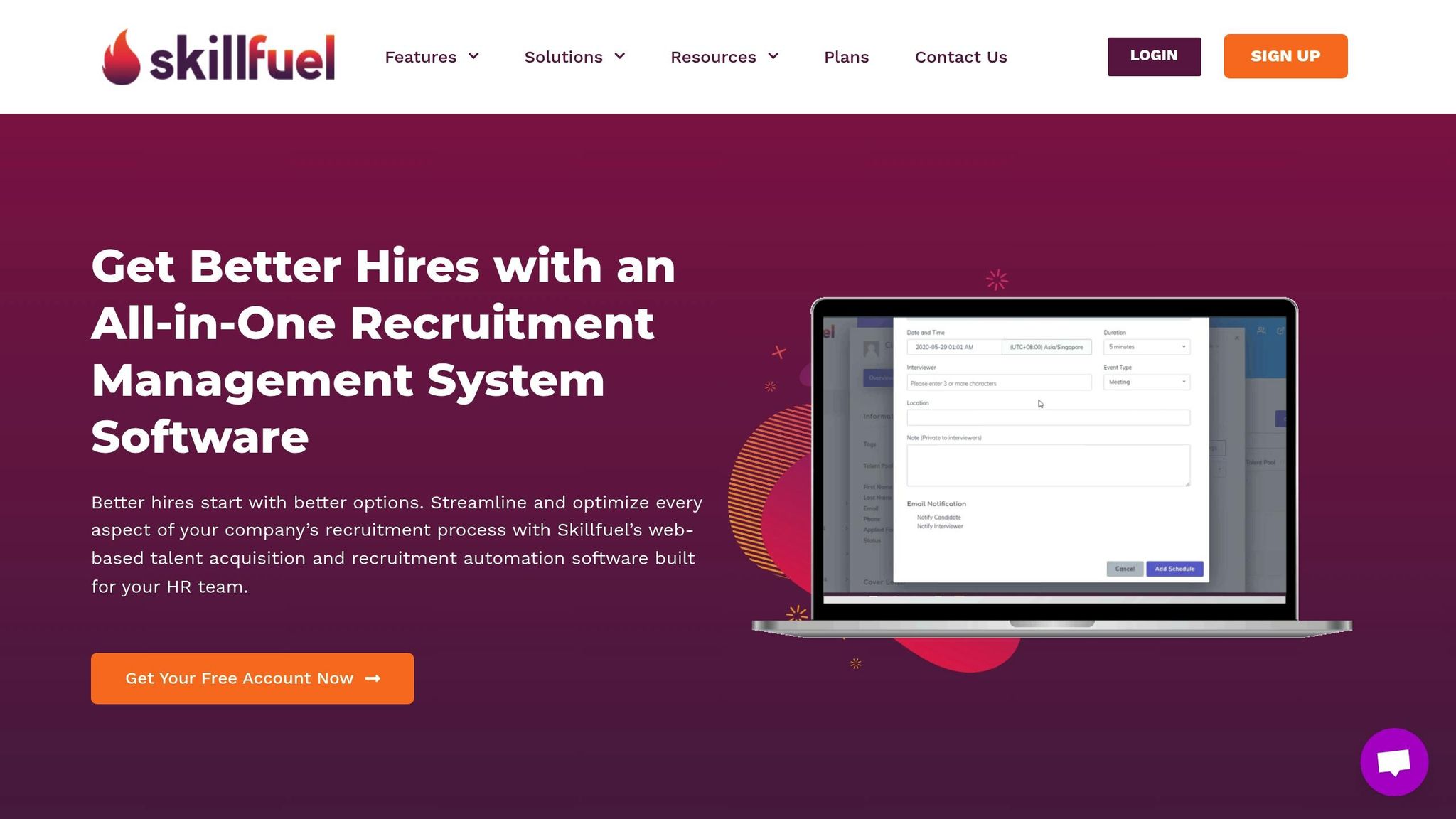
Skillfuel goes beyond basic training modules by offering tools specifically designed to enhance data security for HR teams. With a focus on protecting candidate information, Skillfuel provides integrated features that simplify compliance and strengthen your organization’s data protection measures.
Built-In Security Features
Skillfuel includes several tools to help HR teams manage sensitive data effectively:
- GDPR Compliance Tools: Built-in features support compliance with GDPR regulations, making it easier to handle candidate data securely.
- Centralized Candidate Repository: Candidate information is stored in one secure location, improving oversight and ensuring better data protection.
- Real-Time Calendar Sync: Keeps interview scheduling secure and well-organized.
- Automated Candidate Communication: Automates interactions with candidates while maintaining high security standards.
These features work seamlessly with Skillfuel’s training modules, streamlining secure practices and reducing manual effort.
Best Practices for Secure Daily Operations
To maximize the benefits of Skillfuel’s tools, follow these best practices:
- Implement Role-Based Access: Restrict access to candidate data based on team roles. Regularly review permissions to ensure security remains tight.
- Use Workflow Management Tools: Skillfuel’s Kanban workflows help track candidate progress while embedding security checkpoints at key stages.
- Limit Manual Data Handling: Rely on automated tools for tasks like status updates, interview reminders, and follow-ups to reduce the risk of human error.
- Audit User Activity Regularly: Conduct frequent reviews of user activity logs to identify and address any unusual behavior.
- Secure Social Media and Referrals: Skillfuel’s social media recruitment and referral tracking tools keep candidate data secure within controlled systems.
- Manage Career Pages Carefully: Regularly check career pages to ensure they display only necessary information and avoid collecting excessive personal data.
- Use Secure Interview Scheduling: Skillfuel’s integrated scheduling tools ensure meeting details are protected and centrally documented, avoiding the need for external platforms.
Conclusion and Final Checklist
Summary of Key Training Areas
Effective ATS data security training involves a structured approach: preparation, core modules, and ongoing reinforcement. Begin by identifying stakeholders and allocating resources, ensuring HR teams have the right tools and permissions before diving into the training. Core modules should focus on essential topics like data privacy compliance, password security, phishing prevention, secure data handling, and incident response protocols.
Continuous learning is vital to maintaining a strong security posture. As TruPay highlights, "Employees often represent the most vulnerable link in any security system, making comprehensive training essential for maintaining strong data protection". Regular refresher courses, interactive learning tools, and fostering a security-conscious environment help reinforce these principles.
Skillfuel’s built-in security features, such as GDPR compliance tools and centralized candidate management, add another layer of protection. Combined with role-based access controls and workflow management, these features support a comprehensive training strategy. Below is a detailed checklist to ensure all training steps are accounted for.
Complete Checklist for HR Teams
This checklist outlines all critical training components discussed above.
Pre-Training Preparation
- [ ] Identify all stakeholders who need training access.
- [ ] Define clear training objectives and success metrics.
- [ ] Gather necessary resources for training.
- [ ] Configure permissions and access controls appropriately.
- [ ] Establish a training timeline with milestones.
Core Training Module Completion
- [ ] Complete training on data privacy and compliance.
- [ ] Cover password management and authentication protocols.
- [ ] Teach phishing awareness and prevention strategies.
- [ ] Demonstrate secure data handling practices.
- [ ] Establish incident reporting and response procedures.
Skillfuel-Specific Implementation
- [ ] Configure and test GDPR compliance tools.
- [ ] Implement role-based access controls.
- [ ] Set up Kanban workflow security checkpoints.
- [ ] Secure automated communication systems.
- [ ] Review and optimize career page data collection processes.
Ongoing Security Maintenance
- [ ] Schedule regular policy reviews.
- [ ] Plan quarterly refresher training sessions.
- [ ] Conduct monthly access control audits.
- [ ] Schedule system updates and vulnerability assessments.
- [ ] Test security incident reporting procedures.
- [ ] Verify third-party vendor security practices.
- [ ] Plan annual disaster recovery drills.
Culture and Compliance Monitoring
- [ ] Launch initiatives to promote a security-first mindset.
- [ ] Establish anonymous reporting channels.
- [ ] Activate compliance monitoring systems.
- [ ] Schedule regular phishing simulation tests.
- [ ] Implement remote work security protocols for relevant staff.
FAQs
What should HR teams include in ATS data security training?
To keep applicant tracking system (ATS) data secure, HR teams need to concentrate on a few critical strategies. Start with strong access controls to limit who can view or modify sensitive information. Add an extra layer of protection by implementing multi-factor authentication (MFA), ensuring only authorized individuals gain access. Regular security audits are also a must to identify and address vulnerabilities.
Team training should highlight the importance of data encryption, staying compliant with data privacy laws, and having clear incident response plans in place to manage breaches if they occur.
Keeping up with evolving security threats is just as important. Continuous education helps the team stay informed about new risks and the latest best practices. By focusing on these areas, HR teams can create a safer and more compliant recruitment process.
How can HR teams evaluate the effectiveness of their ATS data security training?
HR teams can gauge how well their ATS data security training is working by keeping an eye on a few important metrics. For instance, they can track a drop in reported security incidents, the percentage of employees who complete the training, and how often employees successfully navigate phishing simulations. These numbers can reveal how much employees grasp and apply security protocols in their daily work.
On top of that, monitoring how quickly employees report potential threats and examining patterns of security policy violations can shed light on the program’s overall effectiveness. Regularly reviewing these metrics helps ensure the training stays relevant and encourages a strong culture of security awareness throughout the organization.
What features does Skillfuel provide to help HR teams secure ATS data?
Skillfuel is packed with features designed to bolster ATS data security for HR teams. It provides multi-factor authentication (MFA) to enhance login protection, data encryption to shield sensitive details, and tools to help maintain GDPR compliance.
On top of that, Skillfuel allows you to adjust security settings to fit your organization’s specific requirements, ensuring your hiring data remains secure throughout every step of the recruitment process.